Page
19
of
45
IAM03 Time Clock User Manual
Version 1.00
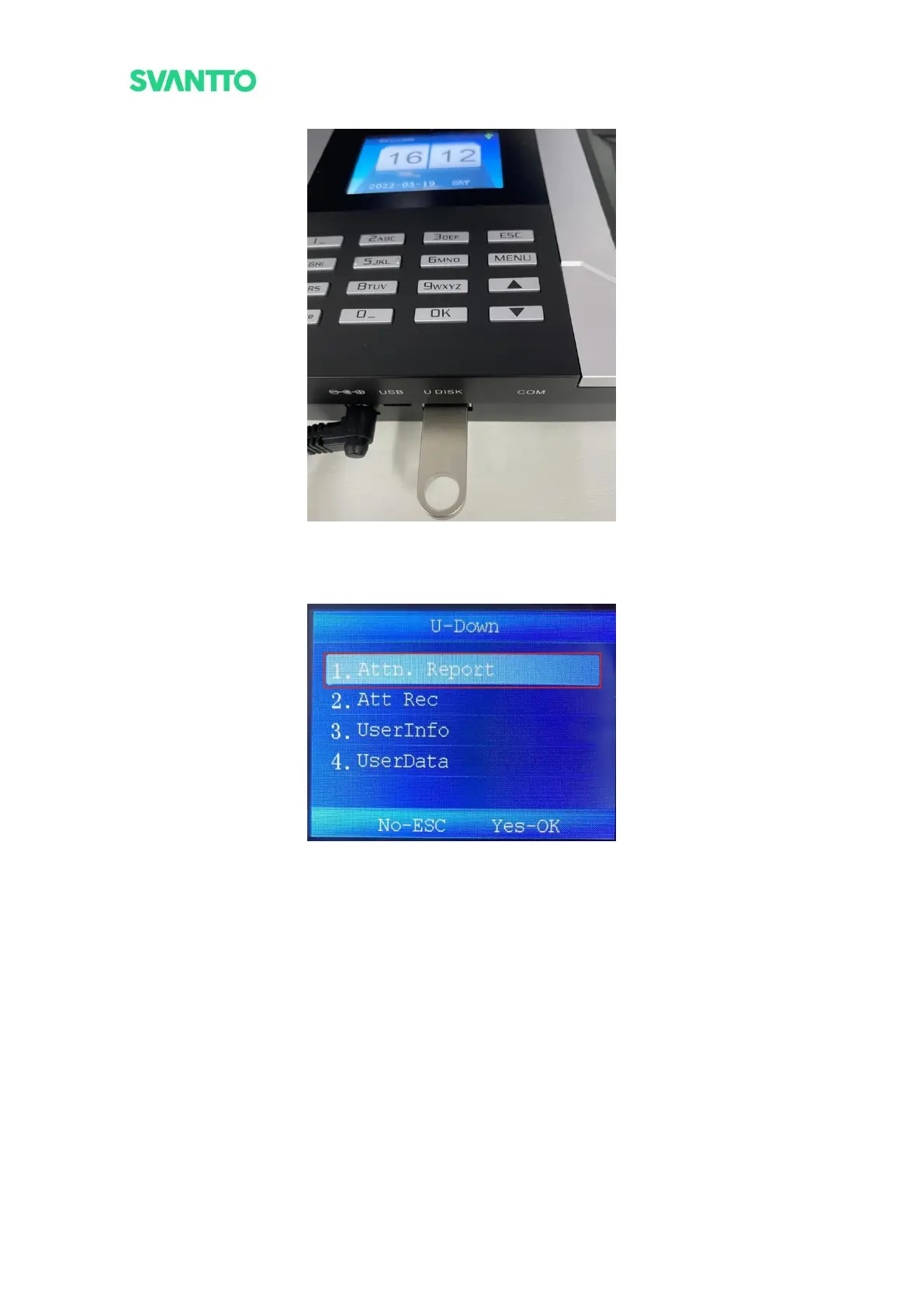
Figure 3-31 Plug the USB Flash Drive in Machine
2) Press the [MEUN] key to enter the menu interface, then select the [U-Down], press the [OK] key to
confirm enter the U-Down interface.
Figure 3-32 U-Down Interface
3) Select the [Attn.Report] then press [OK] key to enter the “Attn.Report” interface. Choosing the start
and end data, then select [Download] and press [OK] key to download punch data for this period.



 To Next Page