Page
35
of
45
IAM03 Time Clock User Manual
Version 1.00
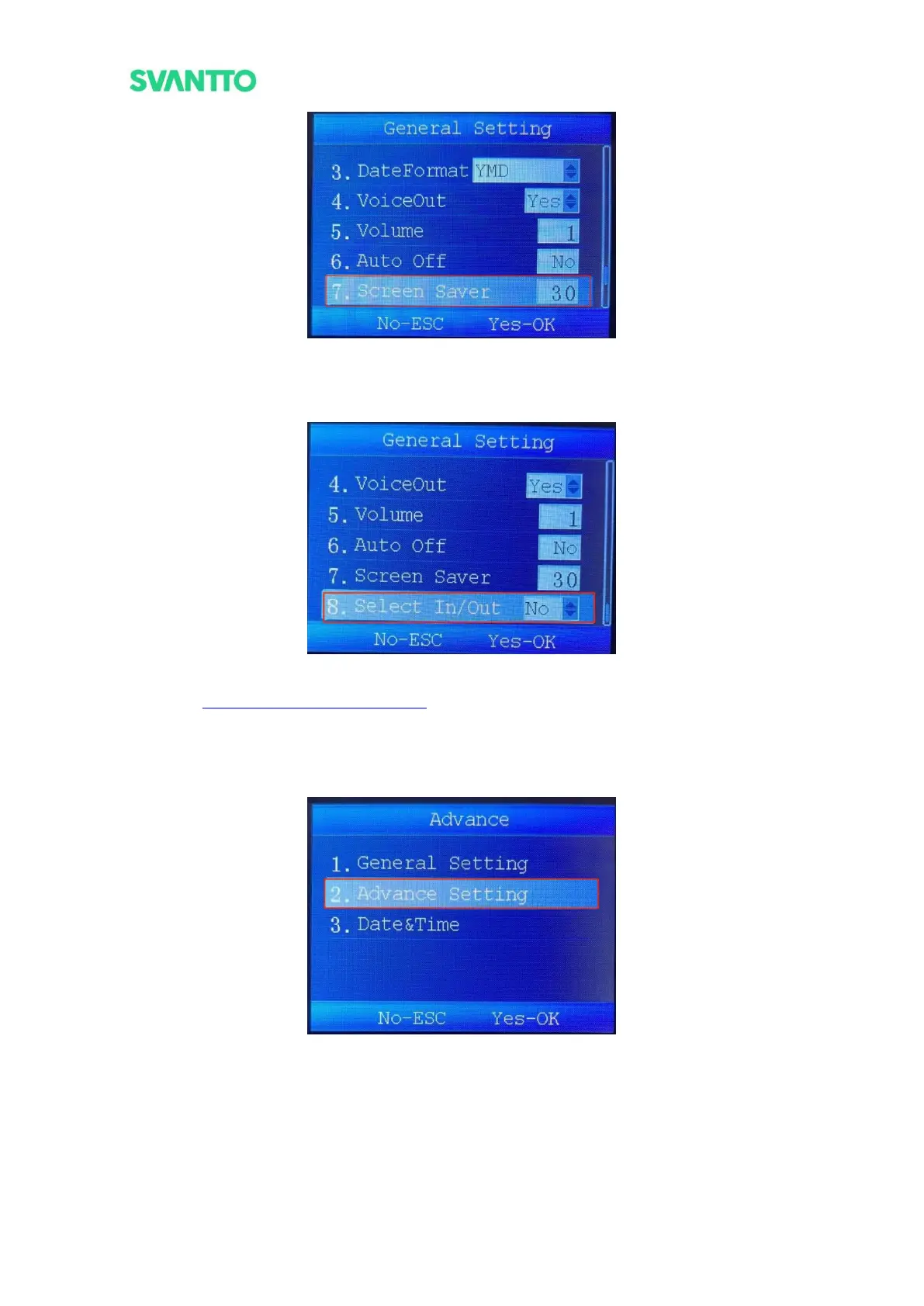
Figure 4-33 Set Screen Saver Time
8.Set whether to turn on check-in and check-out. If this setting is turned on, it needs to manually select
the check-in and check-out node when punching in.
Figure 4-34 Set Select In/Out
Demo Video: https://bit.ly/IAM03GeneralSettings
5.2.5.2.Advance Setting
This module mainly includes data deletion and setting reset. Select the [Advance Setting] in advance interface
and then press the [OK] key to enter the “Advance Setting” interface.
Figure 4-35 Select Advance Setting Interface
1.Delete all records including punch records and management records.



 To Next Page