13
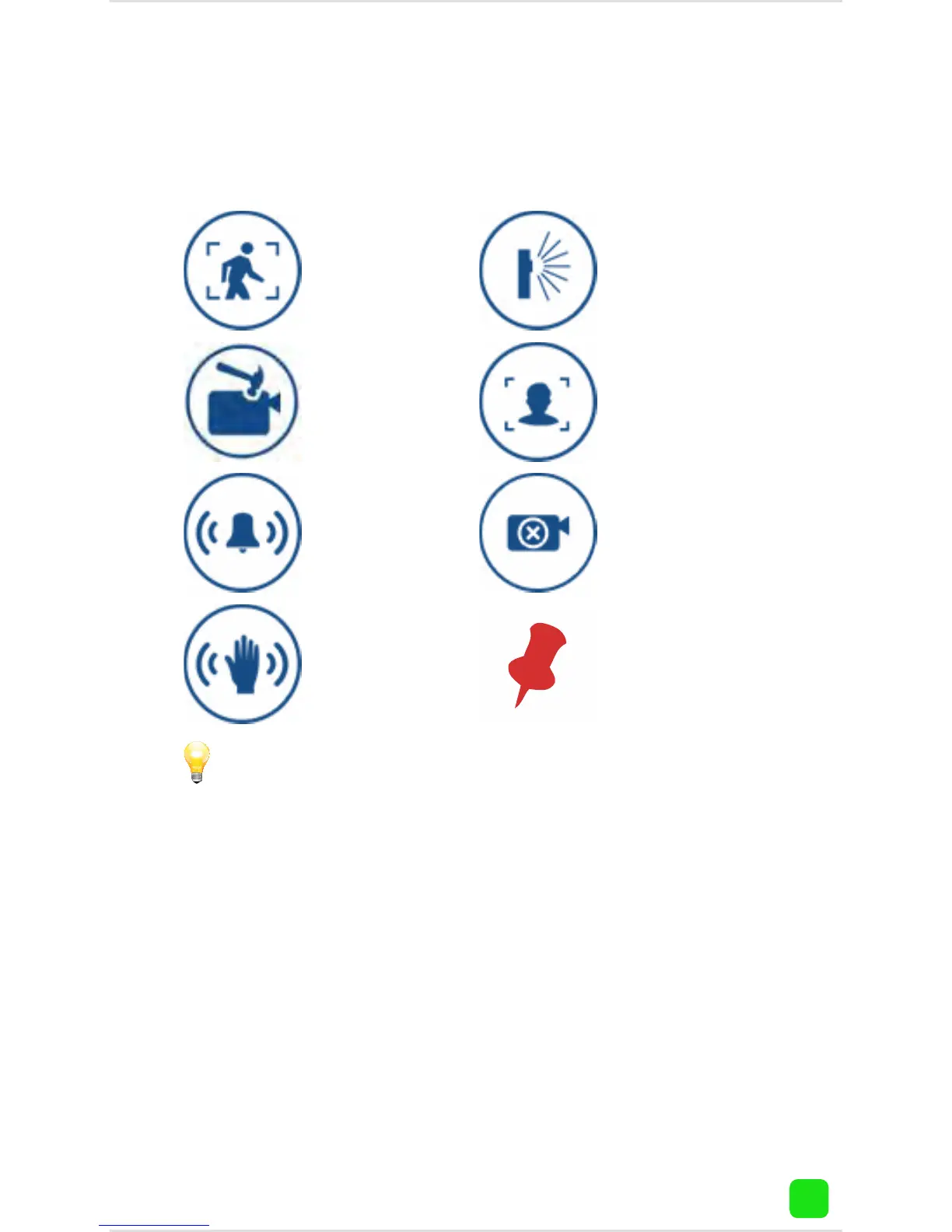
Viewing Events: Status Icons
This icon rep-
resents that an
intrusion has
occurred.
This icon rep-
resents motion
detected by the
PIR sensor.
This icon repre-
sents someone
has tampered
with the camera.
This icon repre-
sents that facial
detection has
occurred.
This icon repre-
sents an alarm
event has oc-
curred.
This icon repre-
sents that mo-
tion detection
has occurred.
This pin icon
will appear on
events that have
been marked.
This icon repre-
sents that the
camera is of-
fline.
For the basic SwannCloud account, all events that
are older than five days or greater than 100MB will be
automatically deleted. Marking an event will prevent
it from being automatically deleted. You can mark up
to three events for safe keeping. Please note; mark-
ing an event does not prevent it from being deleted
manually using the “Delete” button.




 To Next Page