13
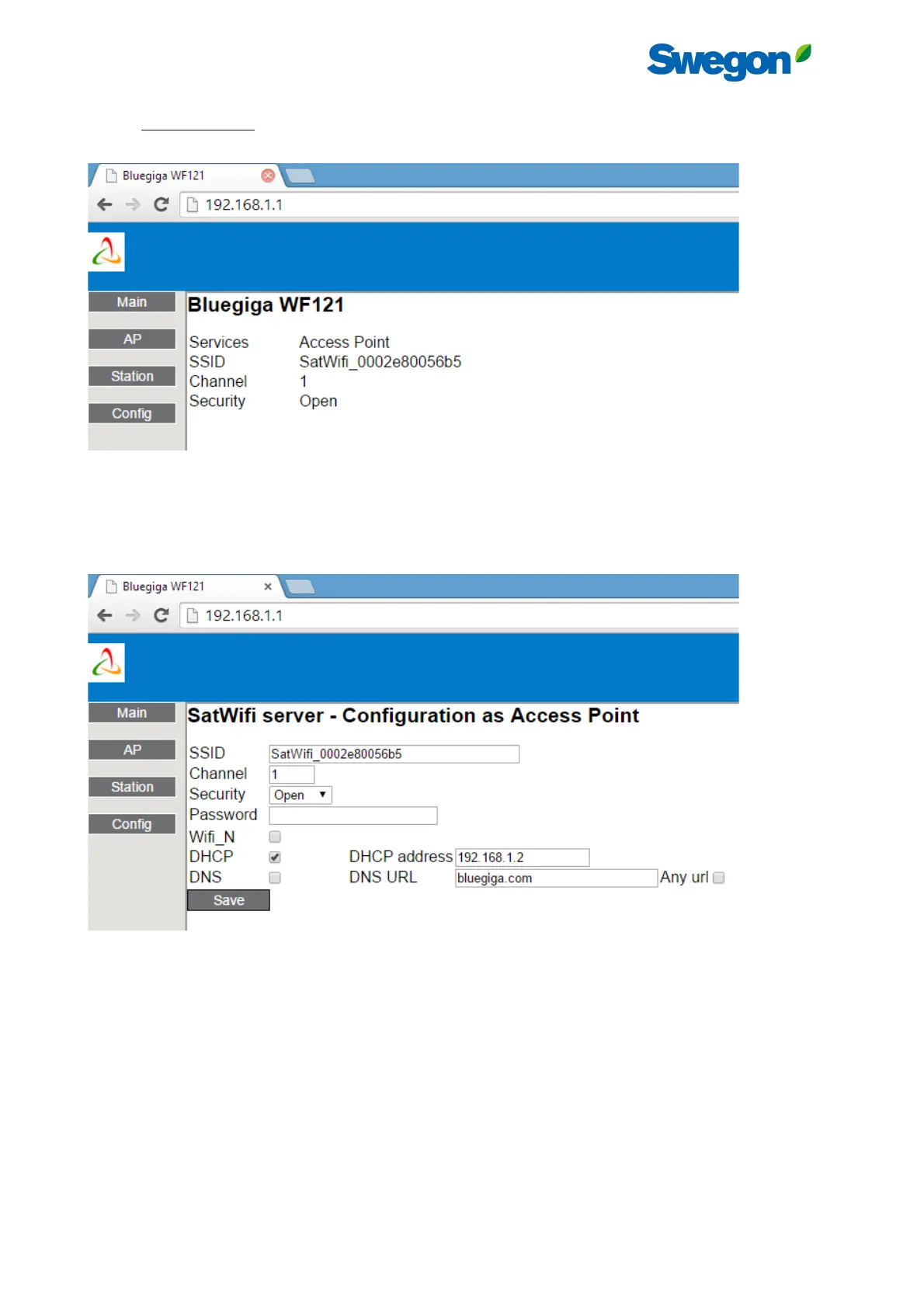
Connect to this Wi-Fi network with a pc, tablet or smartphone that has Wi-Fi access and navigate with a web browser to
address http://192.168.1.1/. The home page will appear where the current configuration of the SAT WIFI is displayed:
Figure 12 - SAT WIFI configuration Web Server - Home Page
3.2.1 Access Point Configuration
Press “AP” button in the left menu to configure the SAT WIFI as an access point:
Figure 13 - SAT WIFI configuration Web Server - Access Point Configuration Page
It is recommended to choose “WPA2” in “Security” Field with a password with at least 8 characters and not more than 16.
The other parameters should be change only by expert user.
Press then the “SAVE” button.



 To Next Page