©2018 SwellPro All Rights Reserved
36
The standard of judging whether the calibration is successful or not, is whether the
drone motors can be unlocked. Switch to Normal from Return Home mode, and try to
unlock the motors in ATTI mode.
If the motors cannot be unlocked, it means the calibration was not successful, please
relocate to another place and repeat the above calibration procedure.
Place the drone in an open area at least 3 meters away from you, or others.
Put the Return Home mode switch in the Normal position, and the flight mode switch
into either GPS or ATTI mode, and then power on the remote control.
Make sure that each part of the drone is connected properly. And the propellers are
installed correctly.
When the drone is powered on, the drone will do a self-check, and when complete, it
will issue a "DI" sound.
Note: While the drone is completing its self-check, please keep the drone stationary.
If ATTI mode is selected, there is no need to wait, you can unlock the motors and
proceed to takeoff and fly immediately, however, in GPS mode, it is necessary to wait
until the number of satellites is a minimum of 9, before attempting to unlock the
motors.
Starting / Stopping the Motors
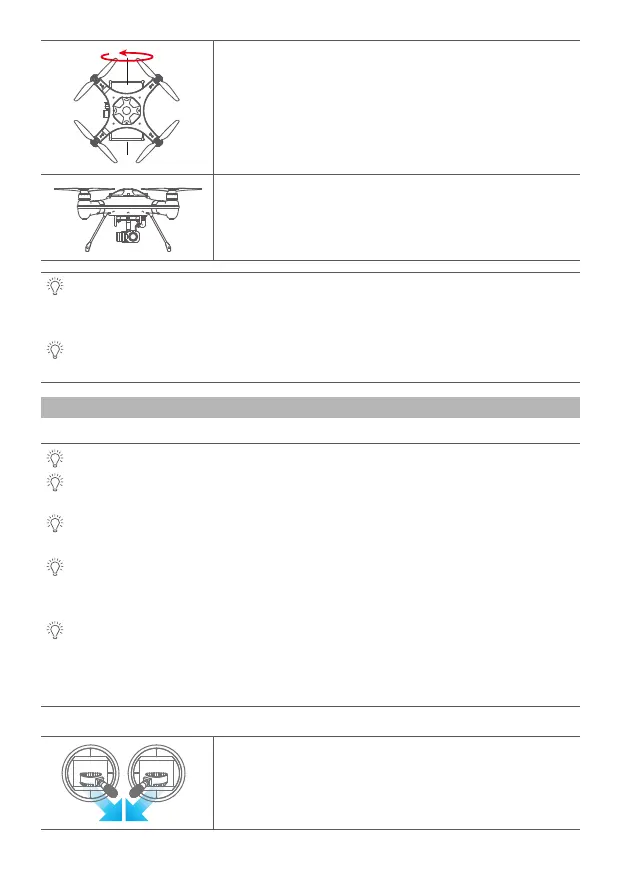
8. Finally, whilst vertical, turn the drone such that it’s nose is pointing
to the right (9 o’clock) and perform a counter clockwise rotation for
360 degrees.
9. Now, place the drone on a horizontal surface for about 90 seconds,
the fast blinking red-green-yellow LED will change to slow blinking.
The calibration is completed.
Unlocking: Pull both the left and right joysticks simultaneously
towards the inner side of the lower side, at an angle of 45 degrees, and
maintain this position for 3 seconds, the motors will now be unlocked,
and will start rotating.
Precautions before unlocking the motors:
Unlocking the Motors














 To Next Page