12 ©2021 Swellpro Technology Co., Limited
AUTO Returning Home
AUTO returning home
Calibration Warning
Red/Green slow flashing. Sensor calibration required. Refer to the remote
control screen for details.
Propellers
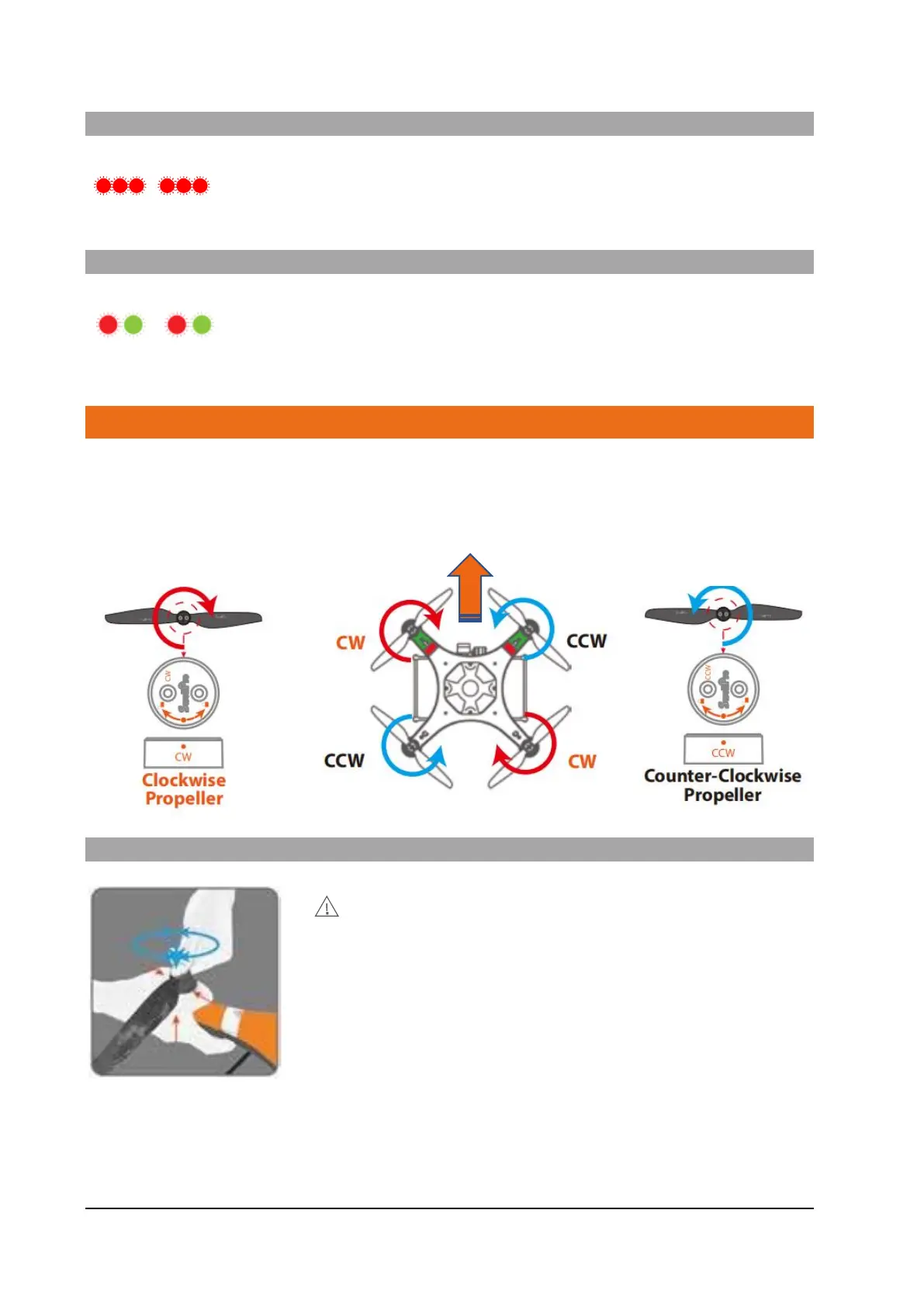
The SD4 has two pairs of propellers - two clockwise propellers and two counter-clockwise
propellers. The hub of each motor shows the type of propeller used for that motor. Propellers
cannot be accidentally attached to the wrong motor.
Attaching and Removing Propellers:
Note : Always place one hand under the motor to support it when
installing or removing propellers.
Failure to provide this support could result in bending or breaking
the landing gear.
1. Check that the propeller rotation (CW or CCW) matches the
motor hub. This is the normal direction the propellers spin during
flight.
2. Rotate the propeller in the hub until it engages, then push the
propeller downwards and rotate it 1/8th of a turn in its opposite direction to lock it. So a CW (clockwise)
propeller is locked by turning it counterclockwise.
3. Check the propeller is completely locked by checking that the dots on the propeller and hub align or by
holding to motor hub firmly and ensuring that the propeller cannot be turned.



 To Next Page