26 ©2021 Swellpro Technology Co., Limited
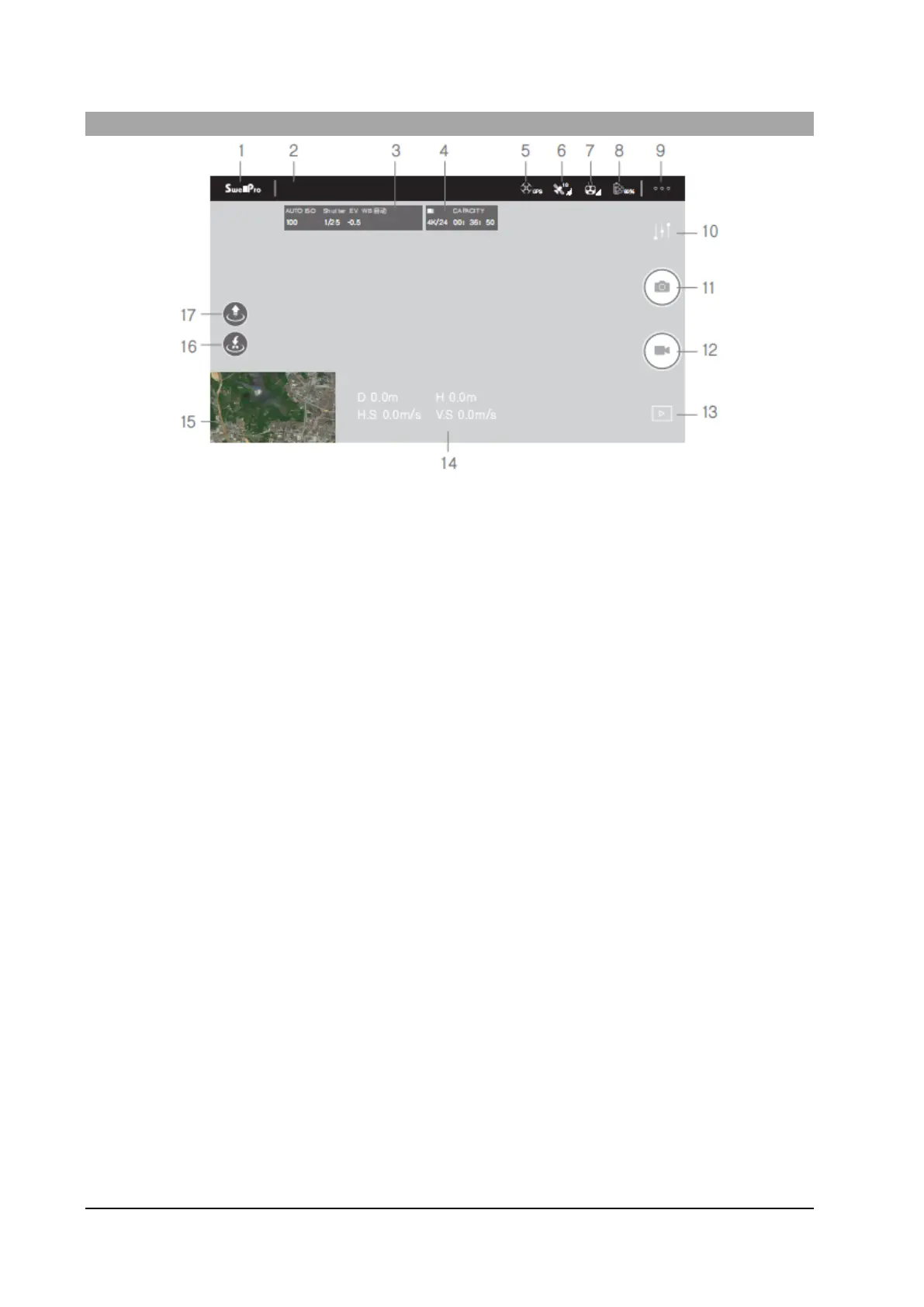
Camera Interface
1. Home Screen: Return to the main interface.
2. Flight Status: Displays the flight status of the aircraft and warning information.
3. Camera Parameters: Current camera/video parameters
4. Memory card Information: Remaining recordable capacity.
5. Flight Mode: The current flight mode.
6. GPS Signal Quality: Number of tracked satellites
7. Remote control Signal Quality: The quality of the control and image signal between the remote control
and the aircraft
8. Aircraft Battery Power: Real-time display of the current remaining power of the intelligent flight battery
9. More Settings: Tap to open the General Settings menu
10. Camera parameter settings: Set video and photo parameters
11. Take a photo: Take a photo
12. Video: Start/stop video recording
13. Playback: View photos and videos that have been taken
14. Flight parameters: D: Distance between the aircraft and the home point | H: Aircraft height from Home
Point | H.S: Aircraft horizontal speed over the ground | V.S: Aircraft vertical speed
15. Thumbnail map: Tap to quickly switch to the map interface.
16. One-key return to home: Tap to start automatically return to home (RTH) and land 3 meters in front of
Remote control current position and turn off the motors
17. AUTO take-off: Tap to automatically take off and hover at a height of 3 meters.



 To Next Page