©2021 Swellpro Technology Co., Limited 21
Power ON and Power OFF
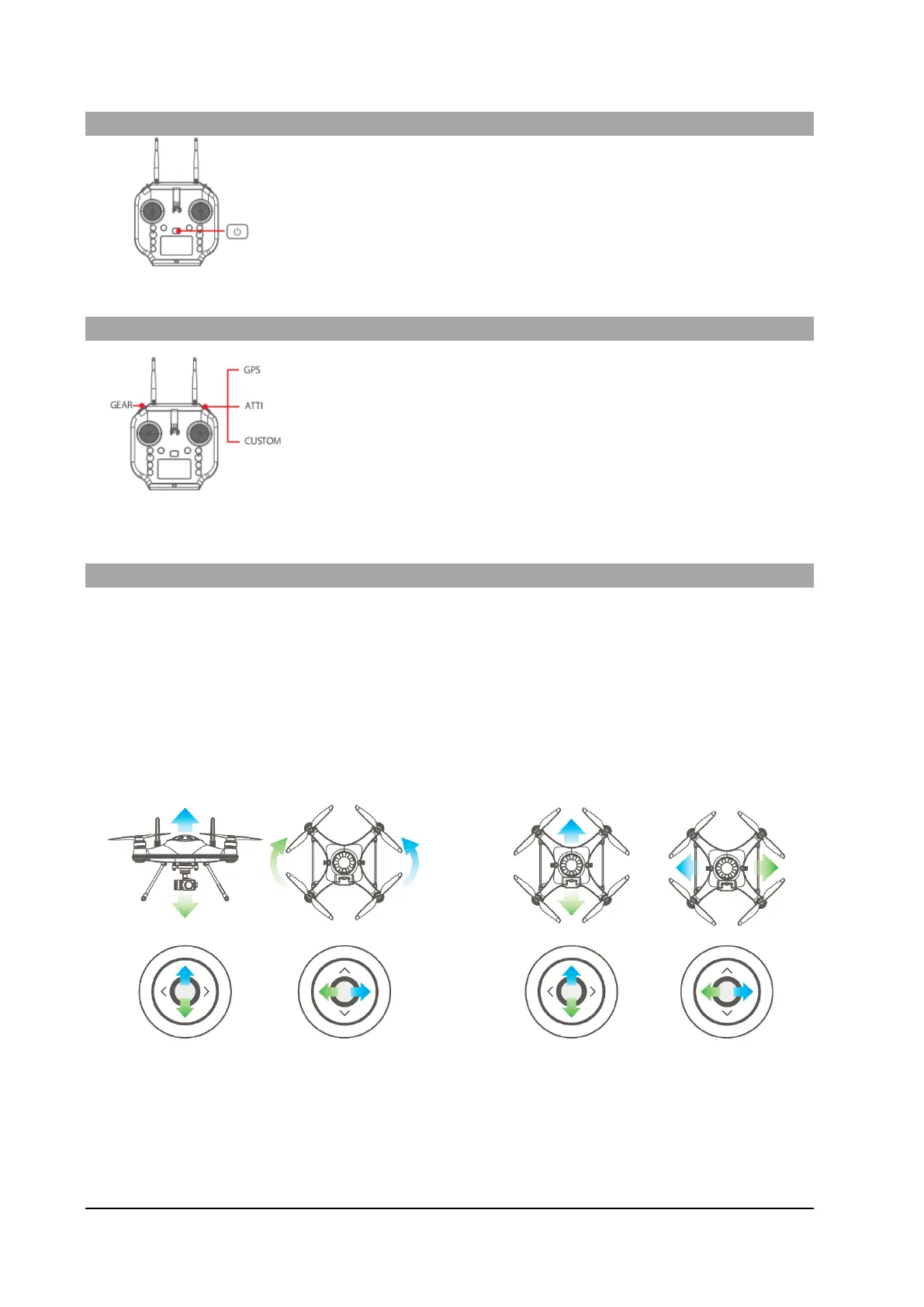
1. Press and hold the Power switch for 3 seconds.
2. The Remote control will power ON
3. To turn OFF the Remote control, return the Camera Control switch to
the Preview position to stop any recording
4. Press and hold the Power switch for 3 seconds.
5. The Remote control will power OFF
Flight Mode Selection
GPS: Sets the drone to GPS flight mode
ATTI: Sets the drone to ATTI flight mode
CUSTOM : Sets the drone to the user-selected flight mode. This can be
changed in the NaviFly app. The default flight mode is Orbit (Circle) mode.
GEAR : Not currently supported.
Joystick Controls
LEFT JOYSTICK includes Throttle & Yaw; RIGHT JOYSTICK includes Pitch & Roll. YAW controls the nose
direction; THROTTLE control the drone to ascend or descend; PITCH control the drone to fly forward or
backward; ROLL controls the drone to fly left or right.
LEFT JOYSTICK RIGHT JOYSTICK
Throttle Yaw Pitch Roll
Mode 1* - Left hand throttle- (American/European configuration) is the standard configuration. If you have
reconfigured your Remote control for Mode 3 - right hand throttle, the functions of the joysticks are
reversed. If you need Mode 3. Will need to update the remote firmware. Contact us to get the firmware.



 To Next Page