14 ©2021 Swellpro Technology Co., Limited
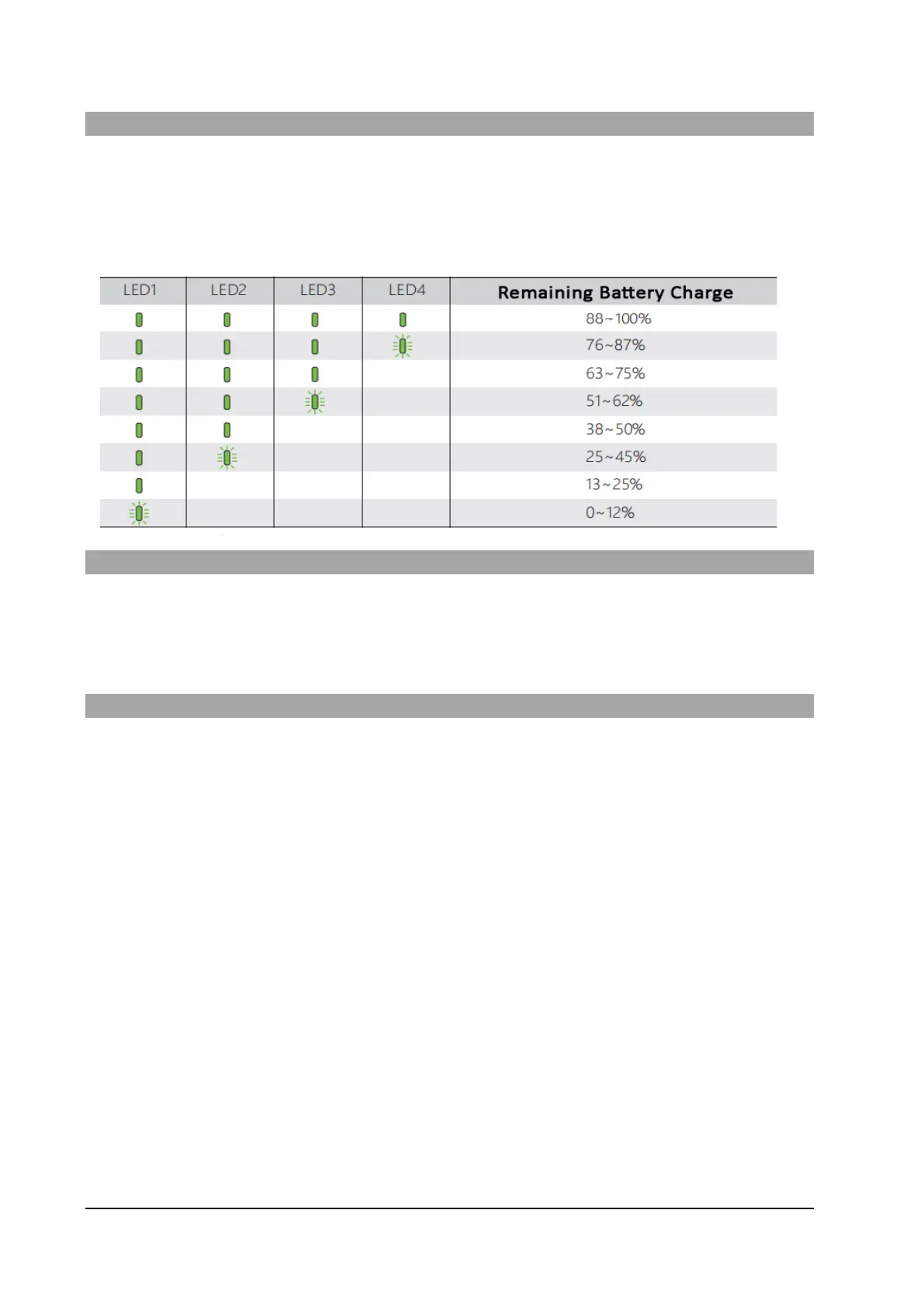
Checking the charge state of the battery
The battery level LEDs on the battery pack allow you to check the state of charge of the battery quickly
and accurately.
With the Battery turned OFF, briefly press the power button – the battery LEDs will indicate the state of
charge.
Powering On/Off the Battery
Briefly press the power button, then press and hold the power button for three seconds to turn the battery
on or off.
Charging the Batteries
Your SD4 is shipped with partially charged batteries. Ensure the drone battery and the remote control
battery are fully charged before use.
The drone and remote control batteries can be charged simultaneously using the supplied AC charger.



 To Next Page