14
15
ENGLISH
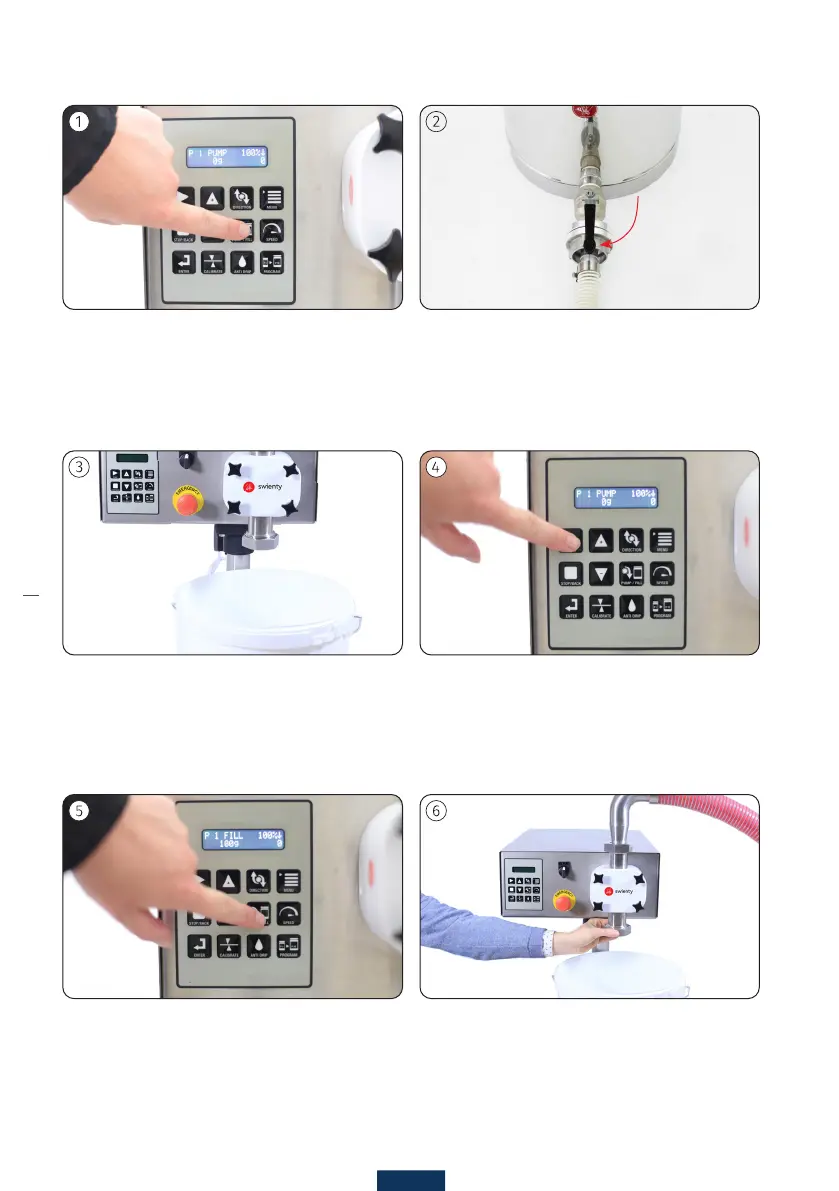
Set the machine to ll with the [PUMP/FILL] button.
The display shows FILL.
Set a bigger container under the pump housing. Press [START]. Pump until the air is out of the system
and then press [STOP].
Open the valve of the container.
PREPARATION FOR FILLING
After the machine stops dripping, mount the cut-off
mechanism. Can potentially be mounted rst, but not
when lling very tough substances.
Se the machine to pump by pressing the [PUMP/FILL]
button. The display must show PUMP.
Remember to check if the pump direction is set cor-
rectly. Use the [DIRECTION] button to make a change.



 To Next Page