11.4 ADDRESSES
In receive DMX mode:
• Press [OK] to access the receiver options.
• Choose the ADDRESSES item with the [UP] and the [DOWN] buttons.
• Press [OK] to change the address access mode.
• Press [Cancel] to exit the receiver options.
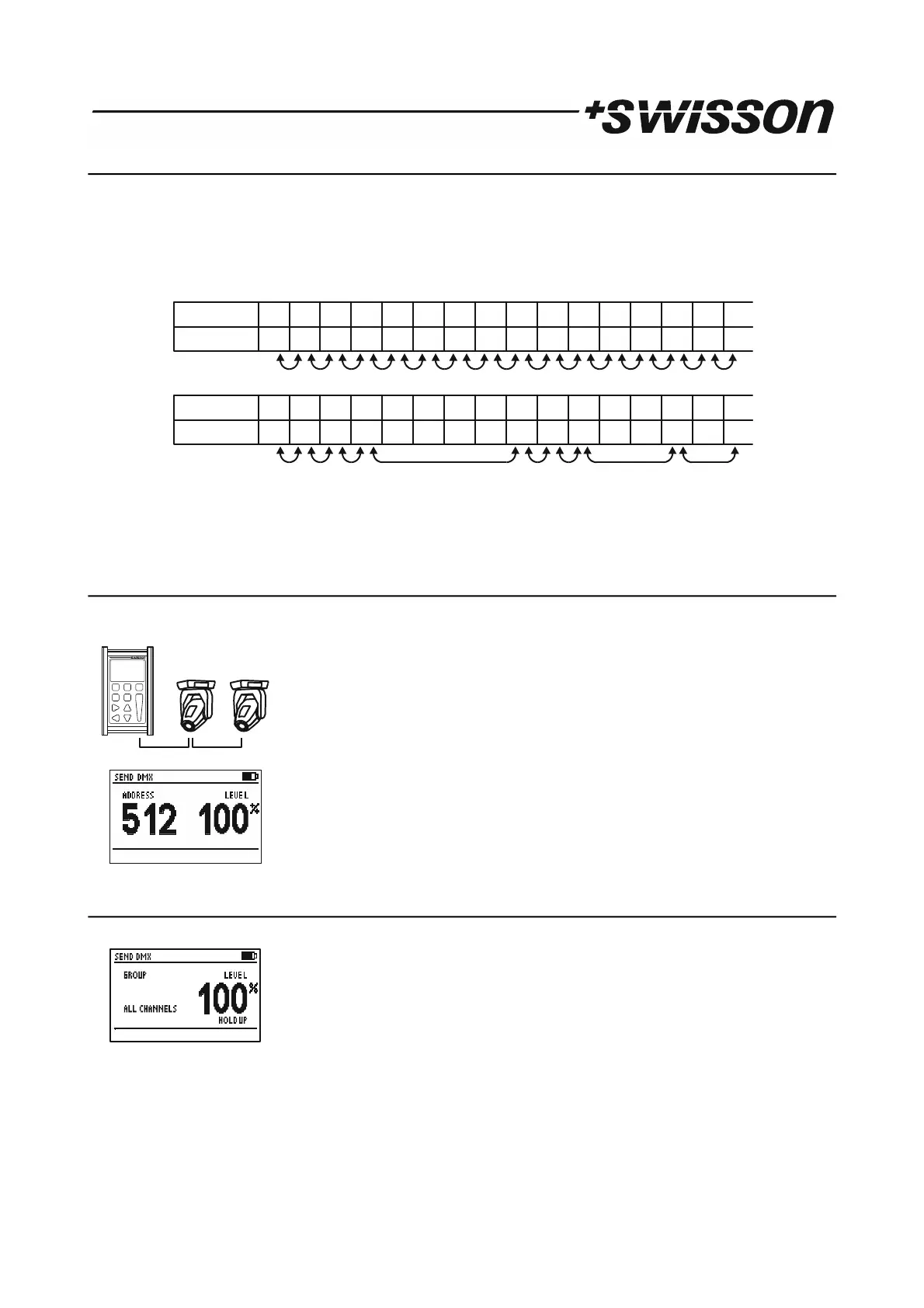
When ADDRESSES is set to ALL you can iterate through all channels using the [CH+] and the [CH-] buttons. When
ADDRESSES is set to OPEN, pressing the [CH+] button will cause the XMT to jump to the next higher address receiving a
non-zero DMX value. Similarly, pressing the [CH-] button will cause the XMT to jump straight to the next lower address
receiving a non-zero value.
Note: This option only applies to the Normal display mode.
12 SEND DMX
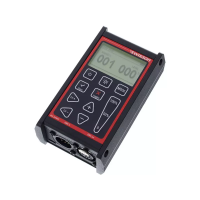
Press the [MODE] button and choose SEND DMX. Now, press the [OK] button to enter the send mode.
Connect your DMX fixtures to the DMX out port of the XMT.
Use [CH+] and [CH-] buttons to select the address.
Use [+] and [-] buttons to set the level for the current channel.
Use [0%], [50%] and [100%] to set level to 0,50% and 100%.
12.1 Set Level of all Channels
Use [CH-] button to select address 1.
Use [CH-] button again to access the group of all channels.
Use the [+], [-], [0%], [50%] and the [100%] button to set the level of all channels.
9 PRELIMINARY
25 36 5 58 0 0 0 0 80 78 12 0 0 77LEVEL 0 1
ADDRESS 1 2 3 4 5 6 7 8 9 10 11 12 13 14 15 16
ADDRESSES = ALL
25 36 5 58 0 0 0 0 80 78 12 0 0 77LEVEL 0 1
ADDRESS 1 2 3 4 5 6 7 8 9 10 11 12 13 14 15 16
ADDRESSES = OPEN


 To Next Page