- 12 -
o WEP
User Name
User Password
•
o Set by drilling down and selecting the parameters.
WEP
WEP PSK Password – enter password.
TKIP
WEP PSK Password – enter password.
CCMP
WEP PSK Password – enter password.
•
WPA (802.1x authorization):
o Set by dialing and selecting the parameters.
WEP
User Name
User password
TKIP
User Name
User password
CCMP
User Name
User password
•
o Set by dialing and selecting the parameters.
WEP
User Name
User password
•
o Password – Used to change the password.
Password – Enter the current password.
• The default password is 0.
Change Password – Enter the new password.
Reset – Returns settings to the factory default.
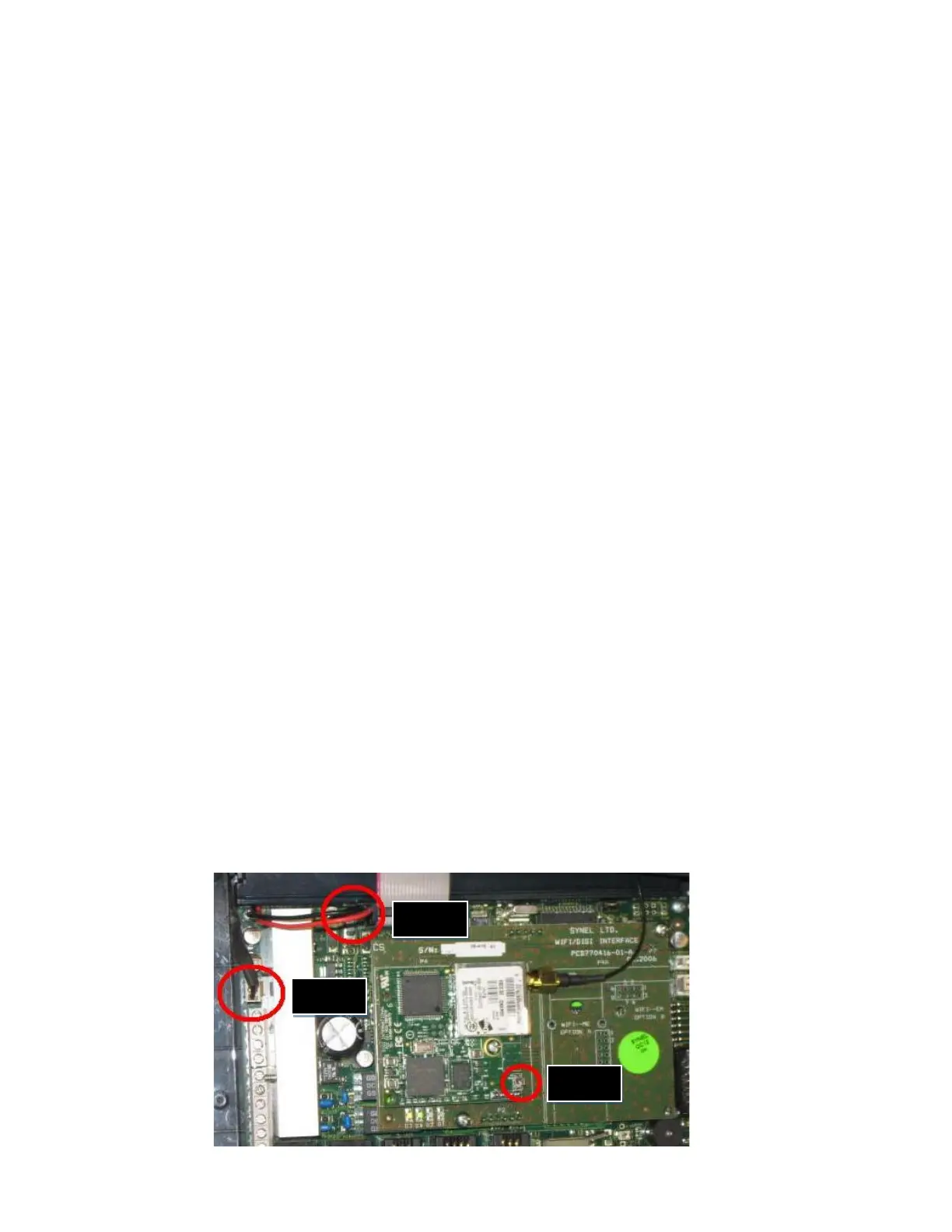
3.3.4 Resetting the Wi-Fi Card
o To reset the card:
Step 1
• Disconnect the battery backup cable
Step 2
• Press and hold the reset button for 5 seconds
• Disconnect the main power source, and continue to hold the reset button for an
additional 30 seconds.
Reconnect the main power source; then reconnect the battery backup power.
o This
restart process may need to be repeated more than once.


 To Next Page