
 Need help?
Do you have a question about the Synel 765 and is the answer not in the manual?
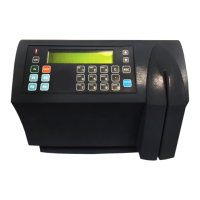
Details the physical and technical specifications of the SY-765 terminal, including dimensions, memory, and reader types.
Describes optional features such as Ethernet, Wi-Fi, POE, and external readers for enhanced terminal functionality.
Highlights key features of the SY-765, including construction material, keypads, and sealing against external elements.
Details the internal components of the SY-765, focusing on back-up battery modules for memory and power failure operation.
Provides guidelines for selecting an appropriate installation location, considering environmental factors like EMI and power line proximity.
Details the procedure for physically mounting the SY-765 terminal, including panel removal, marking, drilling, and securing the unit.
Explains how to access the Technician mode for setting up the terminal, including specific key presses based on the terminal's display.
Describes communication parameters like asynchronous mode and programmable baud rates for host-terminal interaction.
Explains RS-485 communication capabilities, allowing up to 32 terminals on a single COM port and extended cabling distances.
Details direct connection for a single SY-765 terminal via RS-232, including cabling distance limitations.
Covers connecting the terminal via Ethernet or Wi-Fi, requiring IP address and SSID configurations for network communication.
Details RS-232 connection setup, including baud rates, station ID, and modem rings configuration.
Guides through Ethernet configuration, covering IP addresses, gateway, subnet mask, ports, and network modes.
Explains Wi-Fi setup, including network connection modes, authentication methods, and security settings like WEP and WPA.
Provides step-by-step instructions to reset the Wi-Fi card, involving battery disconnection and button presses.
Outlines the procedure to clear a memory error, returning the terminal to the NO PROG state via specific key sequences.
Details the process for resetting the terminal's memory, requiring qualified personnel and involving physical manipulation of the unit.
Identifies the location of jumpers on the main board for performing a memory reset, crucial for troubleshooting.
Provides step-by-step instructions for installing an internal Ethernet card, including unplugging, panel removal, and connector alignment.
Guides through installing an internal Wi-Fi card, covering power disconnection, panel removal, connector alignment, and antenna securing.
Details the installation of a POE card, including unplugging the unit, removing the front panel, and disconnecting various connectors.
Explains how to install a proximity reader, involving unplugging, panel removal, attaching the reader with screws, and connecting the reader.
Provides steps for adding transactions into the terminal using supervisor mode, including entering date, time, badge number, and function.
Details procedures for using Diagnostics Mode to test readers, relays, sensors, and keypad functionality on the terminal.
Guides on setting up the proximity reader to identify badges, involving specific key presses and presenting badges to the clock.
Lists common error codes and their corresponding messages encountered during terminal operation for troubleshooting.
Illustrates internal wiring diagrams for bells and access control, showing normally open and normally closed connections.
Details the external wiring diagram for RS-232 communication, showing the connection between a Host PC, DB9 Serial Adapter, and the clock.
Provides pinout details for HOST (RS-232), NET (Ethernet), and READER (Magnetic/Barcode) RJ-45 connectors.
 General
| Card Reader | Yes |
|---|---|
| Connectivity | USB, Ethernet |
| Communication | Ethernet |
| Power Supply | Included |
| Operating Temperature | 0°C to 45°C |
| Humidity | 10% to 90% non-condensing |

 To Next Page
