- 19 -
5.6 Procedure – Proximity Reader Installation
1.
Unplug the power cord from the bottom of the Terminal and allow the unit to shut down after the battery
backup takes over. This will last about 20 seconds.
Unscrew and remove the front panel; there are 5 screws on the back side of the terminal.
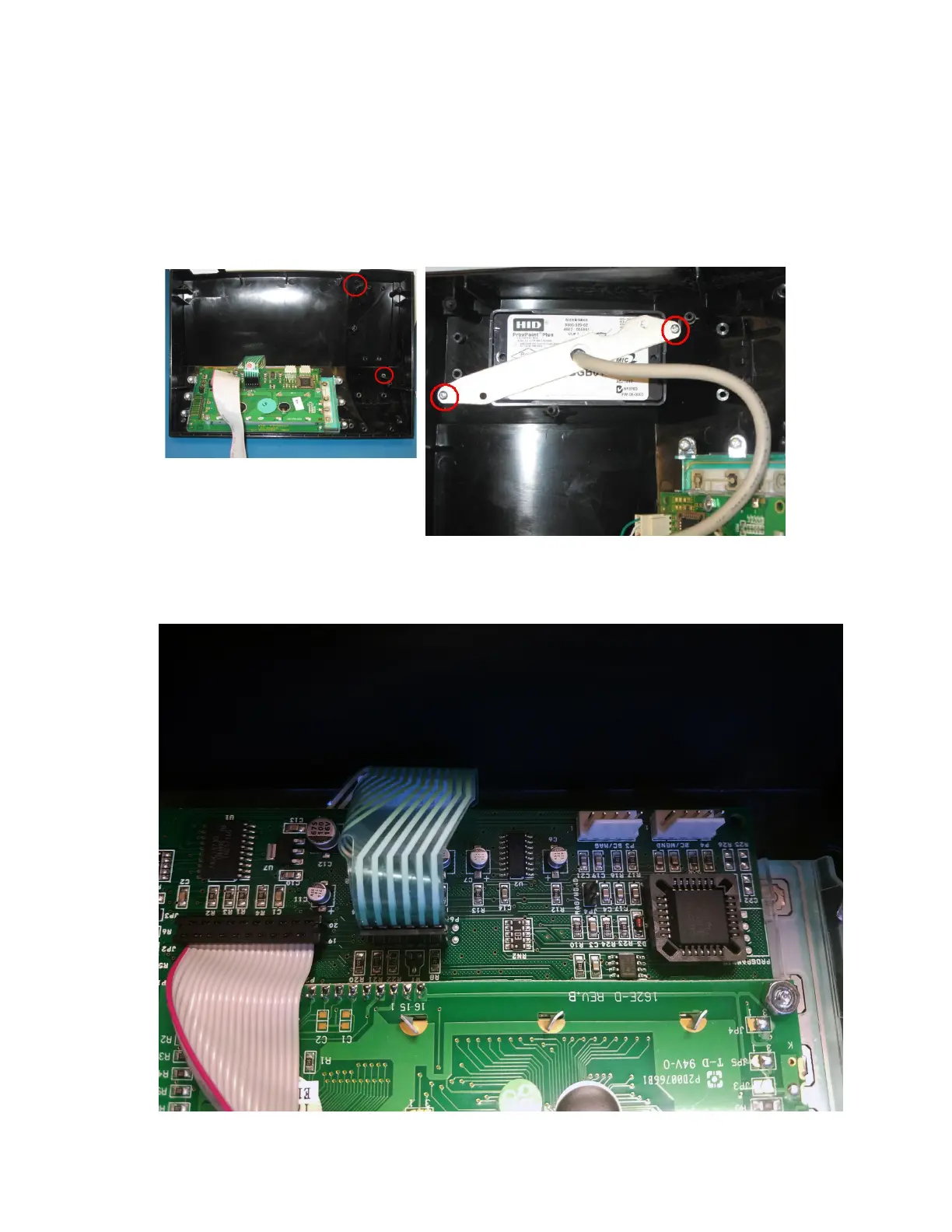
Using the image below as a guide, attach the proximity reader into the unit using the two screws that came
with the kit.
Plug the connector from the reader into the P4 connector using the image below as a guide. Plug the
jumper that came with the kit onto the connector as shown in the image below.


 To Next Page