- 18 -
Remove the main board from the unit.
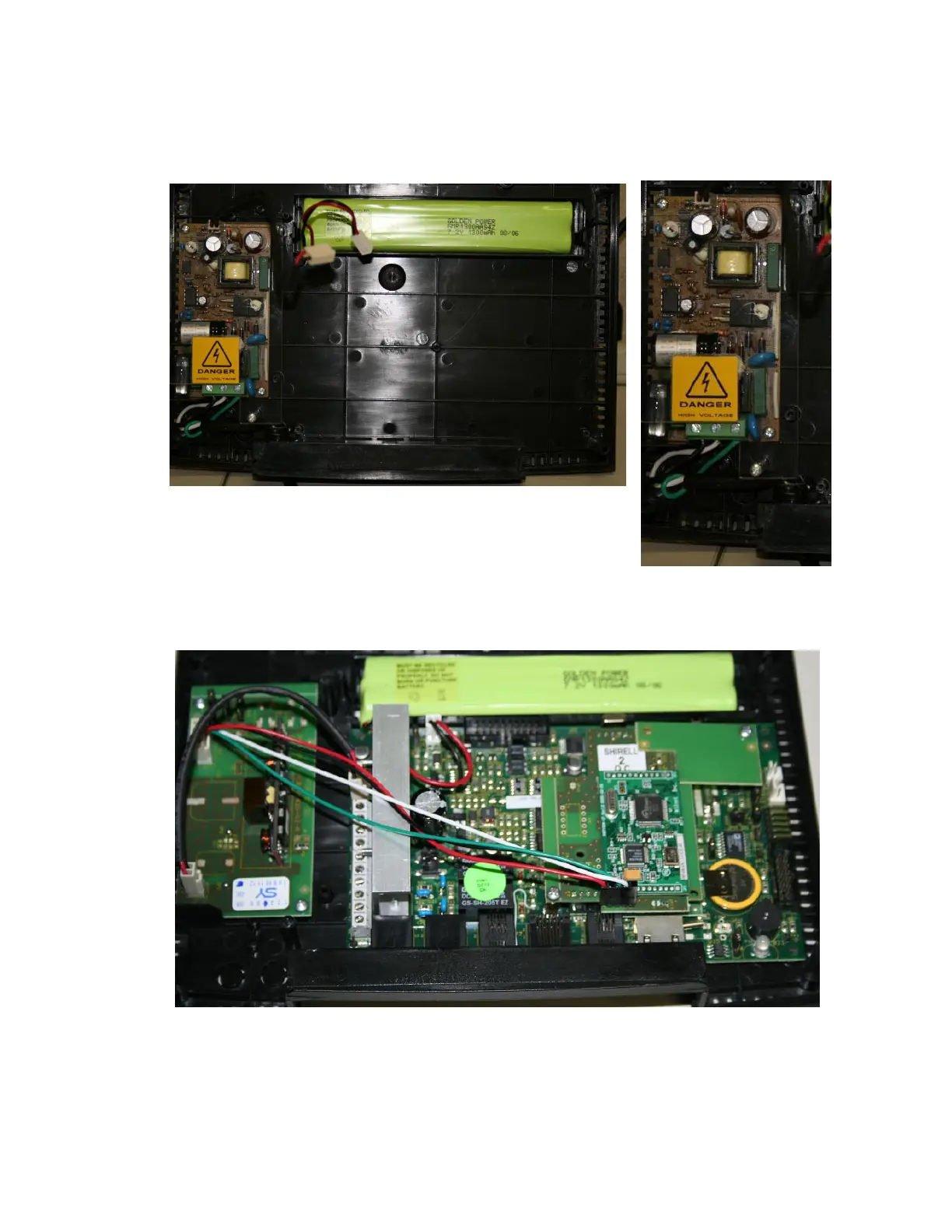
Remove the screws from the plastic protection cover on the power board.
Warning: Be very careful when handling the power board, failure to take proper
precautions may result in serious injury or death.
8.
Remove the power cable by loosening the 3 screws for the black, white
and green wires and pulling them from the connectors. Remove the
power cable from the unit.
Remove the two screws from the power board, and then remove the
board from the unit.
Place the power and the new main board into place, using image below as a reference. Insert the two
screws for the power board and the four screws for the main board.
Reconnect the power wire for the backup battery.
Reconnect the cables for the display and if equipped the cables for the Fingerprint.
Replace the front panel and the four screws.


 To Next Page