12
Chapter 2: Hardware Setup
3
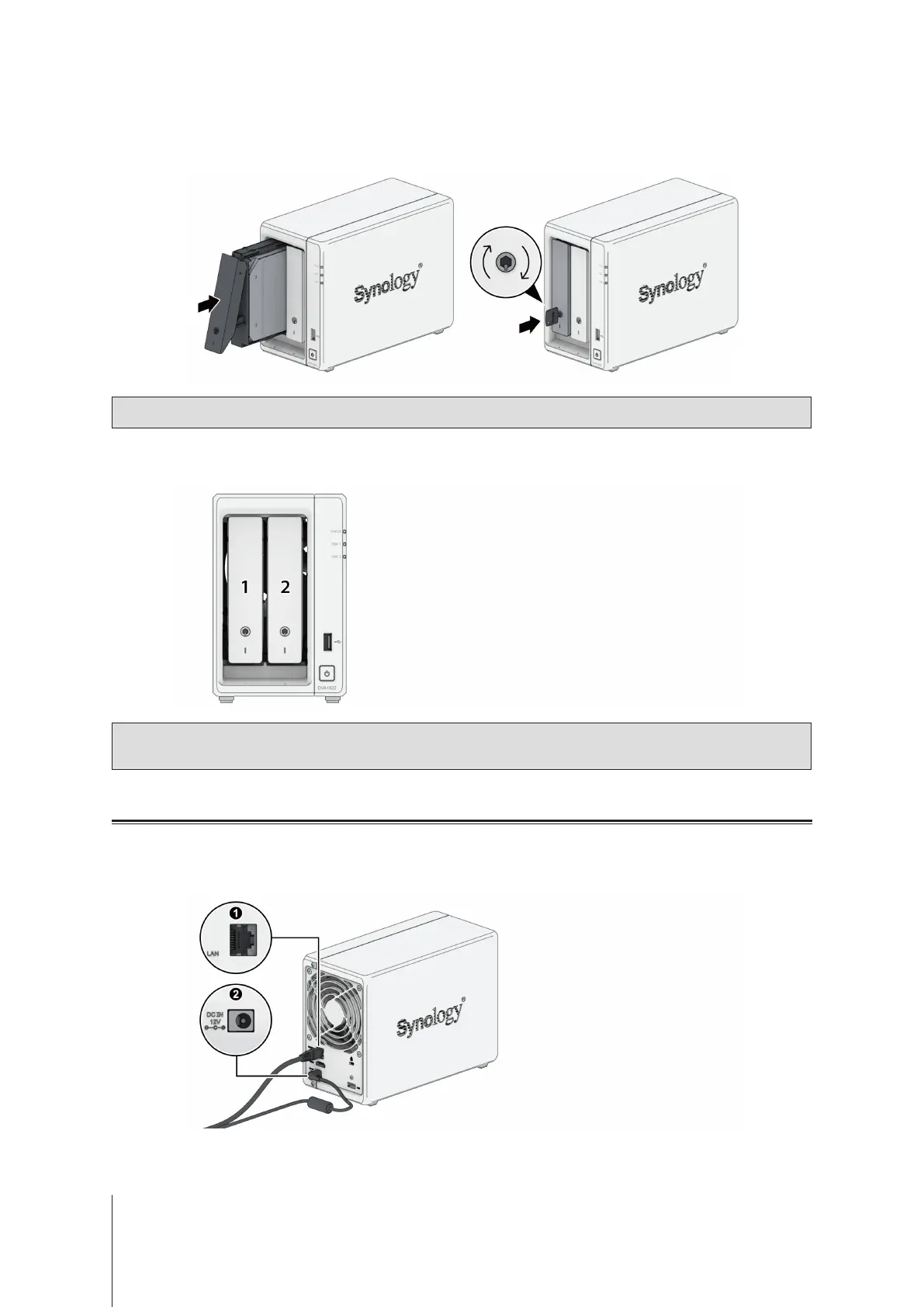
Insert the loaded drive tray into the empty drive bay and push it back until you hear a click when the tray is
locked into place. Insert the drive tray key into the drive tray lock, turn the key clockwise (to the "I" position) to
lock the drive tray handle, and then remove the key.
Note:
Make sure that the drive tray is completely inserted. Otherwise, the drive might not function properly.
4
Repeat the steps above to install the other drives you have prepared.
5
Drives are numbered as shown below.
Note:
If you plan to create a RAID volume, we recommend installing drives of identical size to make the best
use of drive capacity.
Start up Your Network Video Recorder
1
Use the LAN cable to connect the Network Video Recorder to your switch, router, or hub.
2
Connect one end of the AC power adapter to the power port of your Network Video Recorder. Connect one end
of the AC power cord to the AC power adapter, and the other to the power outlet.













 To Next Page