After hardware setup is completed, please install DiskStation Manager (DSM) – Synology's browser-based
operating system – on your DVA1622.
Install DSM
To install DSM with Web Assistant
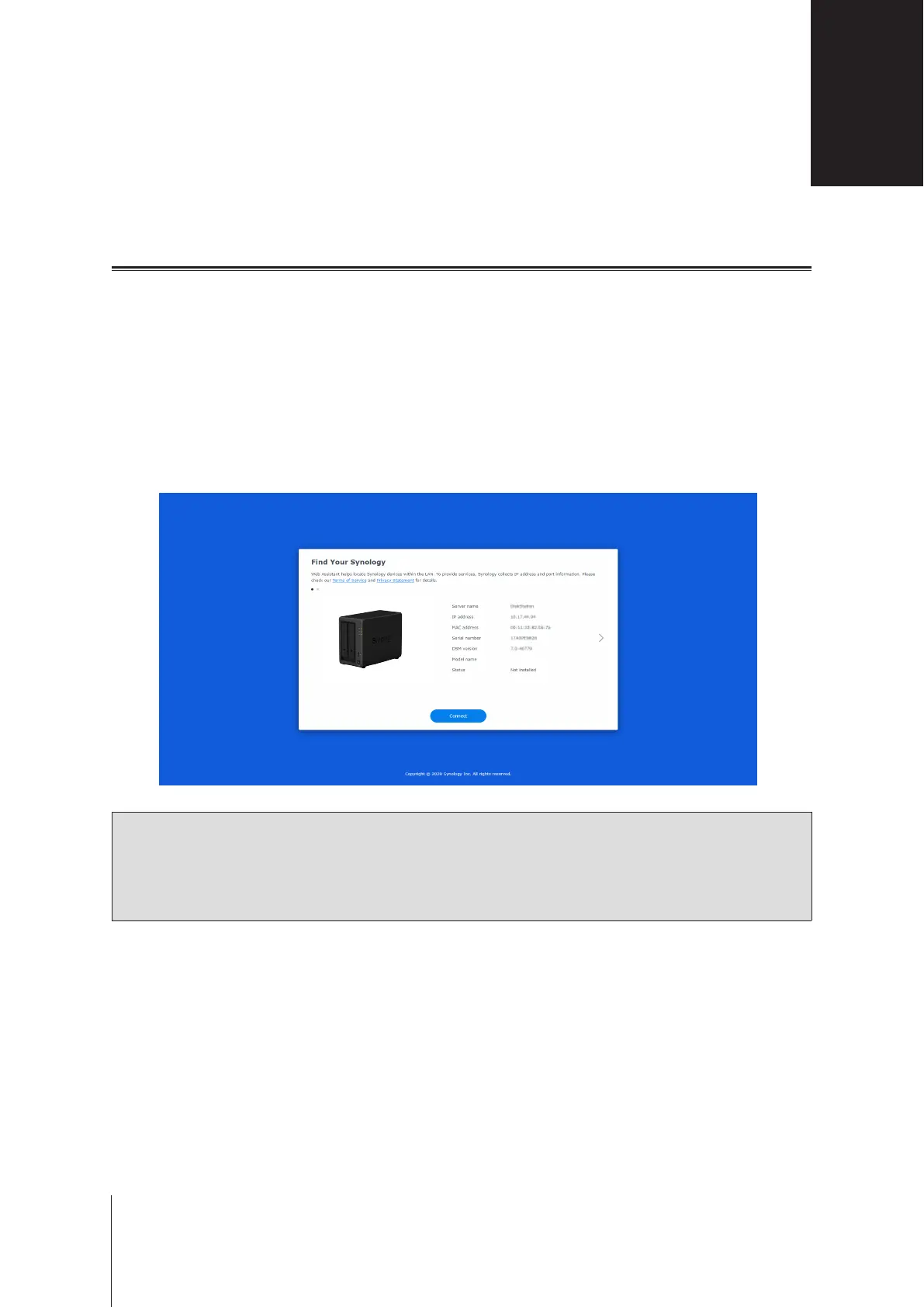
Your DVA1622 comes with a built-in tool called
Web Assistant
that helps you download the latest version of
DSM from the Internet and install it on your DVA1622. To use Web Assistant, please follow the steps below.
1
Power on your DVA1622.
2
Open a web browser on a computer connected to the same network as your DVA1622.
3
Enter either of the following into the address bar of your browser:
a nd.synology.com
b synologynvr:5000
4
Web Assistant will be launched in your web browser. It will search for and nd the Network Video Recorder
within the local network. The status of your DVA1622 should be
Not Installed
.
RS2821RP+DS2422+DVA1622
NVR
5
Click
Connect
to start the setup process and follow the onscreen instructions.
Note:
• The Network Video Recorder must be connected to the Internet to install DSM with Web Assistant.
• Recommended browsers: Chrome, Firefox.
• Both the Network Video Recorder and the computer must be in the same local network.
6
If you accidentally leave the installation process before it is nished, sign in to DSM as
admin
(default
administrative account name) with the password left blank.
To install DSM and Surveillance Station from the device
You can also install DSM and Surveillance Station from your device. Please follow the steps below.
1
Use a HDMI cable to connect your DVA1622 to a screen.
2
Connect your DVA1622 to the Internet.
3
Connect a keyboard and a mouse to the USB port of the DVA1622.
4
Power on your DVA1622.
Install DSM on Network Video Recorder
3
14
Chapter













 To Next Page