20 Synopsys, Inc.
SolvNetPlus
DesignWare
5.60a
March 2020
Setting Up Hardware Components PCIe IP Prototyping Kit Installation Guide
■
If you are using the Xilinx PHY, connect the Paddle board PCIe end to the PCIe Root Complex
slot.
■
If you are using a Synopsys PCIe PHY
1
, connect the PCIe PHY board to the PCIe Root
Complex slot.
c. Connect the PCIe endpoint device to the PCIe Endpoint slot.
d. If you are using the Xilinx PHY, connect the Paddle board MGB end to the HAPS-80 MGB1 port.
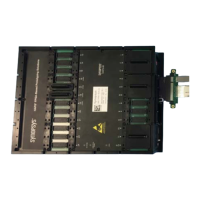
Flip the PCIe Backplane board over the HAPS-80 board and align the Paddle board with the MGB
Brackets, see Figure 1-13 on page 22.
1. The Synopsys PCIe PHY can be a Synopsys C10, E16 or E32 PHY board.


 To Next Page