Document Number: MKT-70-1096 Revision 1 Page 4
SYSMEX XE-5000
TM
SAMPLER (AUTO) MODE
‘Control Entry Error’ occurs if lot is not entered in QC files.
1. Warm controls to room temperature.
2. Pre-mix controls by gentle end-to-end inversion until suspended.
3. Place barcoded QC samples in rack, barcodes facing the front of the
rack.
4. Verify XE Main Unit ‘Ready’ LED is on and ‘Manual’ is displayed on LCD
5. Place rack on the right rack pool of Sampler unit.
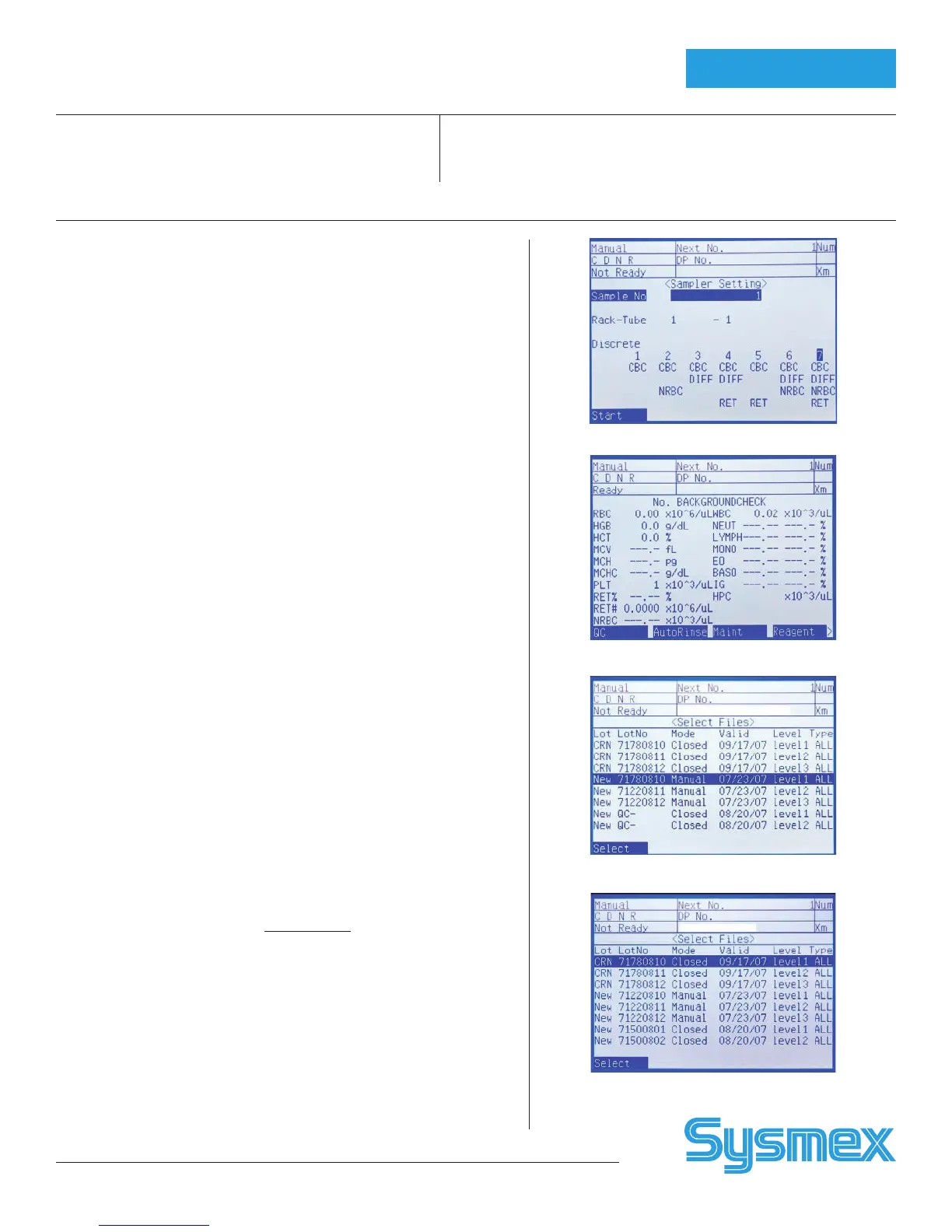
6. Press [SAMPLER] on Main Unit keypad.
7. Press [Start] on the function menu or press [SAMPLER] again.
MANUAL OPEN MODE
1. Warm controls to room temperature.
2. Pre-mix controls by end-to-end inversion until suspended.
3. Verify XE Main Unit is ‘Ready’ and ‘Manual’ is displayed.
4. On XE Main Unit Menu, press [QC] and [EXEC. QC]. If ‘QC’ is not
displayed, press [MORE].
5. Press [↓] to control to be analyzed (CRN/New, lot #, ‘Manual’, exp.
date, level) and press [SELECT]. If lot is not listed, press [↓] to next
screen.
6. Uncap and hold open control under aspiration pipette. Press
START SWITCH on XE Main Unit.
7. Remove tube when ‘Ready’ LED stops blinking and ‘beep-beep’ sound is
heard. Wipe top of control cap and reseal.
Note: No need to wipe tip of sample aspiration pipette
8. When results display on XE Main Unit, press [OK] to plot, or press
[CANCEL] to abort.
9. Press [RETURN] to exit from QC Mode on Main Unit.
MANUAL CLOSED MODE
Alternate method for analyzing QC samples in closed mode without using
barcodes: Tube MUST be placed in Tube Position 1.
1. Warm controls to room temperature. Pre-mix controls by gentle end-to-
end inversion until suspended.
2. Verify ‘Ready’ LED is on and ‘Manual’ mode displays on Main Unit.
3. On XE Main Unit Menu, press [QC] and [EXEC. QC]. If ‘QC’ is not
displayed, press [MORE].
4. Press [↓] to control to be analyzed (CRN/New, lot #, ‘Closed’, exp. date,
level) and press [SELECT]. If lot no. is not displayed, [↓] to next QC
screen.
5. Place pre-mixed QC sample in Tube Position1 of rack. Place rack on
right rack pool of sampler unit.
6. Press START SWITCH on XE Main Unit. Rack moves so first tube stops
at the aspiration position. Cap Piercer picks up tube of blood and aspi-
rates it.
7. When QC results display on XE Main Unit, press [OK] to accept QC, or
[CANCEL] to abort. Accepted data transmits to IPU and is plotted on
QC Chart.
8. Repeat steps 4-6 to analyze the other levels of control.
9. To exit from QC Mode on XE Main Unit, press [RETURN] on panel.
10. Remove rack from Sampler Unit manually.
QC Analysis
Sampler Screen
Main Unit Menu Screen
LCD Screen: Manual QC
LCD screen: Manual Closed Mode



 To Next Page