
 To Next Page
M
Marisa McintyreAug 13, 2025
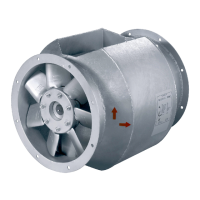
What to do if there is soiling on the impeller of my SystemAir AXC Fan?
- CcharlescarlosAug 13, 2025
If there is soiling on the impeller of your SystemAir Fan, clean it carefully and then rebalance it.

What to do if there is soiling on the impeller of my SystemAir AXC Fan?
If there is soiling on the impeller of your SystemAir Fan, clean it carefully and then rebalance it.
How to fix impeller imbalance in SystemAir AXC Fan?
If your SystemAir Fan has an impeller imbalance, rebalancing by a specialist company is recommended. Otherwise, contact Systemair.
What to do if my SystemAir AXC does not run smoothly?
If the SystemAir Fan isn't running smoothly, several factors could be at play. The impeller might be rotating in the wrong direction; in this case, change the direction of rotation, swapping two phases if it's a 3-phase motor. There could be deformation of the impeller due to excessive temperature; ensure the temperature doesn't exceed the certified value or install a new impeller. The wiring configuration might be incorrect; check and correct it, ensuring it's not Y instead of Delta. Blocked intake or pressure paths can also cause this; remove any blockages. If the motor overheated, check the cooling impeller (if used) and measure the motor winding (if possible), or contact Systemair. A missing phase could be the issue; check if all 3 phases are present. If the motor is blocked, contact S...
Why SystemAir AXC does not reach nominal speed?
If your SystemAir Fan isn't reaching its nominal speed, several issues could be the cause. The control units (if used) such as frequency converter or transformer might be set incorrectly; correct their settings. Check for a mechanical blockage and remove it. The supply voltage might be incorrect; check and re-establish the voltage supply. A faulty connection could also be the problem; after disconnecting from the power supply, correct the connection following the circuit diagram. If the temperature monitor has responded, allow the motor to cool down and resolve the cause of the fault. Ensure sufficient cooling and check if the ambient temperature is too high, verifying that the correct fan is used for your application. For a defective motor winding or improperly aligned drive motor, contac...
Key safety principles and responsibilities for users and installers.
Critical safety precautions and requirements for installing the fan.
Specifications for tightening screw connections according to DIN standards.
Safe and correct methods for lifting and positioning the fan unit.
Critical safety warnings related to electrical voltage and connections.
Checks and conditions required before performing electrical connections.
Methods to protect the motor from overheating and damage.
Requirements for the protective grounding wire installation.
Information on the necessary use of residual current circuit breakers.
Safety precautions during the commissioning phase of the fan.
Checks and conditions required before commissioning the fan unit.
Critical safety warnings and guidelines for operating the fan.
Checks and conditions required before operating the fan.
Safety rules applicable to troubleshooting, maintenance, and repair tasks.
Common fan problems, their possible causes, and corrective actions.
Regular maintenance schedules and checks for continuous fan operation.
Safety precautions to be followed during cleaning operations.
 General
| Type | Axial |
|---|---|
| Impeller Material | Aluminum |
| Voltage | 230V / 400V |
| Frequency | 50 Hz |
| Weight | Varies with model, refer to documentation |