PAGE
Section 5 • System Set-up
5.21 Default Operating Mode
The codes for the programmable inputs to
the S4.3 Controller are stored on two code
banks or “pages” within the translator card as
detailed in 5.22 below. On delivery, the
controller is factory set with the Page 1 codes
available for use.
5.22 Optional Operating Modes
The S4.3 Controller supports a number of
equipment brands with the codes stored on
two code banks or “pages” as listed below.
Two setup overlay cards (one for each page)
are supplied for use during source
component configuration.
If the available sources are all on Page 1, no
internal adjustment is required. If any or all
sources are on Page 2, the configuration of
the translator card must be changed by
altering the setting of the four miniature
switches which form switch SW1, as detailed
below..
As this requires removal of the top cover of
the controller, it is recommended that SW1 is
configured BEFORE installation of the
controller. Use a ballpoint pen or similar to
move each switch (Right = ON, Left = OFF).
WARNING
Disconnect the mains supply to the controller
before removing the top cover.
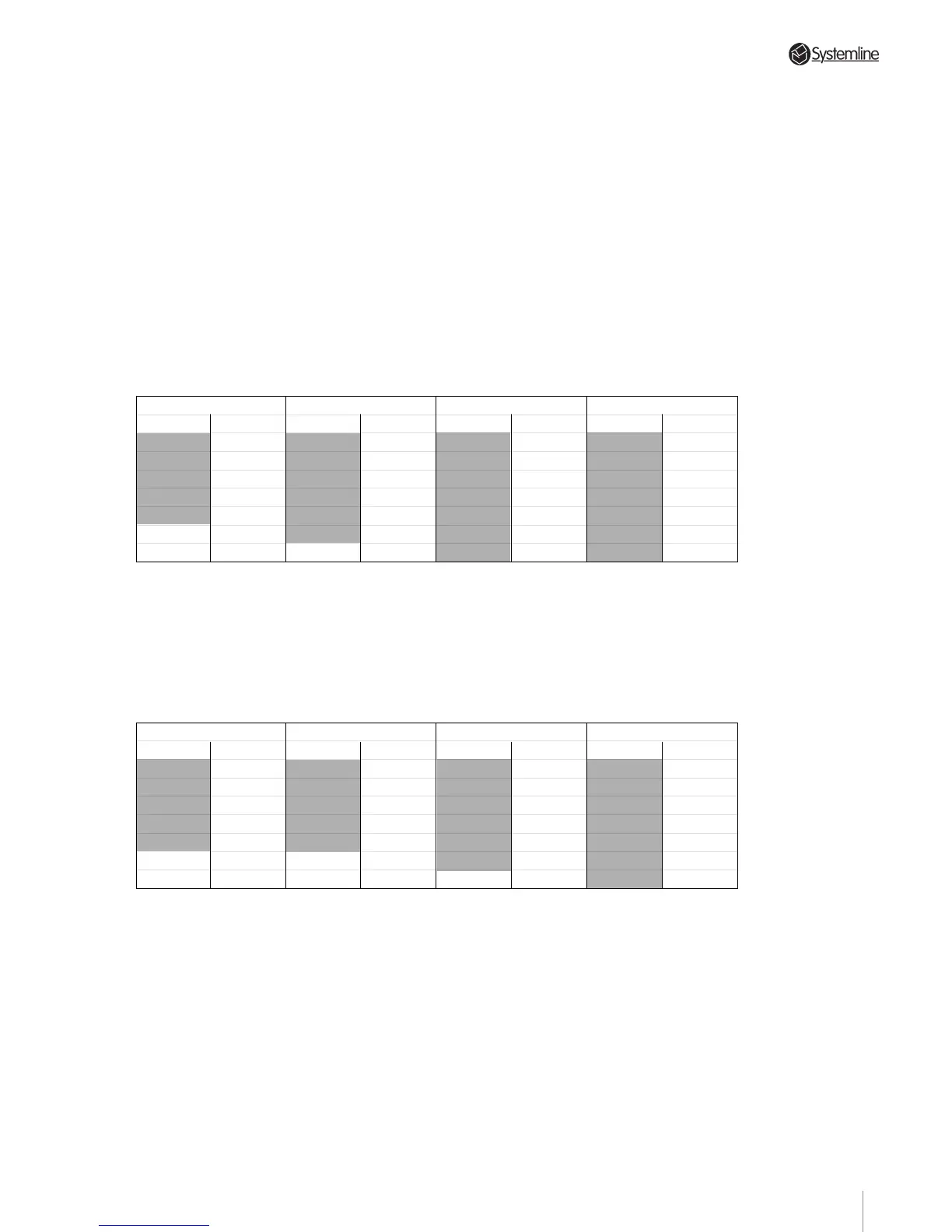
To use a Sony tuner on Input 1, a Rotel CD
player on Input 2, a PACE satellite on Input 3
and a Toshiba DVD on Input 4 for example,
SW1 should be set as follows:
Switch 1 = ON
Code Input 1
ROTEL Tuner
ONKYO Tuner
TECHNICS Tuner
NAD Tuner
LUXMAN
ROTEL
ONKYO
TECHNICS
NAD
LUXMAN
ROTEL
ONKYO
TECHNICS
NAD
LUXMANTuner
Tape
Tape
Tape
Tape
GALAXY Satellite
JERROLD Cable Box
CD Player Tape
CD Player
CD Player
CD Player
CD Player
RC-5 Tuner 2
SONY Tuner 2
PIONEER Tuner 2
Tuner 2
TOSHIBA
YAMAHA
DVD
SONY CD Player
Code Input 2 Code Input 3 Code Input 4
Switch 2 = ON Switch 3 = ON Switch 4 = ON
Sony tuner on Page 1 SW1 switch 1 to OFF
Rotel CD on Page 2 SW1 switch 2 to ON
PACE satellite on Page 1 SW1 switch 3 to OFF
Toshiba DVD on Page 2 SW1 switch 4 to ON
NOTE: As can be seen from the Page 1 and
Page 2 tables, it is possible to use either two
CD players or two tuners as two of the source
components. However, the two components
MUST be different brands; i.e. Pioneer CD on
input 2 and a Panasonic CD on input 4.
Switch 1 = OFF
Code Input 1
RC-5 Tuner
SONY Tuner
PIONEER Tuner
YAMAHA Tuner
DENON Tuner
SONY Tape
PIONEER Tape
YAMAHA Tape
DENON Tape
PACE Satellite
NOKIA Satellite
RC-5 CD Player RC-5 Tape
SONY CD Player
PIONEER CD Player
YAMAHA CD Player
DENON CD Player
SONY Mini Disc
RC-5 Video
SONY*
*
SONY code 2
CD Player
PIONEER CD Player
PANASONIC
Video
SONY Video
PIONEER DVD
Code Input 2 Code Input 3 Code Input 4
Switch 2 = OFF Switch 3 = OFF Switch 4 = OFF
22



 To Next Page