PAGE
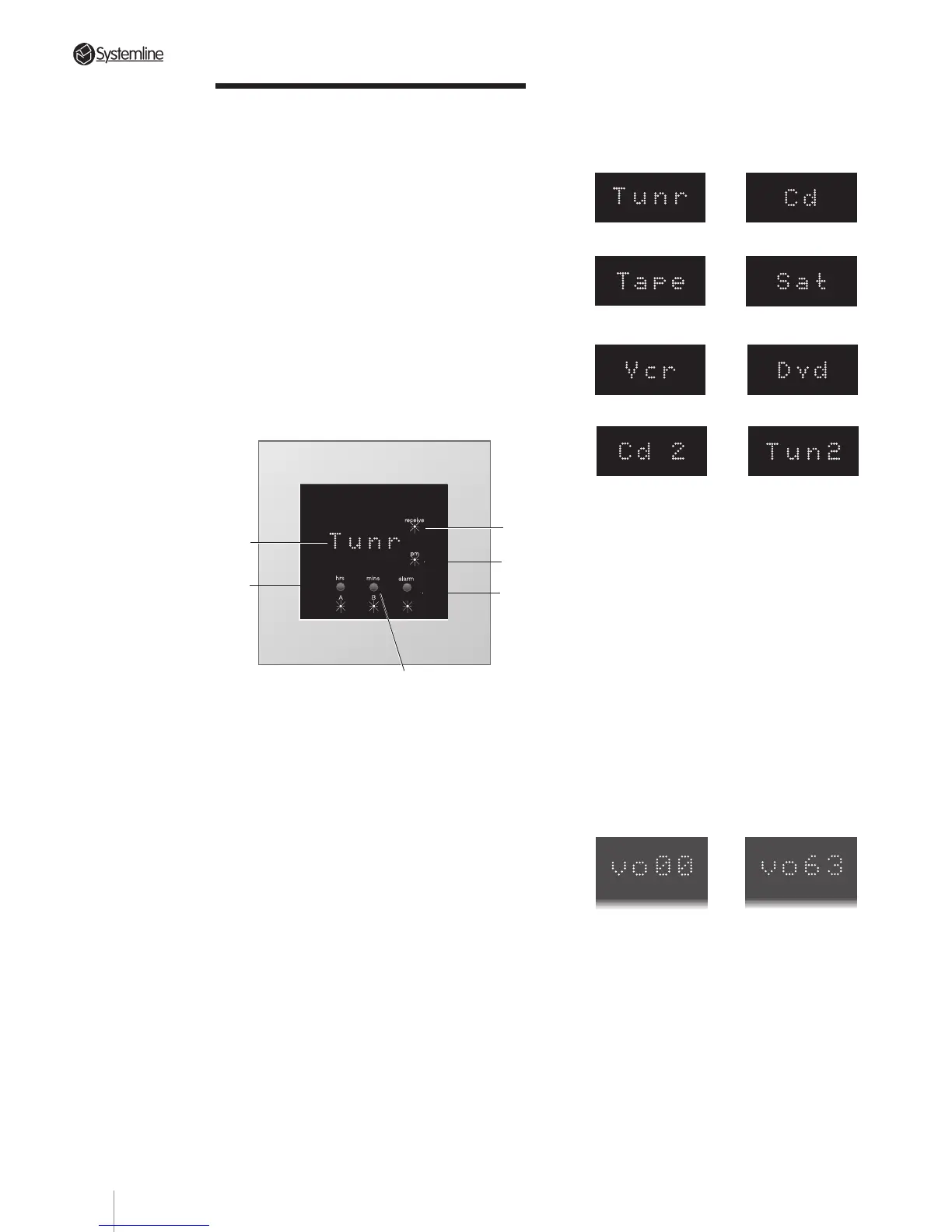
6.43 Dot Matrix Display
a) Selected Source: The display shows the
in-use source as follows:
Source 1 Source 2
Source 3 - Tape Deck Source 3 - Satellite
or Cable
Source 4 - VCR Source 4 - DVD
Source 4 - CD 2 Source 4 - Tuner 2
b) Clock Display and Greeting: When a zone
is in standby mode, the time is displayed
in 4-digit 12hr format. When the zone is
activated, the DMS shows a scrolling
greeting 'Good morning', 'Good
afternoon' or 'Good evening' appropriate
to the time of day. At shutdown and
between 10pm and midnight the DMS
shows 'Good night'. When a zone is
active, pressing the alarm button will
display the time.
c) Volume Level: When a Volume control
command is sent, the DMS will display a
2-digit number counting up or down
between vo 00 (min. volume) to vo 63
(max. volume).
When a Mute ON signal is sent the
volume level decreases to zero and the
DMS displays the message 'Mute'. On
receipt of a Mute off, or source select, or
volume up/down command signal, the
display will return to its previous level.
1
2
3
6
4
Section 6 • Operation
6.4 DMS Module
6.41 Overview
When a zone is active, the DMS module
responds to control commands from the RHS
handset, the KMS keypad and also from other
infra-red devices. It displays appropriate
system status messages.
When a zone is at Standby, the DMS displays
the time.
If the DMS display is blank, this indicates that
the S4.3 Controller is switched Off.
6.42 Controls and Indications
1 receive LED: This lights when the DMS receives
a signal (infra-red code) from the handset or
from the KMS keypad in the same zone.
2 pm LED: This lights up between 12 noon and
12 midnight.
3 alarm button and LED: The button is used when
setting the alarm and clock time. The LED is lit
when the alarm is set.
4 hrs / A button and LED: This button is used (as
hrs Button) when setting the time or alarm and
also, when appropriate, (as A speakers button)
to control speakers connected to the A output
on the Zone Splitter.
5 mins / B button and LED: This button is used
(as minutes button) when setting the time or
alarm and also, when appropriate, (as B
speakers button) to control speakers connected
to the B output on the Zone Splitter.
6 Dot Matrix Display: This is used to display the
time and appropriate status and setup
messages, as described below.
5
35



 To Next Page