13.1
Parameter Setting
Parameter
Symbol Content
Range
Default Level
Hide/
MAX MIN
Display
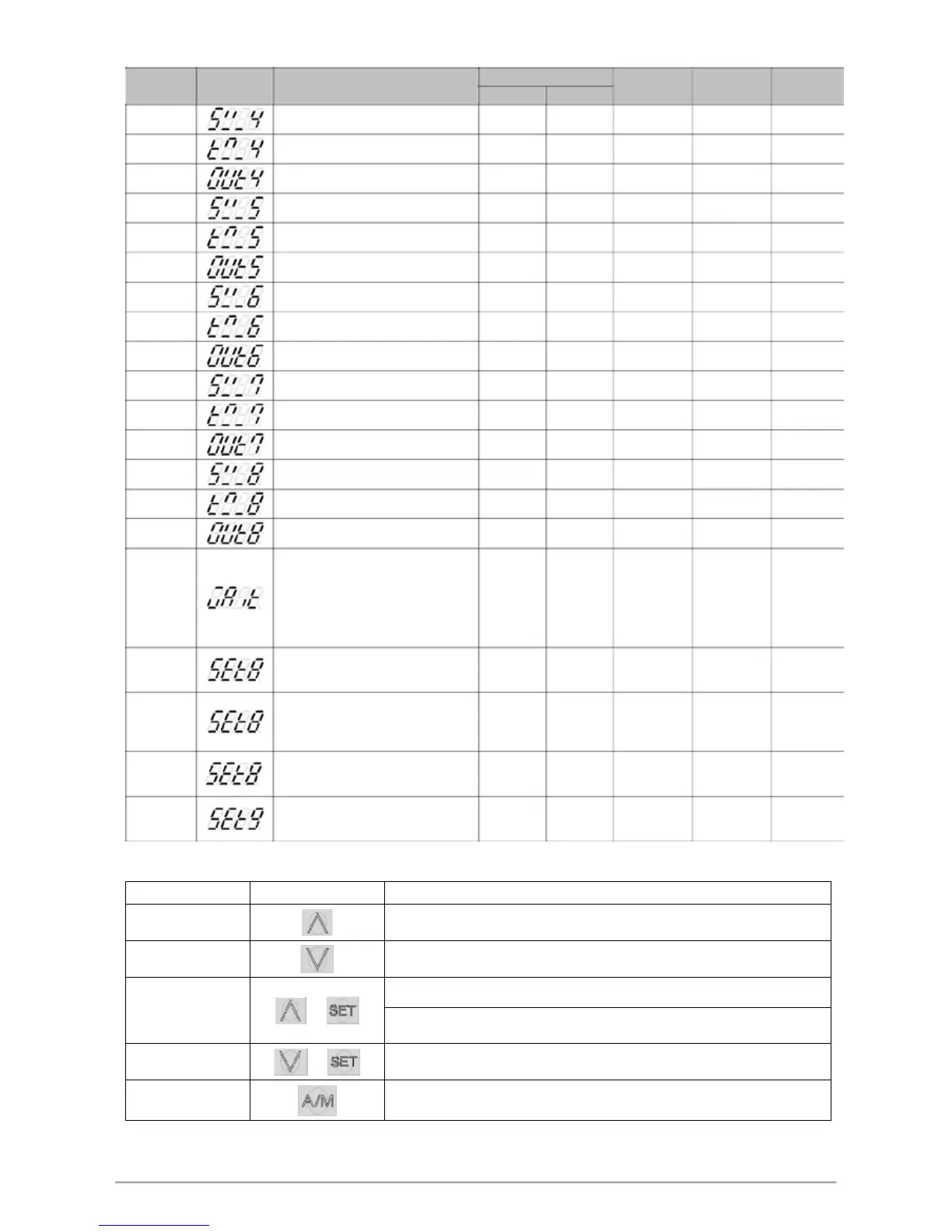
SV_4
LPSLLPSU VS 4 tnemgeS
0.0
Level 1
PROG=ON
TM_4
Segment 4 execute time setting
99.59
-1
0.00 Level 1
PROG=ON
OUT4
Segment 4 output limit
100.0
0.0
100.0
Level 1
PROG=ON
SV_5
LPSLLPSU VS 5 tnemgeS
0.0
Level 1
PROG=ON
TM_5
Segment 5 execute time setting
99.59
-1
0.00 Level 1
PROG=ON
OUT5
Segment 5 output limit
100.0
0.0
100.0
Level 1
PROG=ON
SV_6
LPSLLPSU VS 6 tnemgeS
0.0
Level 1
PROG=ON
TM_6
Segment 6 execute time setting
99.59
-1
0.00 Level 1
PROG=ON
OUT6
Segment 6 output limit
100.0
0.0
100.0
Level 1
PROG=ON
SV_7
LPSLLPSU VS 7 tnemgeS
0.0
Level 1
PROG=ON
TM_7
Segment 7 execute time setting
99.59
-1
0.00 Level 1
PROG=ON
OUT7
Segment 7 output limit
100.0
0.0
100.0
Level 1
PROG=ON
SV_8
LPSLLPSU VS 8 tnemgeS
0.0
Level 1
PROG=ON
TM_8
Segment 8 execute time setting
99.59
-1
0.00 Level 1
PROG=ON
OUT8
Segment 8 output limit
100.0
0.0
100.0
Level 1
PROG=ON
Program execution standby
temperature
WAIT
0 : when program execute do not
wait for PV temperature 1000 0 0 Level 1 SET5.3
Other values : when PV= (target SV-
WAIT), program entering next
segment
SET8.1
Program execute repeat
0 : disable repeat function
1
0 0 Level 4
---
1 : Program execute repeat
Program execute power fail
SET8.2
protection
1
0 0 Level 4
---
0 : disable power fail protection
1 : enable power fail protection
SET8.3
Program execute start address
0 : execute from zero
1
0 0 Level 4
---
1 : execute from current PV,cut time
SET9.2
Program time format
0 : hour.minute
1
0 0 Level 4
---
1 : minute.second
13.2 Key Operation Description
noitpircseD syeK snoitcnuF
Run
Eexecuting program, PRO_LED lamp ON, Upper area shows 3 times "RUN"
messages.
Halt
Pause executing program, PRO_LED lights remains ON,at this moment upper area
will display current temperature value and “HALT” message alternately.
Jump to the next segment, and it can skip segment continuously.
Segment Jump
+
Holding UP key and press SET key 1 time to skip 1 segment, press SET key 2 times
to skip 2 segments, so on and so forth.
Reset +
Stop executing program, PRO_LED lamp OFF, Upper area shows 3 times "REST"
messages.
PV/SV monitor
Press the A / M key for 2 seconds to jump to the parameter OUTL, then press the
A / M button for 2 seconds to jump to PV / SV monitor.
FY/FU operation manual 48


 To Next Page
 Loading...


