
EasyManua.ls Logo

TAILY AUTOMATION CNC-110A Series - User Manual

TAILY AUTOMATION CNC-110A Series
15 pages
To Next Page IconTo Next Page
Loading...
CNC-110A Series
C-03/C-13 User's manual
(DOC NO:001212)
1
έᚊ࿪ཝҋજѣࢨΦ
TAILY AUTOMATION CO.,LTD.
1.
INTRODUCTION.......................................................2
2.
MAIN FEATURES .....................................................2
3.
FRONT PANEL DESCRIPTION................................3
4.
MEMORY GROUP SELECTION...............................4
5.
WINDING PARAMETERS SETTING........................4
6.
CONFIGURATION SETTING....................................5
7.
WINDING EXECUTION.............................................7
8.
ADJUSTMENT..........................................................8
9.
FUNCTION TABLE ...................................................9
10.
INSTALLATION AND WIRING................................10
11.
MAINTAIN AND TROUBLESHOOTING.................12
12.
DIMENSIONS..........................................................15
Question and Answer IconNeed help?

Do you have a question about the TAILY AUTOMATION CNC-110A Series and is the answer not in the manual?

TAILY AUTOMATION CNC-110A Series Specifications

General IconGeneral
BrandTAILY AUTOMATION
ModelCNC-110A Series
CategoryController
LanguageEnglish

Summary

Introduction

Main Features

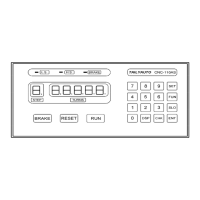
Front Panel Description

Key pads

Details about the numerical and function keys on the front panel.

Digit display

Explanation of the step and turns display indicators.

Memory Group Selection

Winding Parameters Setting

Checked winding parameters

How to review set winding parameters from first to last step.

Configuration Setting

Zero point

Configuration for zero point setting of the winding spindle.

Braking mode

Selection between single and double mode braking.

Counting mode

Setting the counting mode to relative or absolute.

Starting mode

Configuration for ON-OFF or TRIGGER mode starting.

Counting unit

Setting the turns counter unit to 0.1 or 1.

Brake holding times

Setting the duration for brake holding.

Slow start turns

Setting slow speed start-up turns for coil winding.

Brake status

Selecting brake status during motor stop.

Clear all memory

Function to reset all winding parameters and configurations.

Winding Execution

Change the display mode

Cycling through TURNS, PRODUCTION, and SPEED displays.

Adjustment

Standard model (CNC-110 AS)

Adjustment procedures for the standard CNC-110AS model.

External Connection Model (CNC-110 AE)

Adjustment procedures for the CNC-110AE model.

Function Table

Installation and Wiring

Counting system assembly

Assembly of the counting disc and turns counter.

External wiring diagram for CNC-110 AS

Shows external wiring for the CNC-110AS model.

External wiring diagram for CNC-110 AE

Shows external wiring for the CNC-110AE model.

Internal wiring diagram for CNC-110 AS

Illustrates internal wiring for the CNC-110AS model.

Internal wiring diagram for CNC-110 AE

Illustrates internal wiring for the CNC-110AE model.

Maintain and Troubleshooting

Requirement and Safety precautions

Environmental and safety requirements for controller operation.

Periodically maintain

Schedule for maintenance and replacement of parts.

Troubleshooting

Guide to common faults and their corrective actions.

Dimensions

Related product manuals
