TN-2776h-AN www.taitradio.com Page 8 of 16
Assembling the front cover
Driver
All screws used in the radio require a Torx T8 (1/4inch x 25 L8) driver.
Applying Torque
Secure each screw or nut to exactly 0.3 N•m (2.5 lbf.in). Do not under or over-torque.
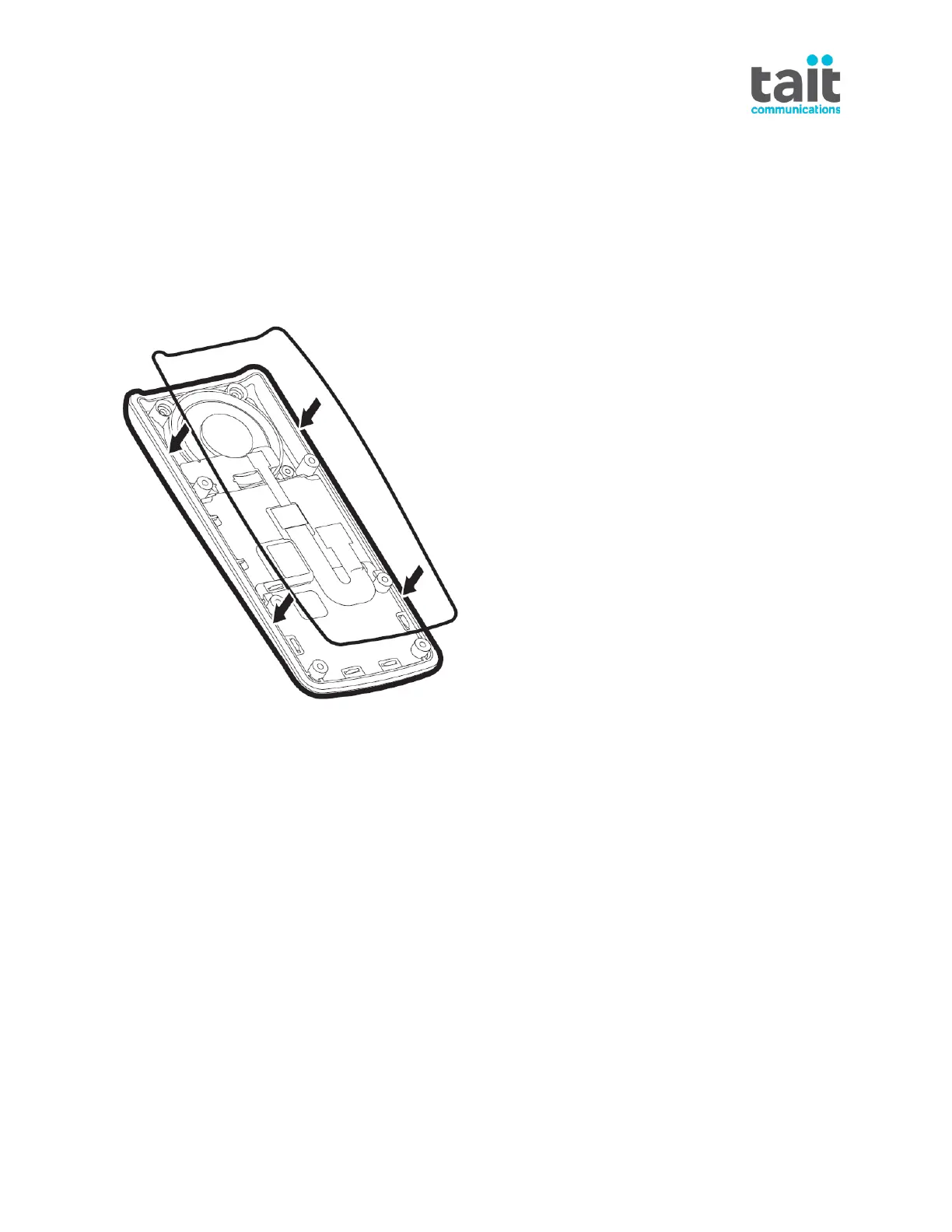
1. Make sure the replacing front cover has a rubber gasket attached; Tait recommend
replacing the gasket if the front cover is reused. Follow the instructions provided to install
the new front cover.
Note:
o All O-rings must be replaced in order to maintain the characteristic level of water and
dust resistance (its ‘IP ratings’) after reassembly.
o For Series 1 radios (last serial number LC205130120), we recommended removing the
foam on the FPC between the front panel and the radio’s RF board, and use masking
tape to cover the metal plate:



 To Next Page