EasyManua.ls Logo

Tandy TRS-80 - Page 10

Tandy TRS-80
104 pages
Print Icon
To Next Page IconTo Next Page
To Previous Page IconTo Previous Page
Loading...
TO GET STARTED
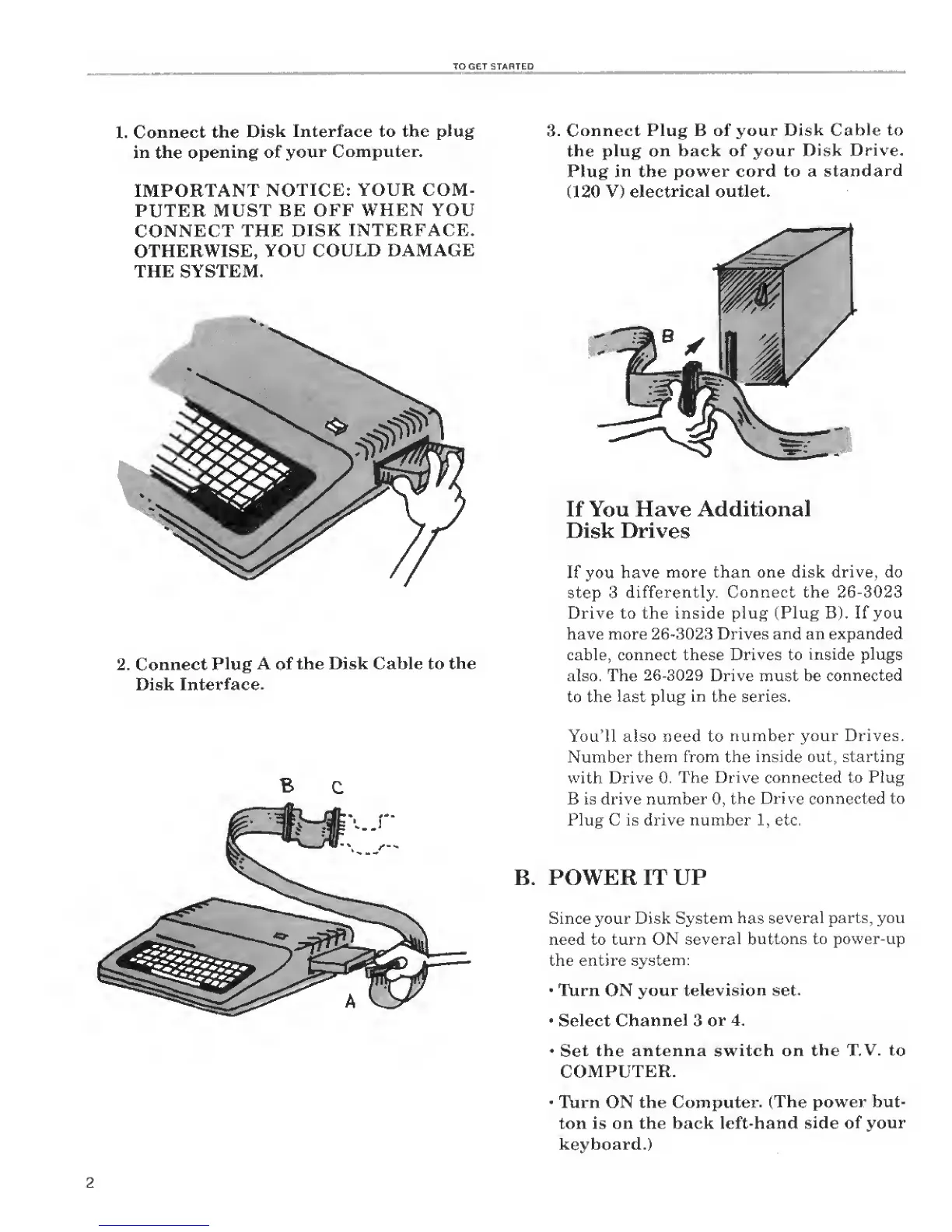
1.
Connect the
Disk
Interface to the plug
in the
opening of
your
Computer.
IMPORTANT
NOTICE: YOUR COM-
PUTER
MUST
BE OFF WHEN YOU
CONNECT
THE DISK
INTERFACE.
OTHERWISE, YOU
COULD DAMAGE
THE SYSTEM.
2. Connect
Plug
A
of
the Disk Cable to
the
Disk
Interface.
B
Connect Plug B of your
Disk
Cable
to
the
plug
on
back of your
Disk
Drive.
Plug
in
the
power
cord to a
standard
(120 V)
electrical
outlet.
If You Have Additional
Disk Drives
If
you
have more
than one disk drive, do
step
3 differently. Connect the
26-3023
Drive to the inside plug (Plug B).
If
you
have more
26-3023
Drives and an
expanded
cable, connect these
Drives
to
inside plugs
also. The
26-3029
Drive must be
connected
to
the last plug
in
the
series.
You'll also need to
number your
Drives.
Number them
from the inside out. starting
with Drive
0. The Drive connected to Plug
B is drive number
0,
the Drive
connected to
Plug C is drive number
1
, etc.
B. POWER IT UP
Since your
Disk System
has several parts, you
need to turn ON
several
buttons to power-up
the entire
system;
Turn ON your
television
set.
Select
Channel
3
or
4.
Set
the antenna switch on
the TV.
to
COMPUTER.
Turn ON the
Computer.
(The power but-
ton
is
on the back left-hand
side of
your
keyboard.)

Related product manuals