CHANGING IT ALL AROUND
SO
IF
X*
=
""
THEN
X$
=
90
WRITE
*1
i X*
A$
RUN
the
program. As soon
as the Computer gets
to
line
90,
it prints:
?FM
ERROR IN 90
LIST the
program. Line 10 opens
buffer #1 to
input
data.
Line
90,
however, is
attempting to out-
put data
to
buffer #1.
The Computer won't output
data to a
buffer opened for
input.
This is where the
additional buffer becomes
handy. To output
your
changed data to the disk,
you can open another
buffer
for output. Add these
lines:
15
OPEN
"0"
.
*2,
"NEW/DAT"
90
WRITE
»2*
X*
120 CLOSE
»2
RUN the
program. Change "COW" to "GIRAFFE"
This
is the way
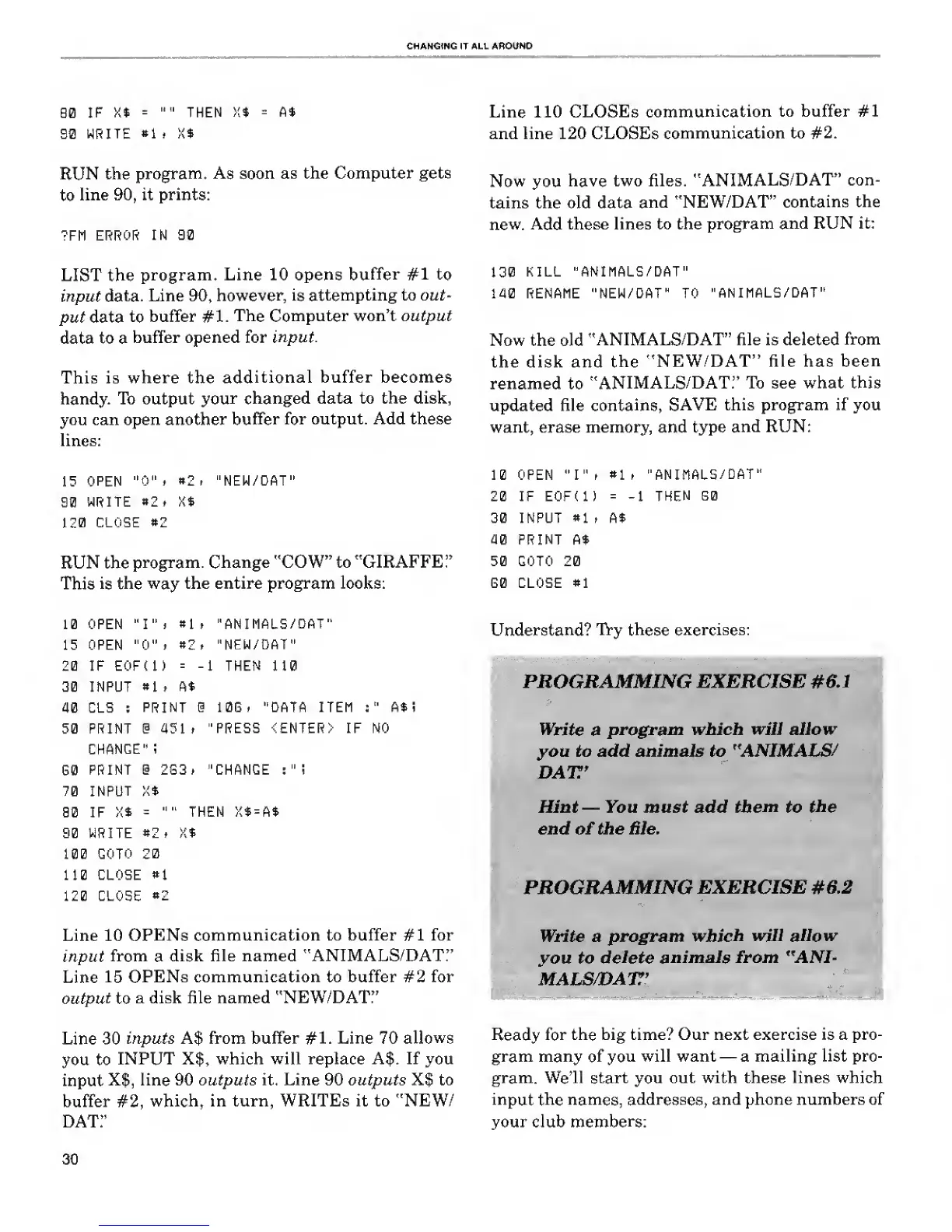
the entire program looks:
10 OPEN "I".
«1
.
"ANIMALS/DAT"
15 OPEN
"0"
.
«2. "NEW/DAT"
20 IF EOFt 1)
=
-1
THEN 110
30 INPUT
81
, A*
40 CLS
:
PRINT @ 10E, "DATA ITEM
:"
A$
i
50 PRINT @
451.
"PRESS <ENTER> IF NO
CHANGE" ;
S0
PRINT @ 2G3» "CHANGE :
"
i
70 INPUT
X*
B0 IF X$
=
""
THEN X*
=
A*
90 WRITE
82.
K$
100
GOTO 20
110 CLOSE
»1
120 CLOSE
*2
Line 10
OPENs
communication to buffer
#1
for
input
from
a
disk file named "ANIMALS/DAT."
Line
15
OPENs communication to buffer #2 for
output
to
a disk file named "NEW/DAT:
7
Line
30
inputs A$ from buffer #1. Line 70
allows
you to
INPUT X|, which will replace A$. If you
input
X$, line 90 outputs it. Line 90 outputs X$ to
buffer
#2,
which, in turn, WRITEs it to "NEW/
DAT!'
Line 110 CLOSEs
communication
to buffer #1
and line 120 CLOSEs
communication to #2.
Now
you
have
two files.
"ANIMALS/DAT"
con-
tains the old data
and "NEW/DAT"
contains
the
new. Add
these lines to the
program
and RUN it:
130
KILL "ANIMALS/DAT"
140 RENAME "NEW/DAT" TO
"ANIMALS/DAT"
Now the old
"ANIMALS/DAT" file is deleted
from
the disk and
the
"NEW/DAT" file has
been
renamed to
"ANIMALS/DAT." To see what this
updated file
contains,
SAVE this program if you
want, erase memory, and type
and RUN:
10 OPEN "I")
81
,
"ANIMALS/DAT"
20 IF E0F(1)
= -1
THEN B0
30 INPUT
81
,
A$
40 PRINT
A*
50 GOTO 20
G0 CLOSE
«1
Understand?
Try
these
exercises:
PROGRAMMING EXERCISE #0.1
Write
a
program which will allow
you to add animals to "ANIMALS/
DAT'
Hint
—
You must add
them
to
the
end of the file.
PROGRAMMING
EXERCISE #6.2
Write a program
which
will allow
you to
delete
animals from "ANI-
MALS/DATT'
Ready
for the big time? Our next exercise is a pro-
gram many
of you
will want
—
a mailing list pro-
gram. We'll start
you
out with these lines which
input the names,
addresses, and phone numbers of
your club
members:
30










 To Next Page