A MORE DIRECT
APPR
O
AC
H
>*
"MARIE
ALEXANDER"
record
1
"
J . DOE"
record 2
"MARK JONES"
record 3
"BILL SMITH"
record 4
//
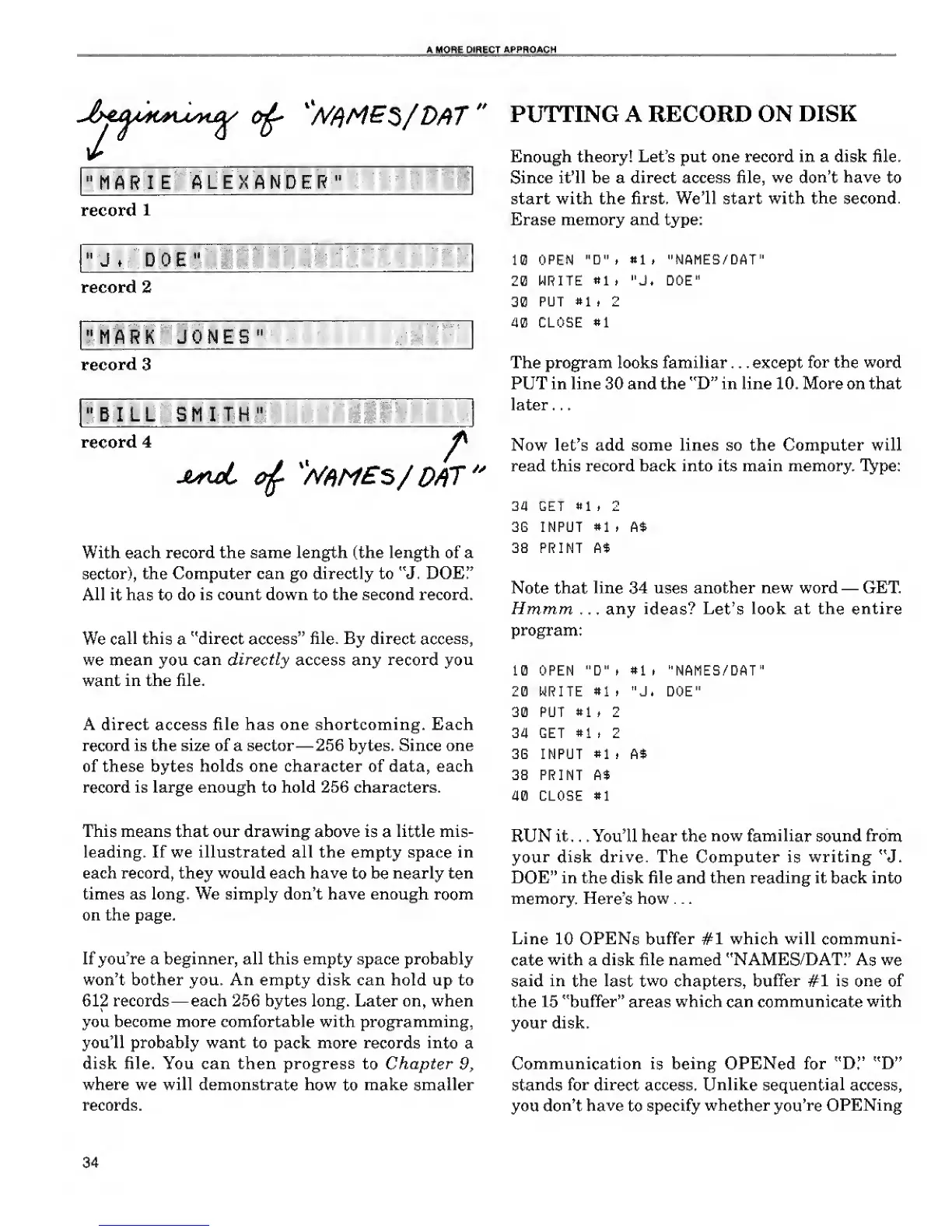
With each
record the same length (the length of a
sector), the Computer can go directly to "J. DOE!'
All
it has
to
do
is count down to the second record.
We
call this
a
"direct
access"
file. By
direct access,
we
mean
you
can
directly
access
any record you
want in the file.
A direct access file has one shortcoming. Each
record is the size of a sector —256 bytes. Since one
of these bytes holds one character of data, each
record is large enough to hold 256 characters.
This
means that our
drawing above
is
a
little
mis-
leading. If we illustrated all the empty space in
each record, they would each have to be nearly ten
times as long. We simply don't have enough room
on the page.
If you're a beginner, all this empty space probably
won't bother you. An empty disk can hold up to
612 records —each 256 bytes long. Later on, when
you become more comfortable with programming,
you'll probably want to pack more records
into
a
disk file. You can then progress to Chapter
9,
where we will demonstrate how
to
make
smaller
records.
PUTTING
A
RECORD ON
DISK
Enough theory! Let's put one record in a disk file.
Since it'll be a direct access file, we
don't have
to
start with the first.
We'll
start with
the second.
Erase memory and type:
10
OPEN
"D" t
til,
"NAMES/DAT"
20
WRITE
*1
t
"J. DOE"
30
PUT
*1
. 2
40 CLOSE
*1
The program looks familiar . . . except
for the word
PUT in line 30 and the "D" in line 10. More on that
later . .
.
Now let's add some lines so the Computer will
read this record back into its main memory. Type:
34 GET
81
t 2
3G INPUT
#1
, A*
38 PRINT A$
Note
that
line 34
uses
another new word
—
GET
Hmmm . .
. any ideas? Let's look at
the entire
program:
10 OPEN
"D"i »1
i
"NAMES/DAT"
2(3 WRITE
»1
, "J. DOE"
30 PUT
*1
. 2
3 a GET
«1
i 2
36 INPUT
»1
p A$
38 PRINT A$
40 CLOSE
*1
RUN it . . . You'll hear the
now
familiar sound from
your disk
drive. The
Computer is
writing
"J.
DOE" in the
disk
file
and
then reading it
back into
memory.
Here's
how .
.
.
Line
10
OPENs
buffer #1
which will communi-
cate
with
a
disk
file named "NAMES/DAT."
As we
said
in
the last two chapters, buffer #1 is one of
the 15 "buffer" areas
which
can communicate
with
your disk.
Communication
is being OPENed
for "D."
"D"
stands
for
direct
access.
Unlike
sequential
access,
you
don't have
to specify
whether you're
OPENing
34










 To Next Page