EasyManua.ls Logo

Tandy TRS-80 - Page 58

Tandy TRS-80
104 pages
Print Icon
To Next Page IconTo Next Page
To Previous Page IconTo Previous Page
Loading...
TRIMMING THE FAT OUT OF OIRECT ACCESS
record
1
IB
PAPER"*
record 2
*o?Fice/mT"
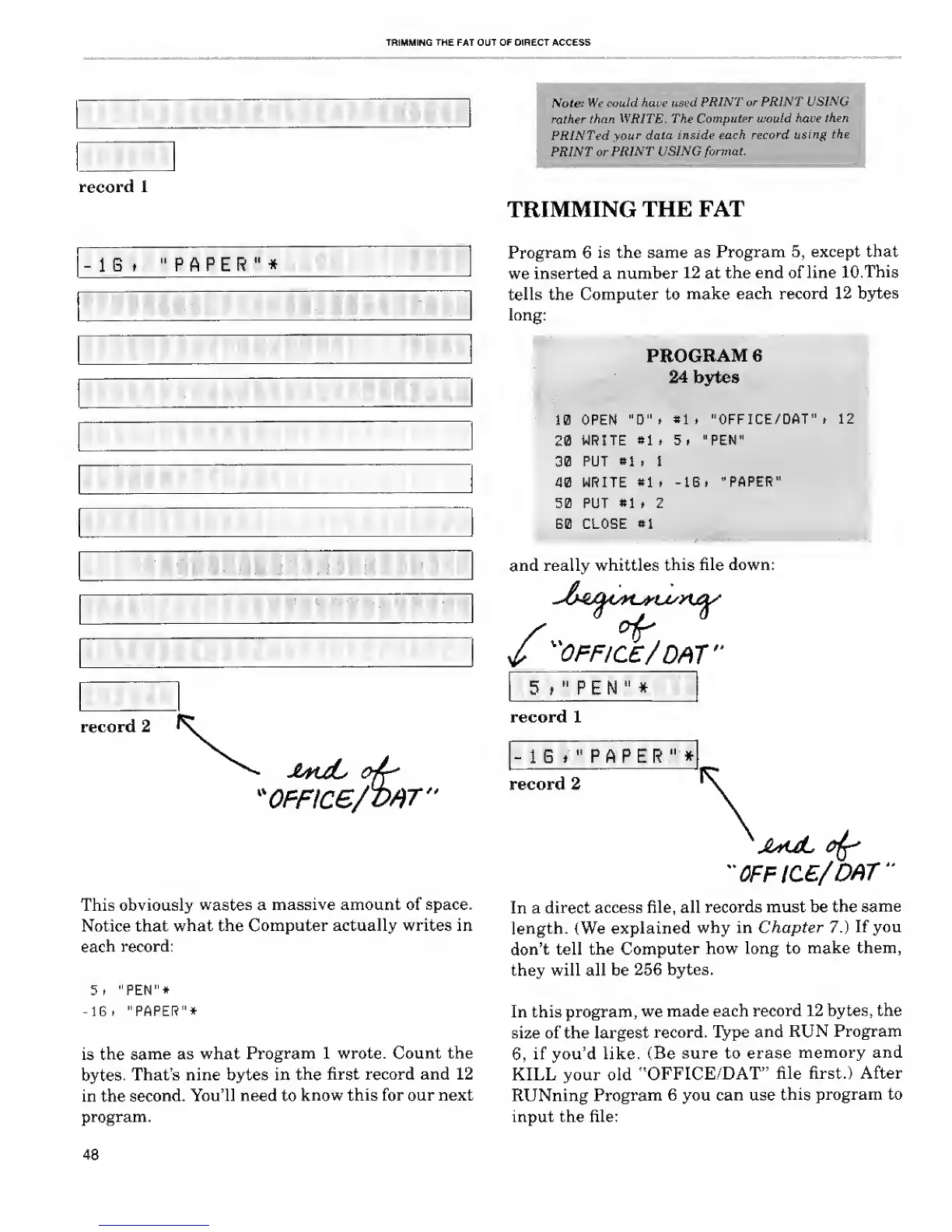
This obviously
wastes
a
massive amount of space.
Notice that
what the
Computer actually writes in
each record:
5, "PEN"*
-IB, "PAPER"*
is
the same
as what
Program
1 wrote. Count the
bytes.
That's nine bytes in
the
first record and 12
in the
second.
You'll need to
know this
for our next
program.
Note:
We could have used
PRINT or PRINT
USING
rather
than WRITE, The
Computer would have
then
PRINTed
your data
inside each
record using
the
PRINT or
PRINT
USING
format.
TRIMMING
THE FAT
Program 6
is the same as
Program
5,
except that
we
inserted a number
12
at
the end of line
10, This
tells the Computer to
make
each record 12 bytes
long:
PROGRAM
6
24
bytes
10 OPEN
"B"i
«lt
"OFFICE/DAT". 12
20
WRITE
»1
t 5 , "PEN"
30
PUT
»1
. I
40 WRITE
*1
, -IB.
"PAPER"
50 PUT
«1
t 2
B0 CLOSE
*1
and really whittles
this
file down:
/
"OFFICE/
DAT"
5 ,
"
p E N
"
*
record 1
1 G
*
"
P A P E R
"
*
record 2
"0FFIC£/DAT"
In a
direct
access file, all
records
must be the
same
length. {We explained
why in Chapter 7.)
If you
don't
tell the
Computer
how long to
make
them,
they will all be
256
bytes.
In this program,
we
made each
record
12 bytes, the
size of the largest
record. Type and
RUN
Program
6,
if you'd like,
(Be
sure to erase
memory and
KILL your old
"OFFICE/DAT"
file first.) After
RUNning
Program
6 you can use
this
program to
input the file:
48

Related product manuals