Rugged Mini E1 | User’s Manual
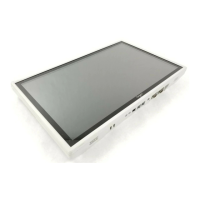
■ Serial Port 1 Configuration
Chapter 3: BIOS Setup
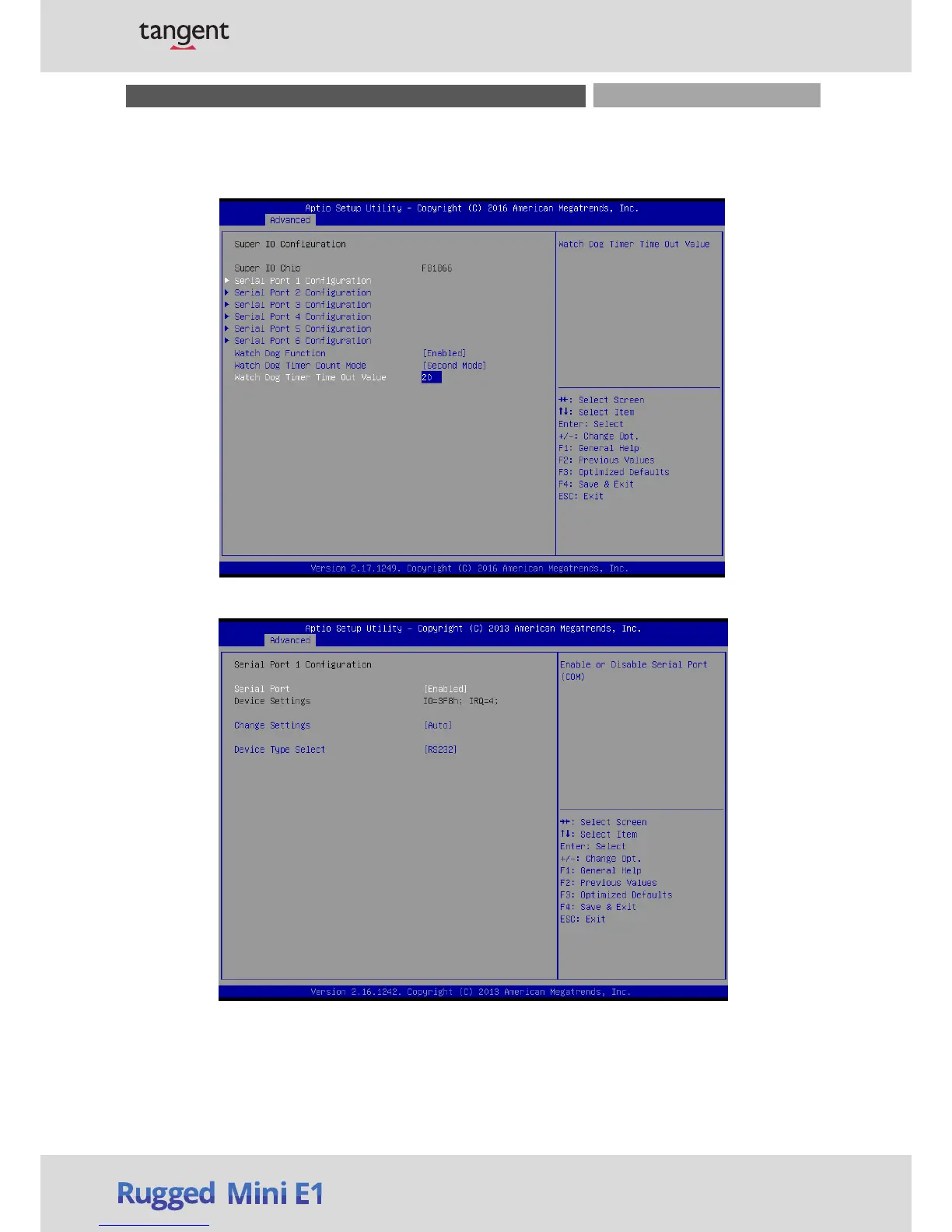
3.3.2 Super IO Configuration
This setting allows you
to select options for the Super IO Configuration, and change the value of
the selected option.
Serial Port
This item allows you to enable or disable serial port.
Change Settings
This item allows you to change the address & IRQ settings of the specified serial port.
Device Type Select
Change the Serial interface. Select <RS232> ,<RS422 Full Duplex> or <RS485 Half Duplex> interface.


 To Next Page