Rugged Mini E1 | User’s Manual
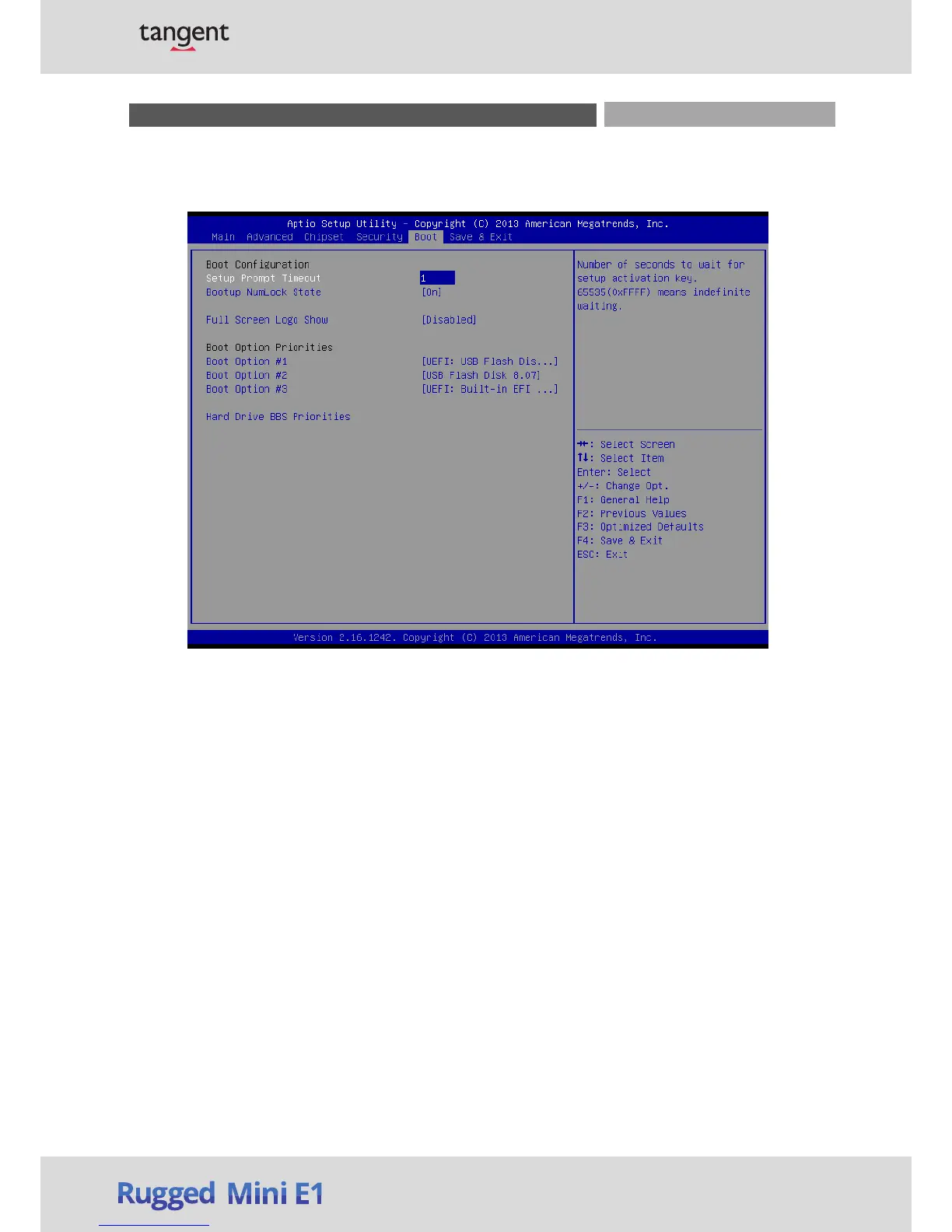
3.6 Boot
This menu allows you t
o setup the system boot options.
3.6.1 Setup Prompt Timeout
This item sets number
of seconds to wait for setup activation key.
3.6.2 Bootup NumLock State
This item selects the k
eyboard NumLock state. Select <On> or <Off>.
3.6.3 Full Screen Logo Show
This item allows you to
enable or disable Full Screen Logo Show function.
3.6.4 Boot Option Priorities
The items specify the boot
device priority sequence from the available devices. The number of
device items that appears on the screen depends on the number of devices installed in the
system.
Chapter 3: BIOS Setup


 To Next Page