24
• Unless otherwise noted, when no button is pressed for 30 seconds, the unit enters operation mode and
the home screen is activated.
Any changes made in configuration mode are automatically saved to the unit and take effect immediately.
Upon next docking, settings are updated according to the unit's settings in iNet
®
Control.
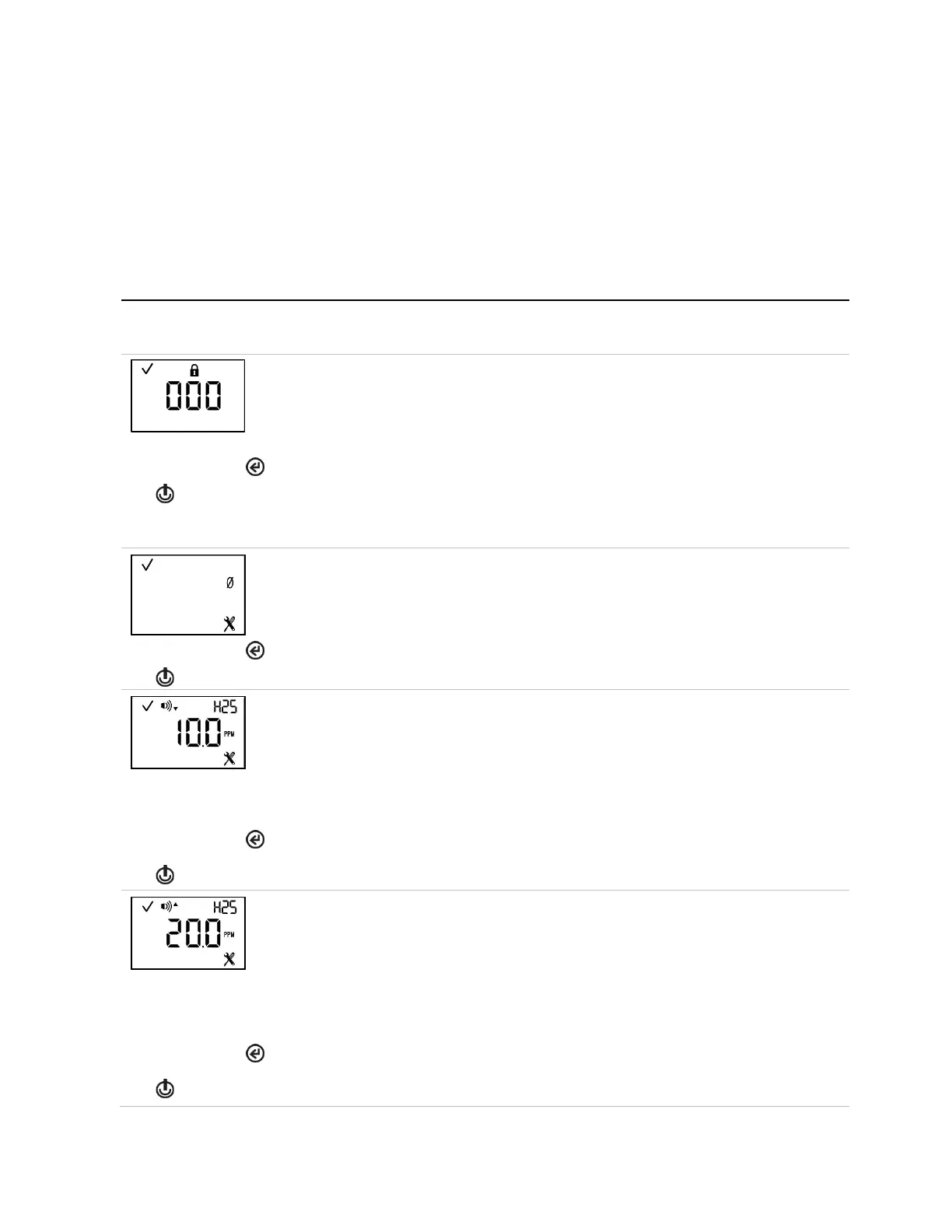
Table 4.1 outlines the configuration-mode loop. Instructions for button use accompany each configuration-
mode display screen.
Table 4.1 Configuration instructions
Screen
Buttons
Screen Description
Button effects
If this screen displays, configuration mode is security-code protected. To enter configuration,
you must enter the correct three-digit code.
If the security code is set to 000, entry to configuration mode is not security-code protected.
The first configuration-mode screen is activated, the initiate-zero screen.
Increments the value by one; hold to speed the increment pace.
Saves the displayed value.
Note: If an incorrect code is entered, the unit will not enter configuration mode and the home
screen is activated.
This screen allows the technician to complete the zero and calibration processes from
configuration mode.
Skips the zero process and activates the next configuration-mode screen.
Low gas alarm setpoint (See also
This screen features the status, low alarm, sensor-type, and configuration icons, with the
alarm's current setpoint and unit of measure. Edit the alarm setpoint based on the following:
Value range = starts at gas-alert setpoint value, ends at the high gas alarm setpoint value.
Value increment = sensor measurement resolution
See Table 1.5 for the measurement range and resolution for the installed sensor type.
The first press activates the value. Continued presses increment the value; hold to speed the
increment pace.
One press saves the displayed value; a second activates the next configuration-mode screen.
High gas alarm setpoint (See also
This screen features the status, high alarm, sensor-type, and configuration icons, with the
alarm's current setpoint and unit of measure. Edit the alarm setpoint based on the following:
Value range = starts at low gas alarm setpoint value, ends at the highest measurement range
value of the sensor.
Value increment = sensor measurement resolution
See Table 1.5 for the measurement range and resolution for the installed sensor type.
The first press activates the value. Continued presses increment the value; hold to speed the
increment pace.
One press saves the displayed value; a second activates the next configuration-mode screen.



 To Next Page