25
Table 4.1 Configuration instructions
Screen
Buttons
Screen Description
Button effects
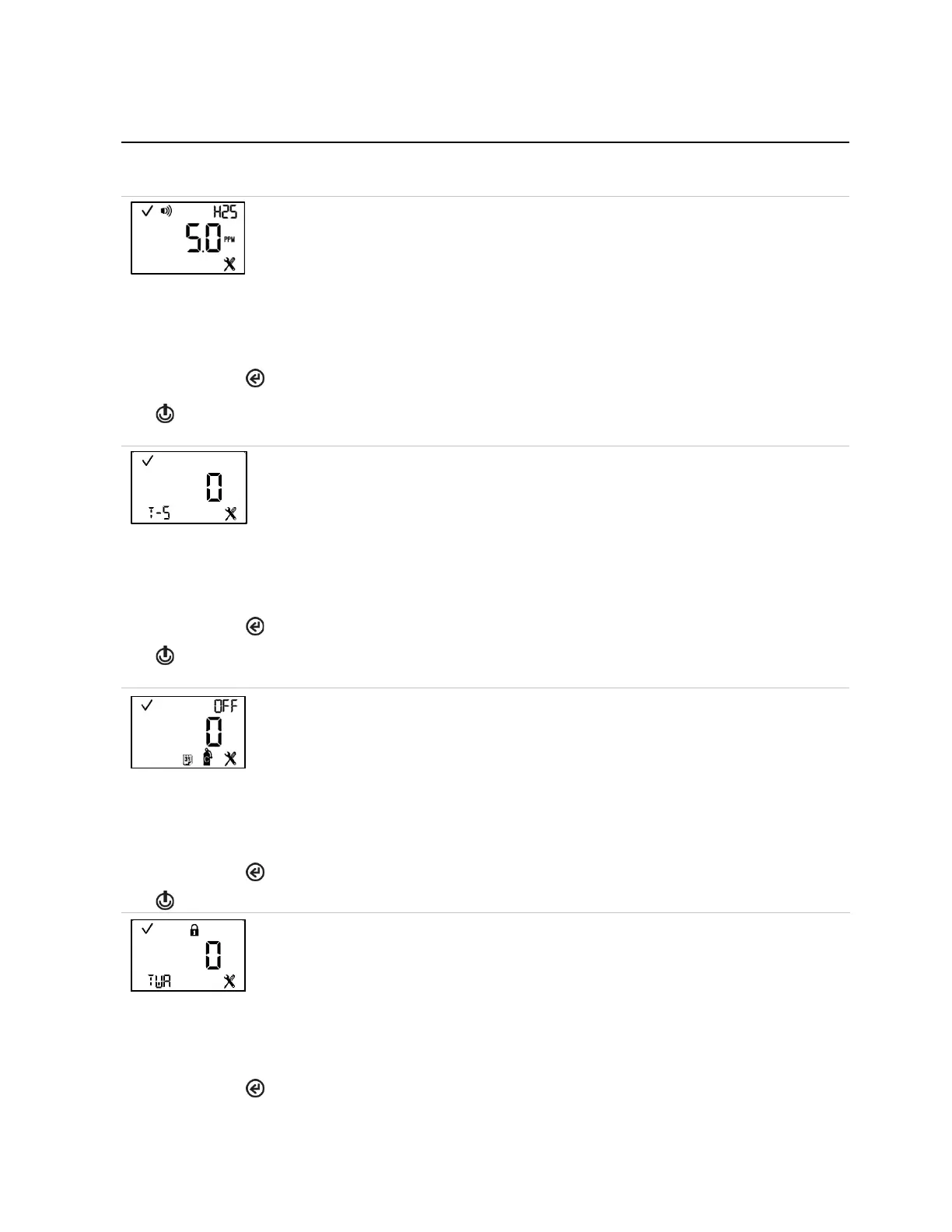
This screen features the status, alarm, sensor type, and configuration icons, with the
measurement unit and current setting. The gas-alert setpoint is less than the low alarm
setpoint. When the value is set lower than the low gas alarm setpoint, the gas-alert will notify
the operator before the low alarm notification.
Value range = starts at zero and ends at the low alarm setpoint value of the sensor.
Value increment = sensor measurement resolution.
See Table 1.5 for more information about the installed sensor type.
The first press activates the value. Continued presses increment the value; hold to speed the
increment pace.
One press saves the displayed value and activates the next configuration-mode screen.
TWA and STEL multi-option
This screen features the status, configuration, and T-S (TWA-STEL) icons. The instrument
operator can use this screen to enable or disable TWA and STEL functions.
Values:
0 = Both TWA and STEL enabled
1 = TWA enabled; STEL disabled
2 = STEL enabled; TWA disabled
3 = Both disabled
Increments the value
One press saves the displayed value and activates the next configuration-mode screen.
This screen features the status, configuration, “OFF”, calibration, and calendar icons. The
instrument operator can use this screen to enable or disable the option for calibration due
shutdown.
When enabled, the instrument will automatically shut down when the calibration is due.
Values:
0 = disabled
1 = enabled
One press saves the displayed value and activates the next configuration-mode screen.
This screen features the status, lock, configuration, and TWA icons. The technician can
enable or disable the option for operation-mode access.
When enabled, the instrument operator can view and clear the unit's TWA reading while the
unit is in operation mode.
Values:
0 = disabled
1 = enabled



 To Next Page