29
Table 4.1 Configuration instructions
Screen
Buttons
Screen Description
Button effects
When enabled, the unit will notify the user that the bump test is due, based on the selected
option. The instrument will continue to operate.
Note: When options 1, 2, or 3 are selected, the expected battery life will be reduced.
Values:
0 = disabled
1 = audible chirp enabled
2 = blue LED flash enabled
3 = combination audible chirp and blue LED flash enabled
4 = display only enabled
Increments the value.
One press saves the displayed value and activates the next configuration-mode screen.
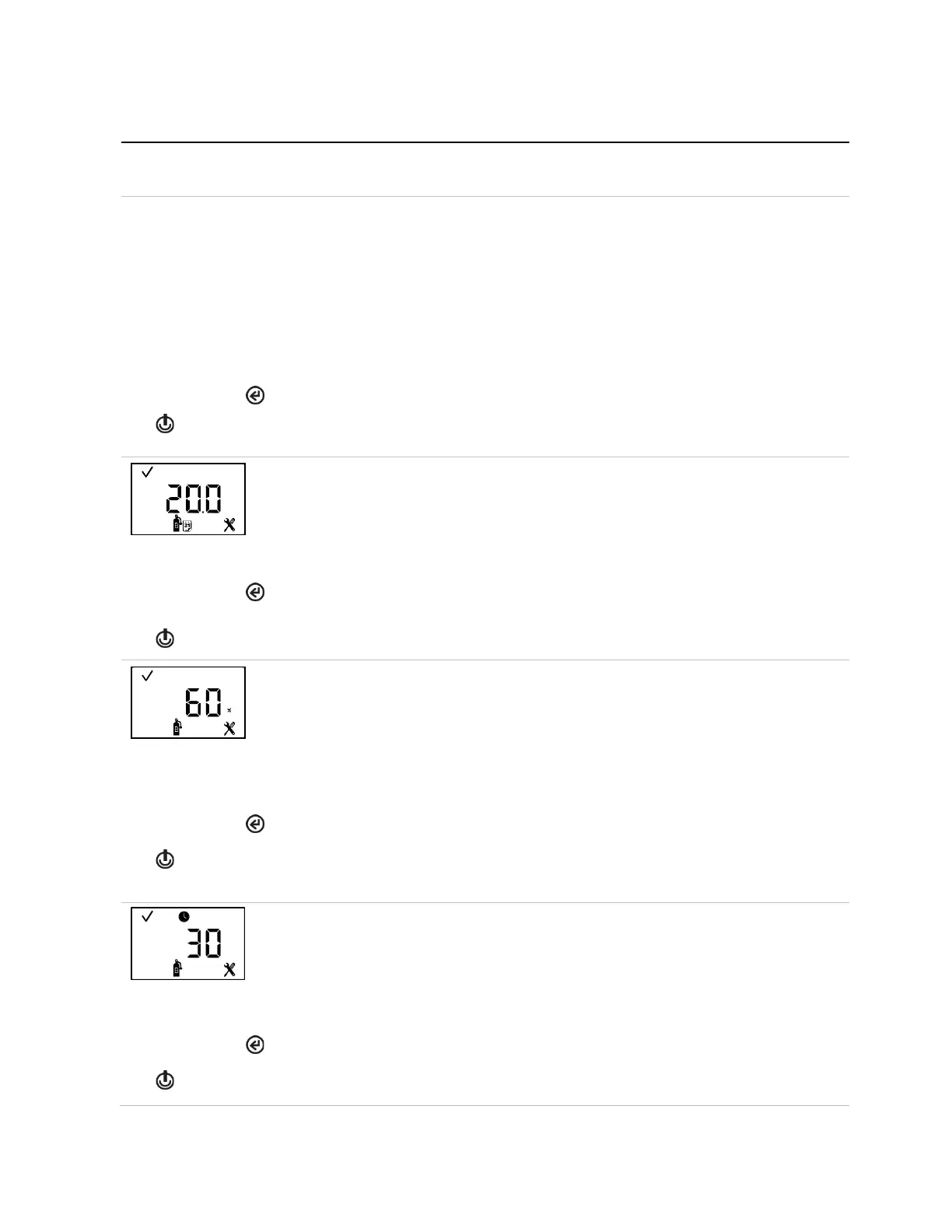
Bump test interval
This screen features the status, configuration, calendar and, bump test icons, with the interval
setting value displayed in the main area. The technician can set the interval at which the
bump test due warning is to be activated.
Value range: 0.5 to 30.0 days
Value increment: 0.5 days
The first press activates the value. Continued presses increment the value; hold to speed the
increment pace.
One press saves the displayed value; a second activates the next configuration-mode screen.
Bump test percentage
This screen features the status, configuration, and bump test icons, with the current setting
value displayed in the main area. The technician can set the percentage of calibration gas to
which the unit will respond.
Value range: 50% to 95%
Value increment: 1%
See Table 1.5 for sensor information that can aid in the setting of bump test values.
The first press activates the value. Continued presses increment the value; hold to speed the
increment pace.
One press saves the displayed value; a second press activates the next configuration-mode
screen.
This screen features the status, clock, configuration, and bump test icons, with the current
setting in seconds displayed in the main area. A sensor passes a bump test when it senses
the specified percentage of calibration gas within the specified response time setting.
Value range: 30 to 120 seconds
Value increment: 1 second
The first press activates the value. Continued presses increment the value; hold to speed the
increment pace.
One press saves the displayed value; a second activates the next configuration-mode screen.



 To Next Page