Need help?
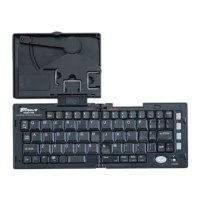
Do you have a question about the Targus Stowaway and is the answer not in the manual?
Instructions for installing the keyboard software on Windows and Macintosh.
Steps to uninstall the Stowaway keyboard software from your Sony CLIÉ.
Guide for physically opening and connecting the Stowaway keyboard to your device.
Hardware usage tips and ergonomic advice for comfortable typing with the keyboard.
How to access the keyboard settings and options on your Sony CLIÉ.
Customize key repeat rate and delay settings for enhanced typing experience.
Define custom shortcut keys using the Cmd key for application launching.
Select keyboard layouts for different languages and configure tab key behavior.
Keyboard shortcuts for navigating and selecting text efficiently.
Key combinations to activate specific on-screen buttons and commands.
Keyboard shortcuts for common text editing operations like cut, copy, and paste.
Special key combinations for functions like activating shortcuts and backlight.
Guide to creating personalized text shortcuts for faster input.
How to type accented characters using Fn key combinations.
Key sequences for generating special characters and punctuation marks.
Key combinations to input various symbols like copyright and currency.
Common issues and solutions related to keyboard functionality and connectivity.
Contact information and resources for technical assistance with the product.
Compliance information regarding FCC rules and potential interference.

 To Next Page

 General