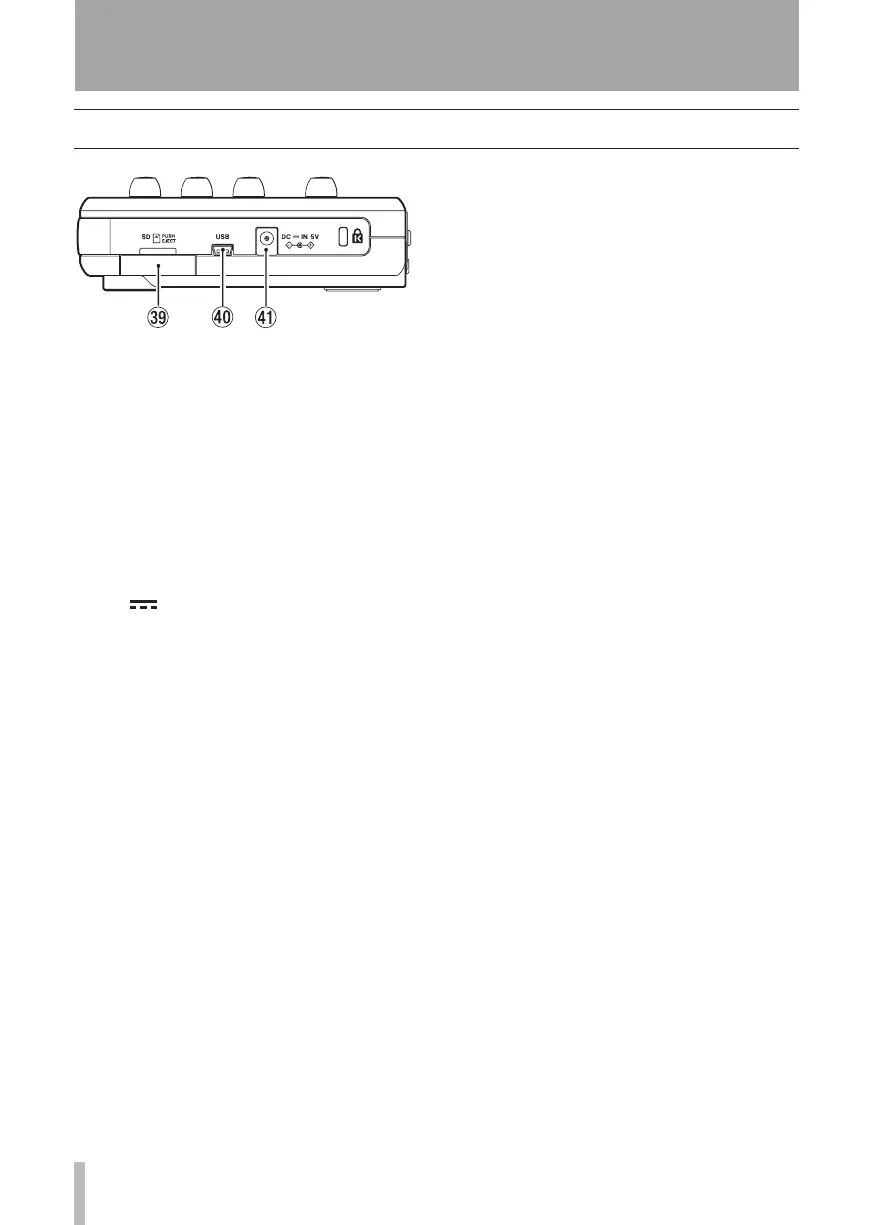
.SD card slot
Insert an SD card into this slot.
/ USB port
Connect the unit to a computer using
the included USB cable. This allows to
sharing, importing and exporting files
between the unit and the computer,
including backup of the song data. (See
“Connecting with a computer” on page
71.)
! DC IN 5V connector
Connect a dedicated power adaptor
(PS-P520, sold separately).
Right side panel
3 – Names and Functions of Parts










 To Next Page