Editing names
You can edit names on the following screens.
When creating, saving or editing the name
•
of a track (SAVE, CREATE and NAME
EDIT)
When exporting a WAV file (EXPORT
•
TRACK and EXPORT MASTER)
When backing up a song (SONG BACKUP)
•
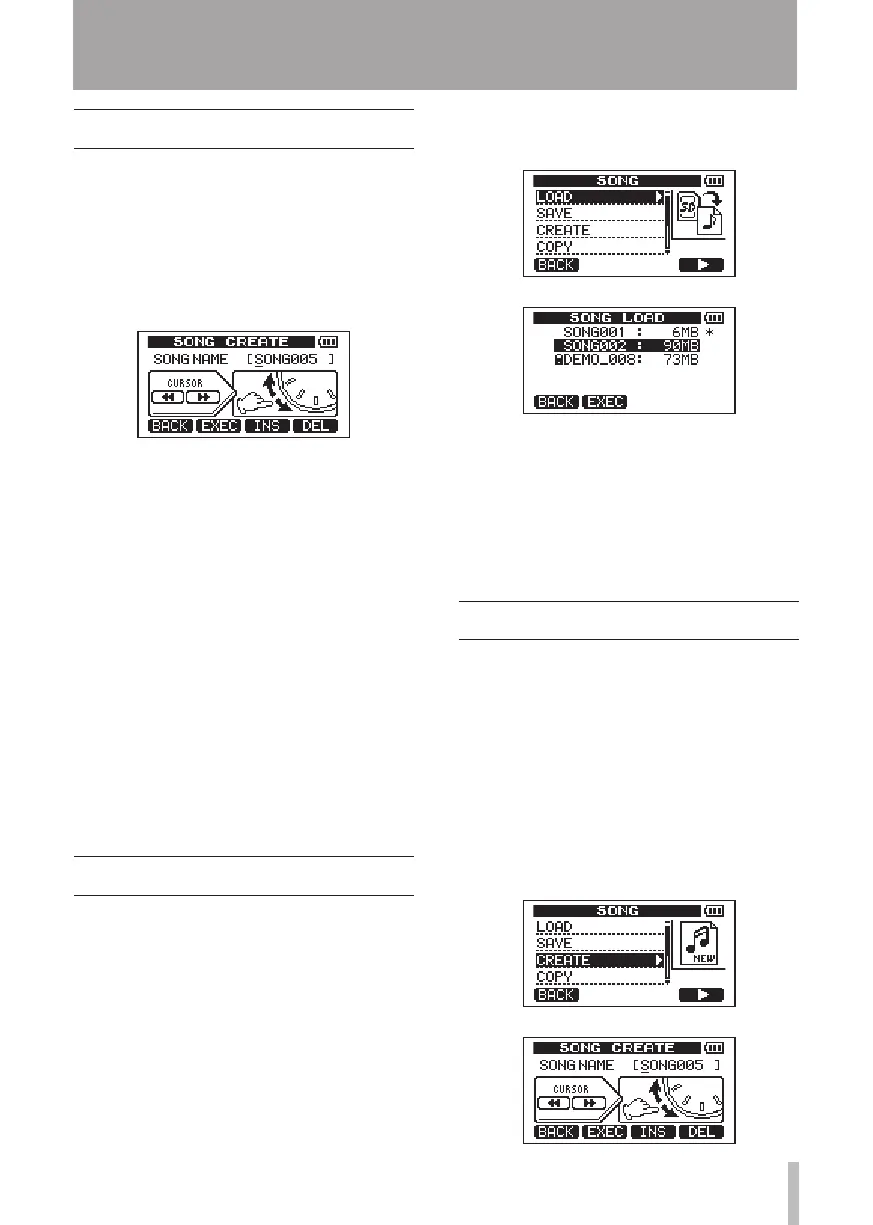
Use the following methods to edit names.
Use the
•
Ô/ keys to move the cursor
(underline) position. The character at the
cursor position is the one that is edited.
Use the
•
DATA wheel to change the char-
acters at the cursor (underline) position.
Ordinary symbols, numerals and English
upper and lower case letters can be select-
ed.
To insert a blank at the cursor position
•
when editing a song name, press the F3
(
INS
) key. Press it again to insert an “
A
” in
the blank space.
Press the
•
F4 (
DEL
) key to delete the charac-
ter at the cursor position.
When finished inputting and editing, press
•
the F2 (
EXEC
) key to save the edited name.
Loading a saved song
Follow these procedures to load a song from
the active partition.
1 When the recorder is stopped, press the
MENU key to open the
MENU
screen.
2 Use the DATA wheel to select
SONG
and
press F4 (¥) to open the
SONG
menu
screen.
3 Use the DATA wheel to select
LOAD
and
press F4 (¥) to open the
SONG LOAD
screen. A list of the songs on the active
partition appears with an asterisk (Ú)
next to the current song.
4 Use the DATA wheel keys to select the
song to load and press F2 (
EXEC
). The
current song is saved, and the selected
song is loaded.
5 Press the HOME key to return to the
Home Screen.
Creating a new song
Follow these procedures to create a new song
in the active partition
1 When the recorder is stopped, press the
MENU key to open the
MENU
screen.
2 Use the DATA wheel to select
SONG
and
press F4 (¥) to open the
SONG
menu
screen.
3 Use the DATA wheel to select
CREATE
and
press F4 (¥) to open the
SONG CREATE
screen.
5 – Song Management










 To Next Page