Importing tracks
Before importing a track, rst select the
partition with the song that you want to import
it into as the active partition. Then, load the
song that you want to import tracks into.
1 Connect this unit to a computer using
the USB cable (see “Connecting with a
computer” on page 71).
2 Use the computer to copy WAV files on
its drive to the WAVE directory in this
unit’s FAT partition.
3 Disconnect the unit from the computer
using the proper procedures and
then remove the USB cable (see
“Disconnecting” on page 72).
4 After this unit restarts automatically,
press the MENU key to open the
MENU
screen.
5 Turn the DATA wheel to select
IMPORT/
EXPORT
, and press the F4 (¥) key to open
the
IMPORT/EXPORT
menu.
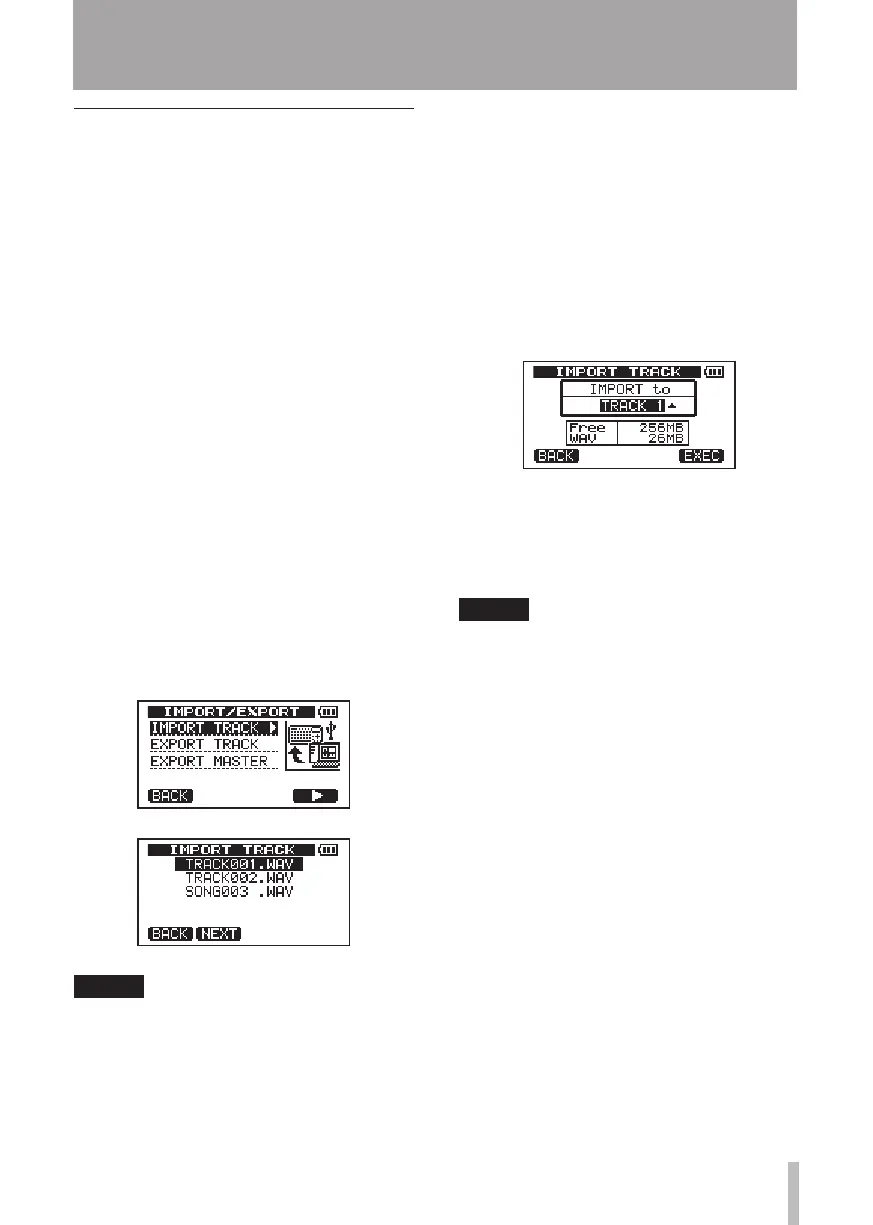
6 Turn the DATA wheel to select
IMPORT
TRACK
, and press the F4 (¥) key.
WAV files on the FAT partition are shown.
NOTE
This unit cannot use WAV files that are a •
sampling frequency other than 44.1 kHz.
Such files are not displayed even if they
have been imported.
If no files that can be imported are
on the FAT partition, a pop-up saying
“Import File Not Found” appears.
If the file name is short, spaces appear •
after the file name on the FAT partition,
but those spaces are not included in the
actual file name.
7 Turn the DATA wheel to select the WAV
file that you want to import, and press
the F2 (
NEXT
) key.
The amount of open space on the
currently active partition and the size
of the selected WAV file appear on the
display.
8 Turn the DATA wheel to select the track
that you want to import the WAV file to,
and press the F4 (
EXEC
) key.
Importing begins.
NOTE
If there is not enough open space or the •
file format is wrong, an error message
appears.
The track that is the destination for the •
import must be empty.
This unit reads the file from the FAT
partition, and imports it to the desig-
nated track. The beginning of the file is
set at the start of the song (00:00:00:00).
In the same way as other recording
tracks, you can edit the track that has
received the imported file (see “8-Editing
tracks” on page 58).
To import a stereo WAV file, an empty •
track pair is necessary.
9 After importing completes, press HOME
to return to the Home Screen.
11 – Exchanging Data with a Computer










 To Next Page