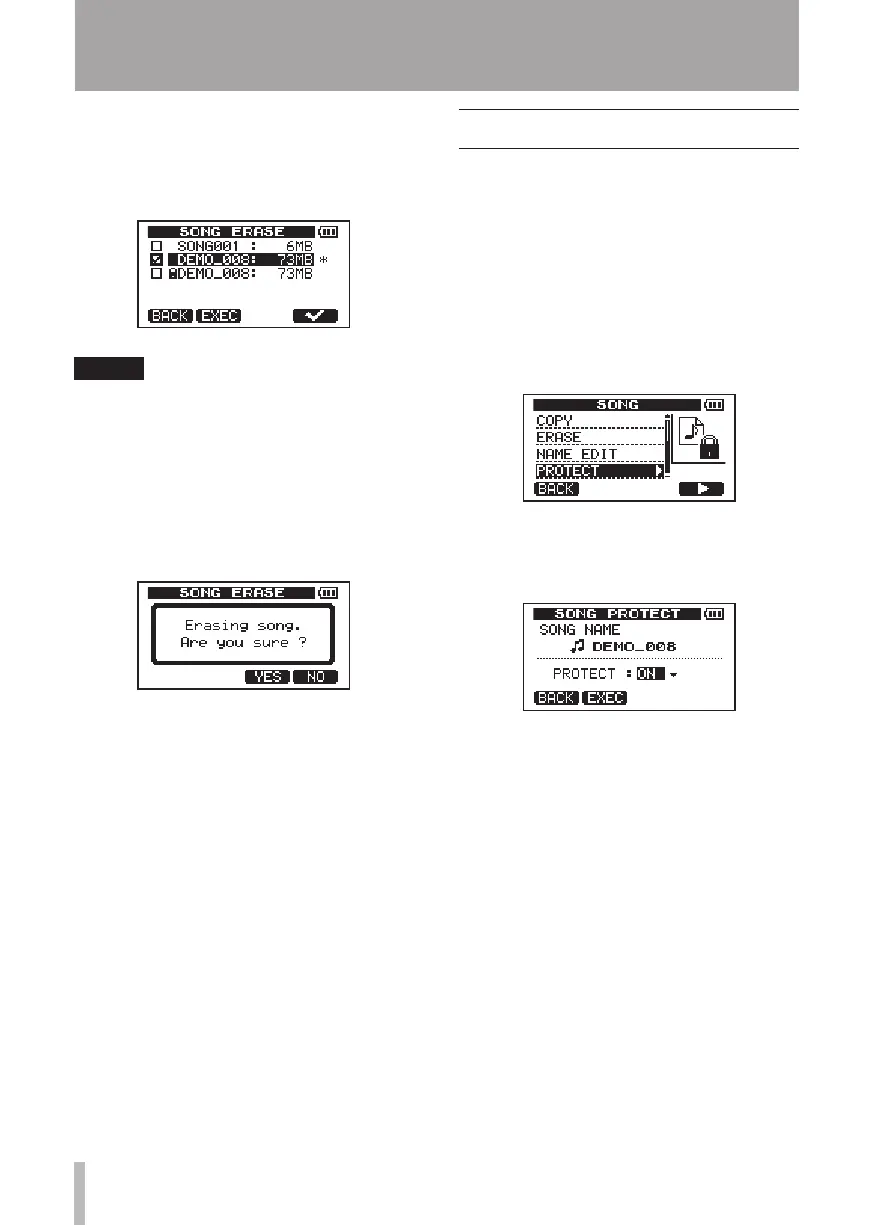
4 Turn the DATA wheel to select a song that
you want to erase and press the F4 (✔)
key.
A check appears in the checkbox.
NOTE
To remove the check from the checkbox
(deselect the song), press the F4 (✔) key
while the song is selected.
5 To erase multiple songs, repeat step 4.
6 After selecting all songs that you want to
erase, press the F2 (
EXEC
) key.
A confirmation screen opens.
7 Press the F3 (
YES
) key. After the songs are
erased, the
SONG
menu screen reopens.
8 Press the HOME key to return to the
Home Screen.
To cancel erasing a song, press the
•
F4 (
NO
)
key instead of the F3 (
YES
) key.
Every MTR partition must always have at
•
least one song, so if you erase all the songs
on a partition, a new song is created auto-
matically.
Protecting songs
If you protect a song, editing, recording, and
erasing of that song is prohibited.
1 When the recorder is stopped, press the
MENU key to open the
MENU
screen.
2 Turn the DATA wheel to select
SONG
, and
press the F4 (¥) key to open the
SONG
menu screen.
3 Turn the DATA wheel to select
PROTECT
,
and press the F4 (¥) key.
The
SONG PROTECT
screen that allows you
to turn protection of a song
ON
and
OFF
appears.
4 Turn the DATA wheel to turn
PROTECT
“
ON
,” and press the F2 (
EXEC
) key.
After protection is turned ON, the
SONG
menu screen reopens.
5 Press the HOME key to return to the
Home Screen.
When the song list used to copy, erase and
•
conduct other functions is open, a lock icon
appears next to protected songs.
If you try to execute a prohibited operation
•
(edit, record, erase) on a protected song,
“
Song Protected
” appears and the
operation is prevented.
To remove protection from a song, follow
•
the above procedures but set
PROTECT
to
“
OFF
” in step 4.
5 – Song Management











 To Next Page