Connecting keyboards, drum machines
and music players
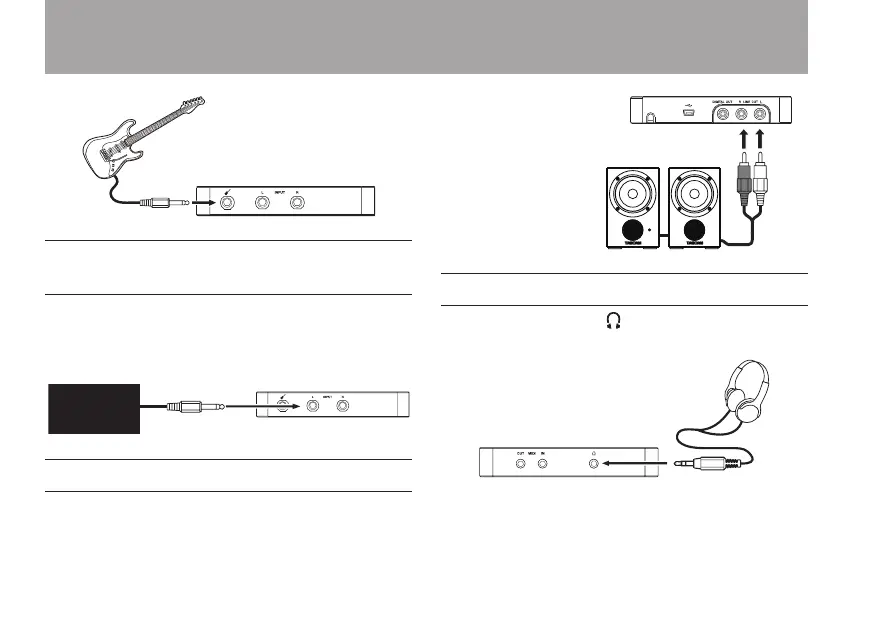
Connect the analog line outputs of these types of devices to
the line/mic INPUT L and INPUT R jacks on the front panel.
To enable line input, set the INPUT L switch and/or INPUT R
switch on the bottom panel to LINE.
Keyboard,
drum machine
or music player
Connecting monitor speakers
Connect monitor speakers (powered speakers or an amplier
and speakers) to the LINE OUT L and R jacks on the rear panel.
Powered monitor speakers or
an amplier and speakers
Connecting headphones
Connect headphones to the (headphones) stereo output
mini-jack on the left side panel.
3 – Connections


 To Next Page