7 Overload indicator (R)
This lights red just before the signal input through the
right input channel (R) reaches a level that distorts. This
indicator only works with analog input. It lights red when
the maximum level exceeds –2 dB.
8 INPUT R knob
Use to adjust the input level from the INPUT R jack.
Front panel
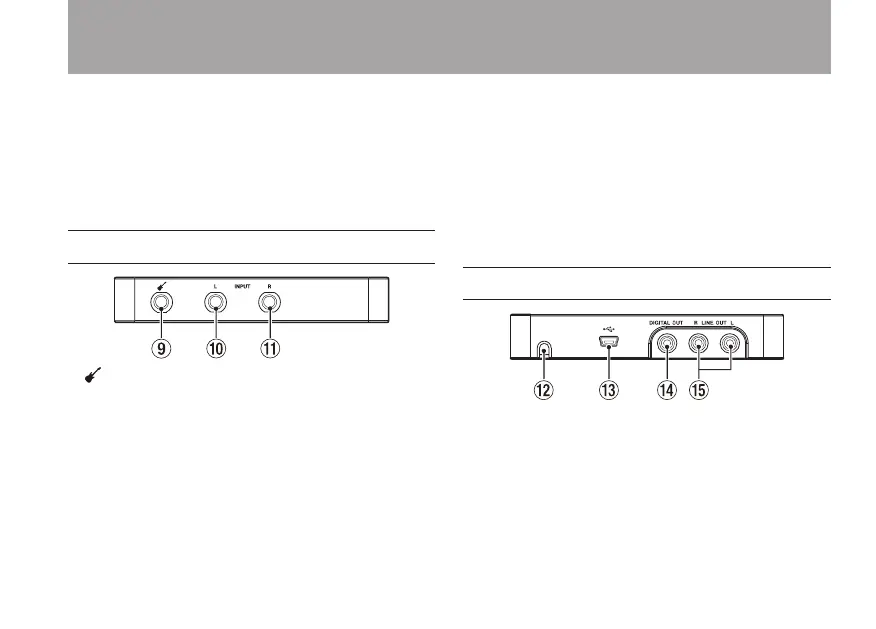
9 jack
Connect guitars, basses and other high impedance
instruments here.
This jack functions when the INPUT L switch on the bottom
panel is set to GUITAR.
(6.3mm (1/4”) standard TS jack; tip: HOT, sleeve: GND)
0 INPUT L jack
Connect electronic instruments, audio devices, mics and
other line-level equipment to this balanced line input jack.
Set the INPUT L switch on the bottom panel to MIC or LINE
according to the connected device.
(6.3mm (1/4”) standard TRS jack; tip: HOT, ring: COLD, sleeve:
GND)
q INPUT R jack
Connect electronic instruments, audio devices, mics and
other line-level equipment to this balanced line input jack.
Set the INPUT R switch on the bottom panel to MIC or LINE
according to the connected device.
(6.3mm (1/4”) standard TRS jack; tip: HOT, ring: COLD, sleeve:
GND)
Rear panel
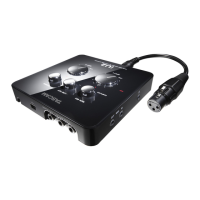
w Dock connector cable port
Pass the dock connector cable through here.
e Mini USB port
Use a USB cable to connect the unit with a computer
(supports USB 2.0).
If the unit is connected to a USB recharger using the USB
cable, the iOS device connected to the dock connector
cable can be recharged.
2 – Names and Functions of Parts


 To Next Page