4 – Application Guide
For the Format in the Audio Input section, set the
sampling frequency and number of channels so that
they match that used in your audio application.
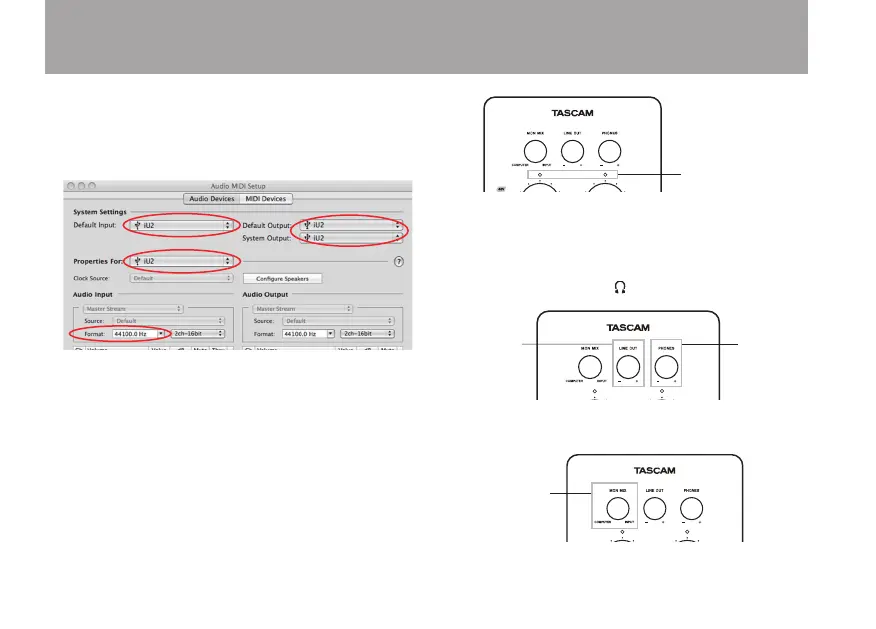
When using Mac OS X 10.5.8•
Set Default Input, Properties for, Default Output and System
Output to iU2.
For the Format in the Audio Input section, set the
sampling frequency and number of channels so that
they match that used in your audio application.
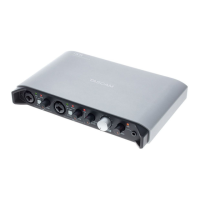
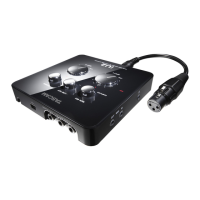
3 Use the INPUT L and INPUT R knobs on the top panel
of the unit to adjust the input level. Adjust the level so
that the overload (L and R) indicators do not light.
4 To adjust the output level, use the knobs on the top
panel. Use the MON MIX knob to adjust the monitoring
balance between the input and computer sounds, and
use the LINE OUT and PHONES knobs to adjust the
level output from the analog LINE OUT L, LINE OUT R
and headphone output ( ) jacks.
5 Use the MON MIX knob to adjust the volume balance
between the computer and input signals.


 To Next Page