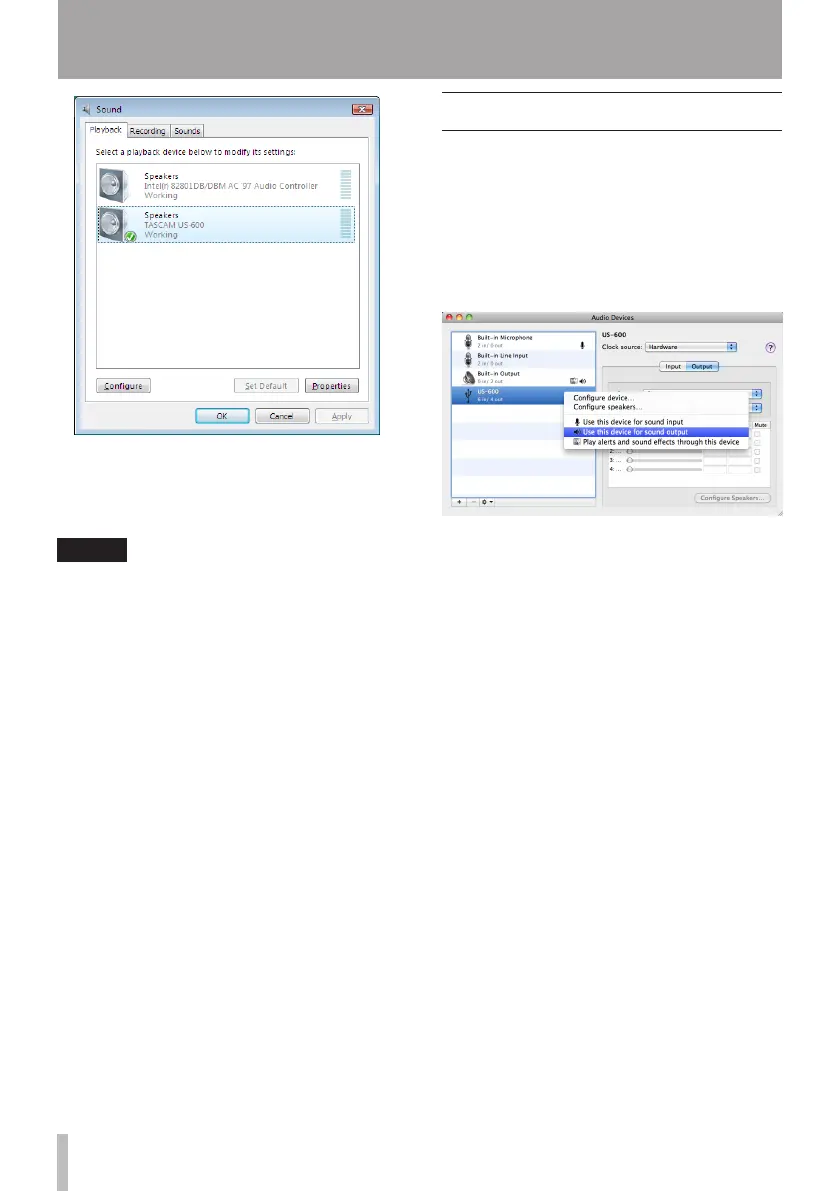
4 Click OK.
5 Start Windows Media Player, select an
audio file and begin playback.
NOTE
If you change this setting while Windows
•
Media Player is running, the software will
not recognize that the device has been
changed. In this case, restart Windows
Media Player.
If you still cannot hear sound after
•
making the setting and completing the
procedures above, restart the computer.
After making this setting, sound will be
•
output through this unit, but no sound
will be output by the computer’s speakers
or headphone jacks.
Mac OS X and iTunes
1 Open the Utilities folder, which is inside
the Applications folder, and double-click
Audio MIDI Setup to launch it.
2 Control-click the US-600. Check use this
device for sound input and use this device
for sound output. This moves microphone
icon and speaker icon to US-600.
3 Launch iTunes, select an audio file and
start playback.
6 – Application Guide


 To Next Page