16
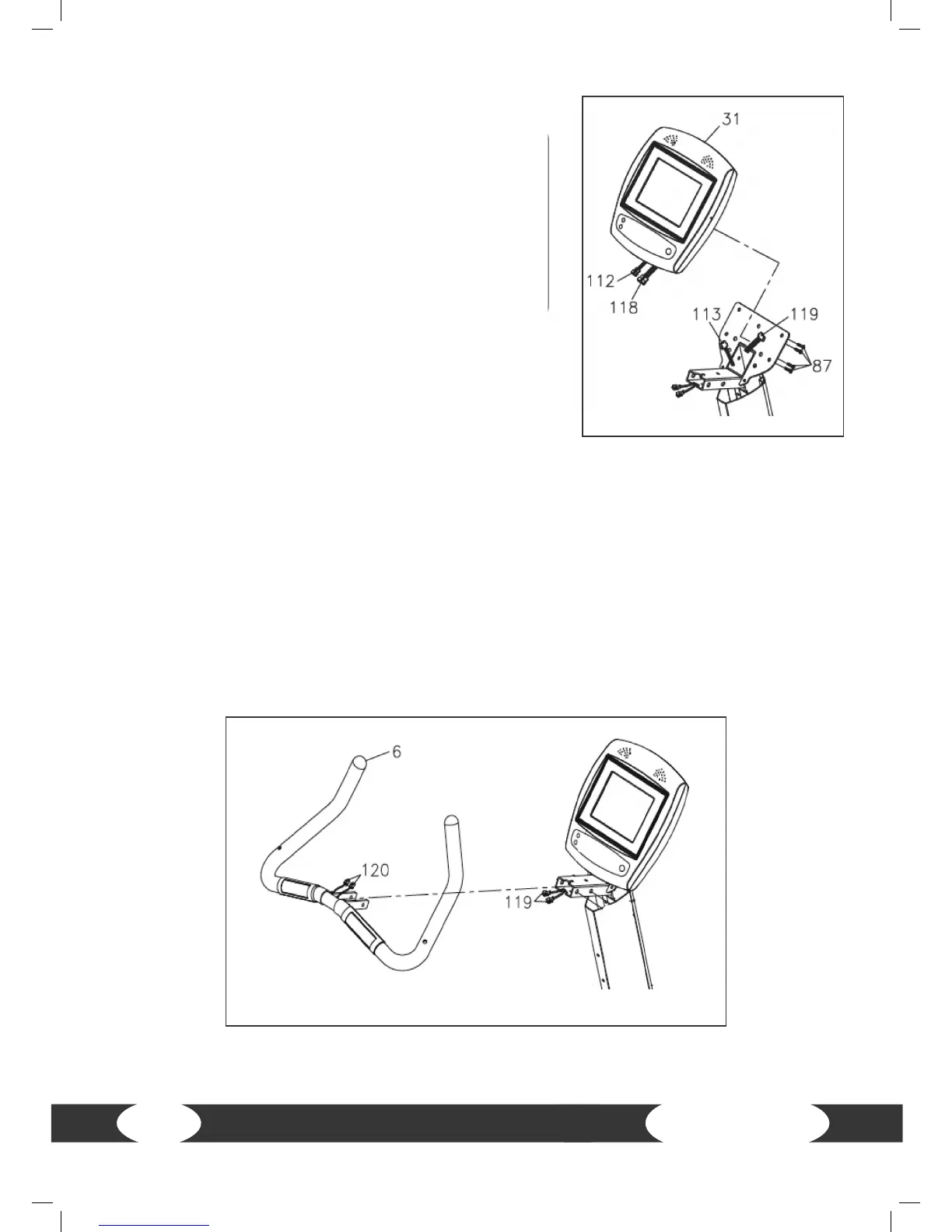
Step 5: Assemble console and cable connections
a) Connect the upper connection cable (112) to the
middle connection cable (113). Make sure that the
cables are not stuck.
b) Connect the upper pulse sensor cable (118) to the
middle pulse sensor cable (119). Make sure that the
cables are not stuck.
c) Place the console (31) on the console mast (5) and
mount it with four screws (M5xp0.8x15mm)(87).
Step 6: Cable connection
a) Connect the middle pulse sensor cable (119) to the lower pulse sensor cable (120). Make
sure that the cables are not stuck.


 To Next Page