HM10 Home AC Charger Mobile Application (APP) User Guide
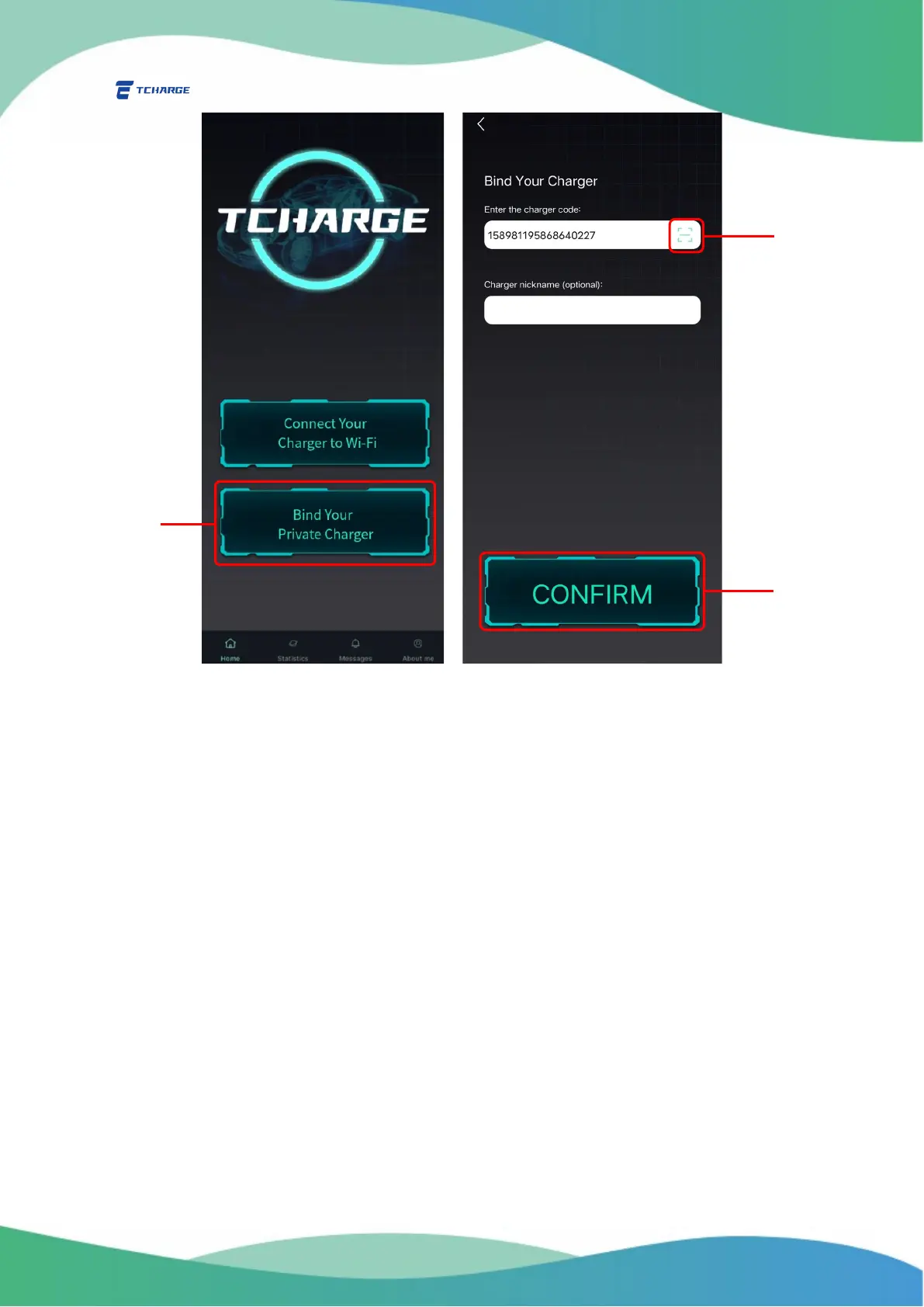
Figure 4.1 Binding Your Charger
4.2 Unbind Your Charger
You can also choose to unbind a charger that you no longer want to bind with your account.
1) From the “About me” tab, choose “My Charger” (D in Figure 4.2) to open my charger list
page (Figure 4.2 right)
2) Click on “Remove” to the right of the profile of the charger that you want to unbind (E in
Figure 4.2) to unbind the charger.
For better management of chargers bonded with your account, it is recommended to nickname
every charger when you bind your account with them.


 To Next Page