HM10 Home AC Charger Mobile Application (APP) User Guide
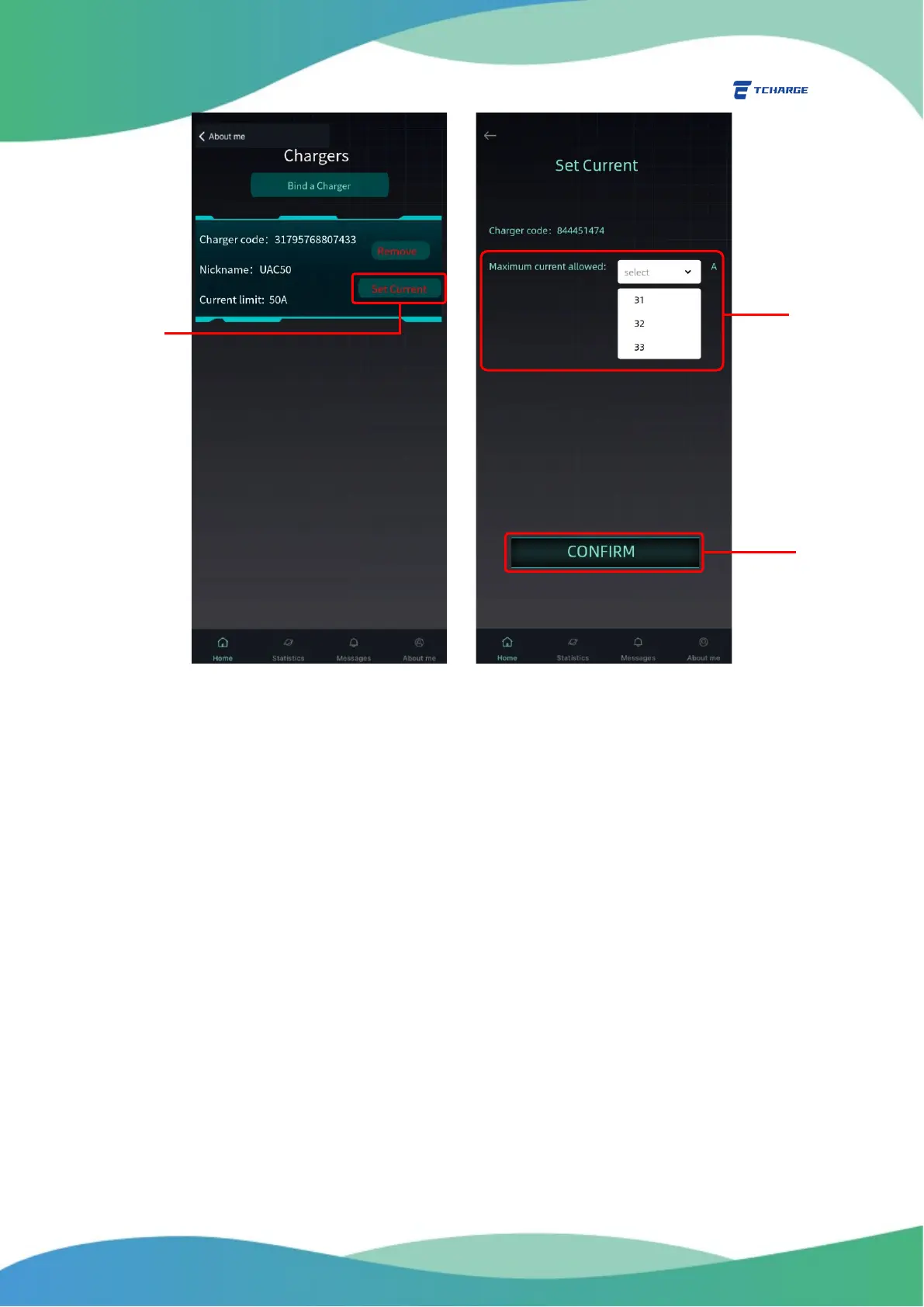
Figure 6.3 Set Maximum Charging Current
7. Messages and Statistics
Messages tab and Statistics tab (both are accessible via buttons in navigation bar at bottom)
display your charging records and statistics.
For Messages tab, click on Messages button on the navigation bar (A in Figure 7.1).
You can see a summary of your past charging sessions on this tab.
For Statistics tab, click on Statistics button on the navigation bar (B in Figure 7.1).
You can browse combined statistics of your charging sessions on the basis of day, month,
or year by your choice (C in Figure 7.1).


 To Next Page