MFC Kit Instructions 5.0 PQconnect Option
36
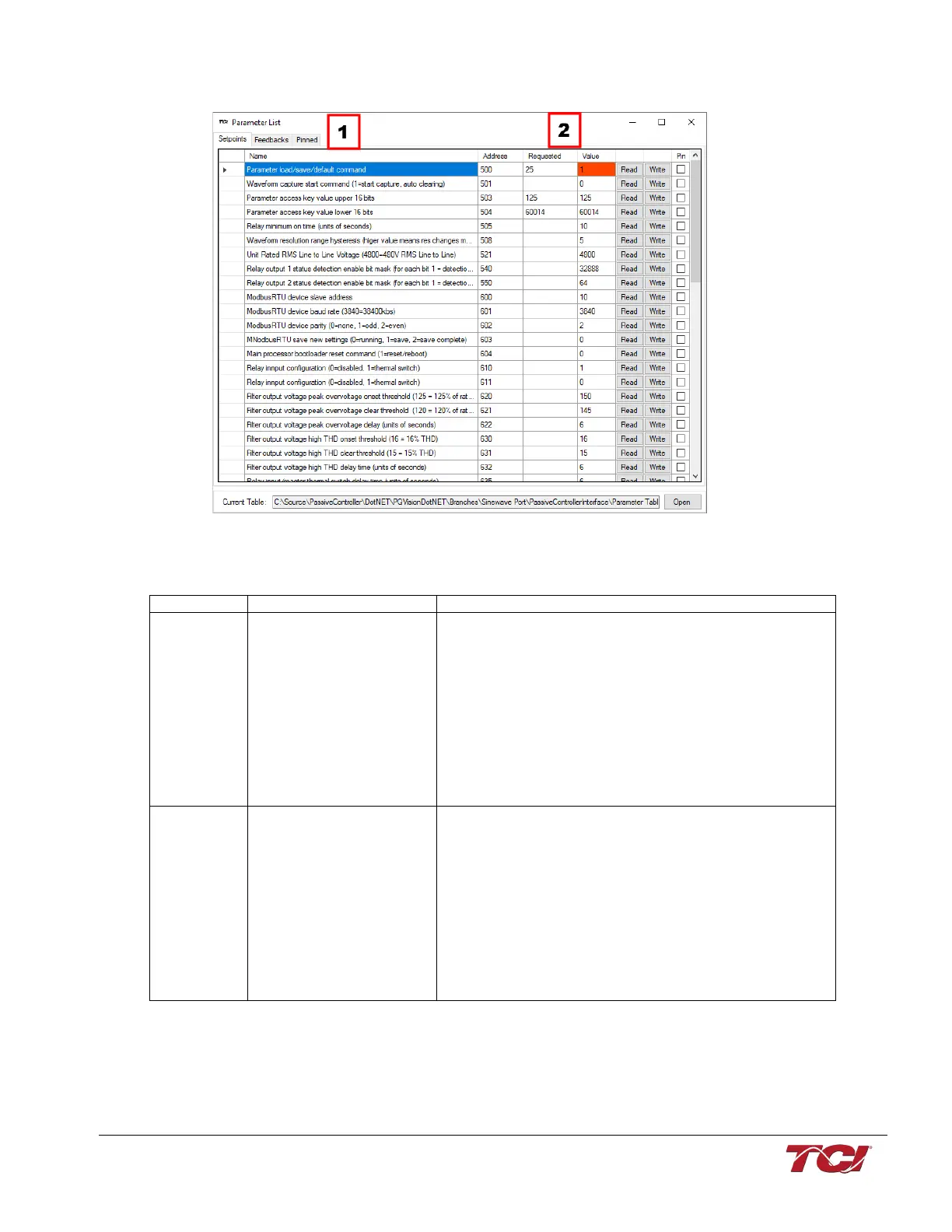
Figure 20: PQvision Parameter List Menu
Table 14: PQvision Parameter List Menu
The setpoints toolbar will allow the user to adjust parameters
to their desired settings.
Feedbacks will allow the user to view the present values of the
filter.
The Pinned tab will have any pinned parameters the user
selects. To pin parameters the user will select the pins box for
each desired parameter.
View parameter tables to determine what each value means.
Address/ Requested/
Value/ Read/ Write
Address is the spare ID for each parameter
Requested – If the user would like to adjust any values that
differ from the present value they will type in the new value in
the box.
Value is the present value the parameter
Read/Write buttons: Pressing the Read button will display the
current value of the parameter. Pressing write will allow the
user to overwrite the present value.



 To Next Page