17
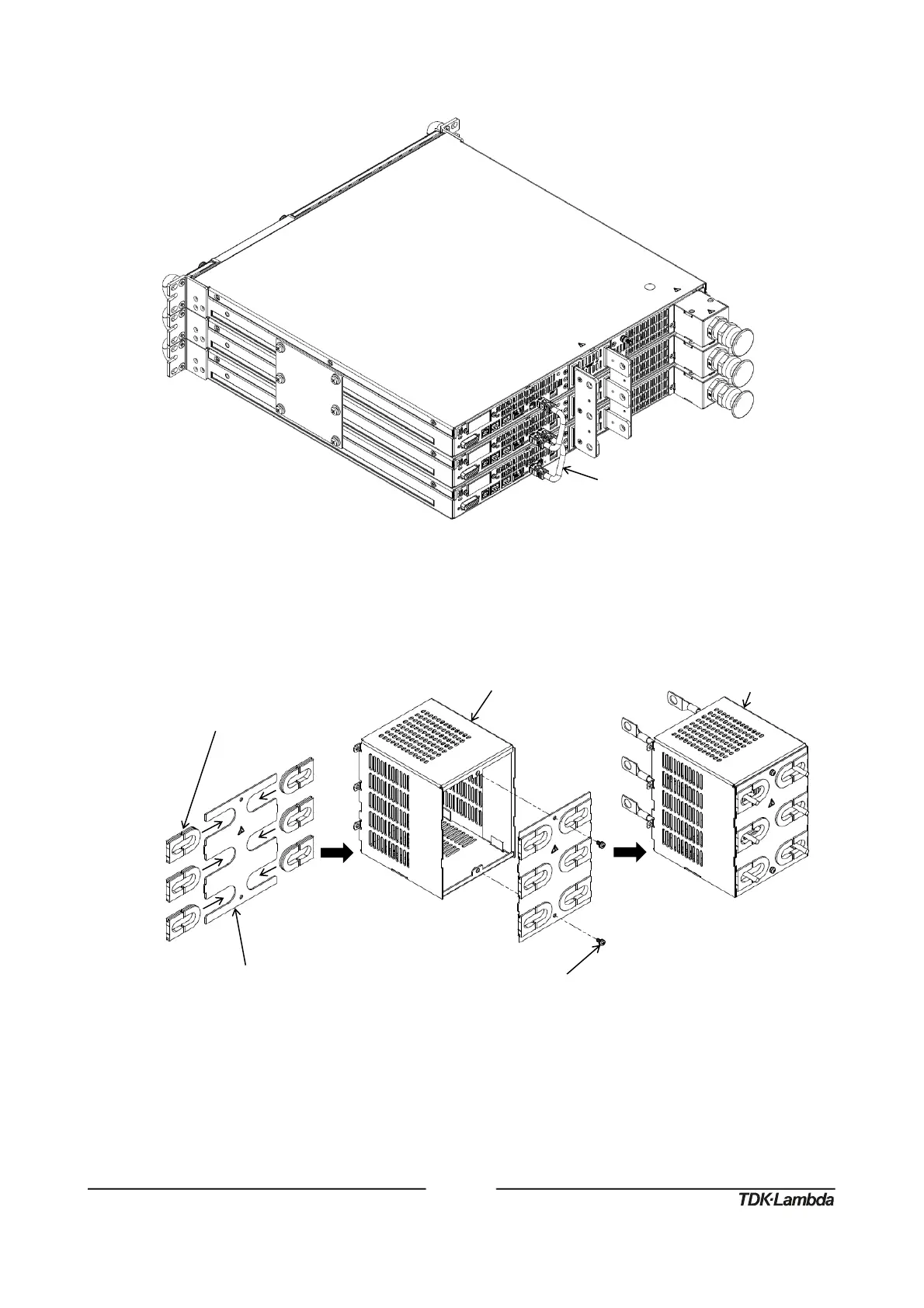
3. Connect two paralleling cables from top unit M connector to bottom unit S connector as
illustrated in Figure 18.
Figure18:Three60V‐100VUnitsParallelingCableConnection
4. For load wires with a diameter smaller than or equal to 11 millimeter insert six bus bar cover
plugs into the bus bar protection bracket and fix it to the output cover using two SEMS screw.
Insert output cover assembly through the cables as illustrated in Figure 19.
Figure19:Three60V‐100VUnits,WireDiameter≤11mm,OutputCoverAssembly
BusBarProtectionBracket
M3x8SEMSScrew,NickelPlated
Tighteningtorque:4.7‐5.7Lbf‐inch(0.53‐0.64Nm)














 To Next Page