22
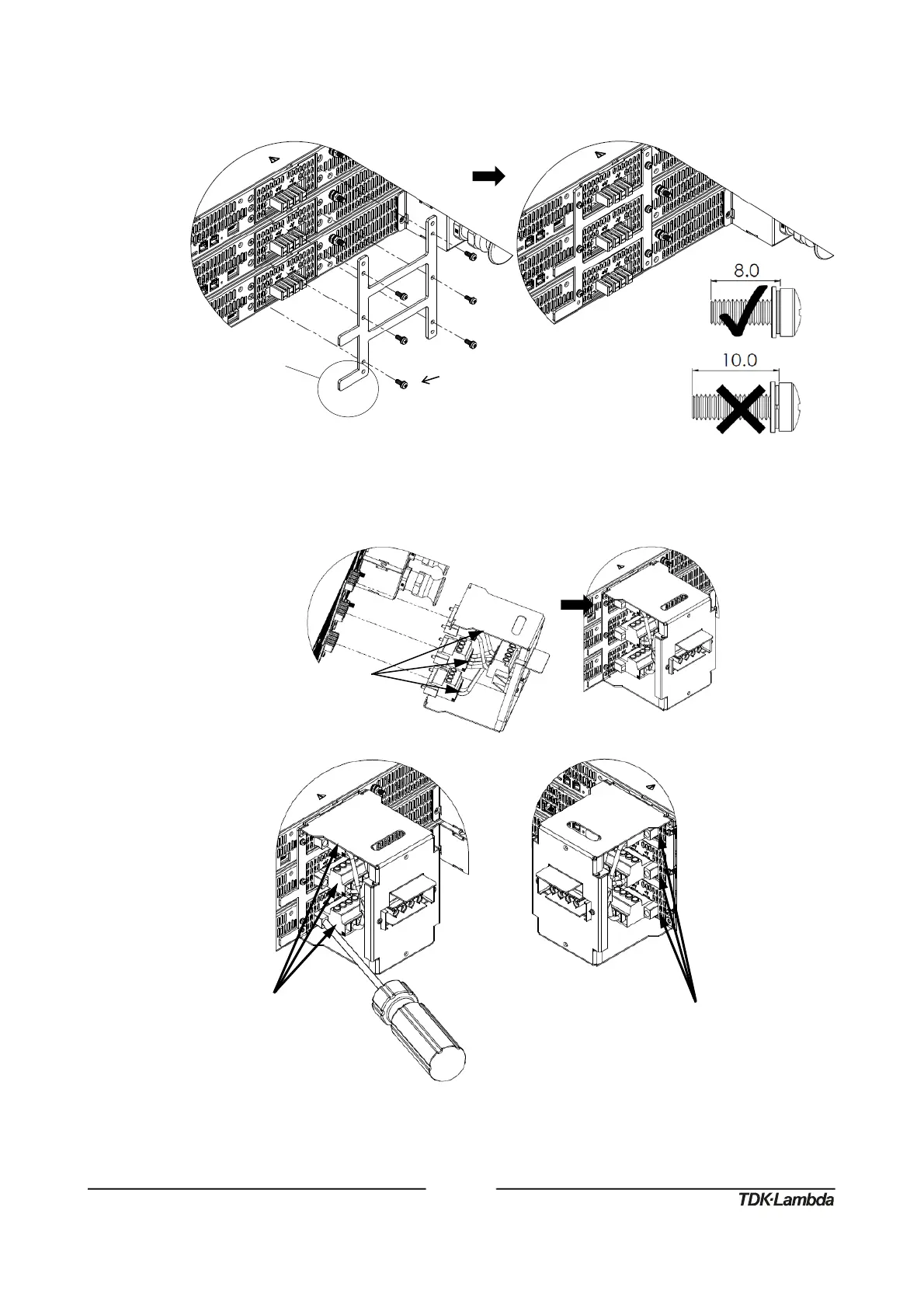
3. Attach fixing bracket to power supply’s back side using six SEMS screws, eight millimeter
screw length, as illustrated in Figure 25. Make sure the horizontal tab is located as illustrated in
Figure 25.
Figure25:Fixingbracketinstallation
4. Insert three plugs into their compatible output receptacle and fasten them using their six built-in
screws and a slotted screwdriver as illustrated in Figure 26.
Figure26:Fixingbracketinstallation
M3x8SEMSScrew,NickelPlated
Tighteningtorque:
4.7‐5.7Lbf‐inch(0.53‐0.64Nm)
Sixbuilt‐inscrews
Tighteningtorque:
6.5Lbf‐inch(0.73Nm)














 To Next Page