13
4 Loading Media
4.1.2 Inserting media into the print mechanism
5
4
6
3
2
1
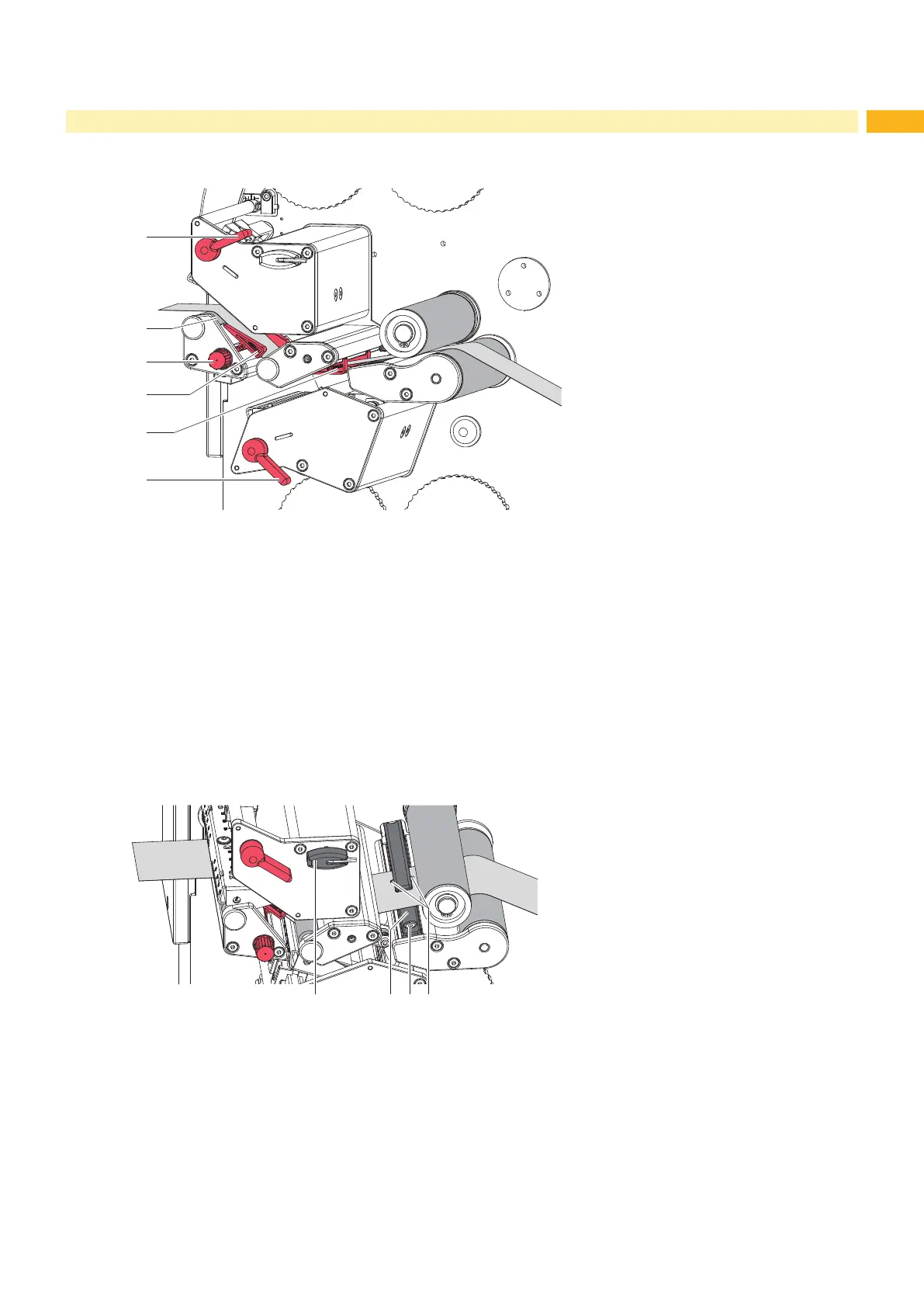
Fig. 9 Inserting media into the print mechanism
1. Turn lever (1) counterclockwise and lever (6) clockwise to lift both printheads.
2. Move guides (4,5) apart with the knob (3) until the media can pass between them.
3. Guide media strip through the print mechanics as shown in gure 9 to the upper print roller (2) and place the strip
between the guides (4,5).
4. Move guides against the edges of the media by turning the knob (3).
5. Fix the media by closing the upper printhead.
6. Turn the media roll against the feed direction to tighten the media.
7. Close the lower printhead.
4.1.3 Setting the Material Sensor
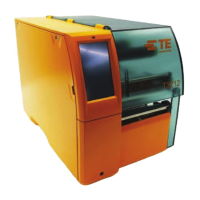
Fig. 10 Setting the material sensor
The material sensor (2) can be shifted perpendicular to the direction of media ow for adaptation to the media. The
sensor unit is marked with indentation (4) on the label sensor retainer.
It may be necessary to slide the material sensor away from the central position when printing perforated sleeves.
Slightly loosen the screw (3) with Allen key (1).
Position sensor by moving it in such a way that the sensor can detect a reex or cut-out mark.
Tighten the screw (3).


 To Next Page